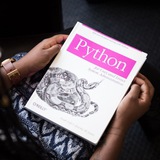
Guys, Big Announcement!
We’ve officially hit 2 MILLION followers — and it’s time to take our Python journey to the next level!
I’m super excited to launch the 30-Day Python Coding Challenge — perfect for absolute beginners, interview prep, or anyone wanting to build real projects from scratch.
This challenge is your daily dose of Python — bite-sized lessons with hands-on projects so you actually code every day and level up fast.
Here’s what you’ll learn over the next 30 days:
Week 1: Python Fundamentals
- Variables & Data Types (Build your own bio/profile noscript)
- Operators (Mini calculator to sharpen math skills)
- Strings & String Methods (Word counter & palindrome checker)
- Lists & Tuples (Manage a grocery list like a pro)
- Dictionaries & Sets (Create your own contact book)
- Conditionals (Make a guess-the-number game)
- Loops (Multiplication tables & pattern printing)
Week 2: Functions & Logic — Make Your Code Smarter
- Functions (Prime number checker)
- Function Arguments (Tip calculator with custom tips)
- Recursion Basics (Factorials & Fibonacci series)
- Lambda, map & filter (Process lists efficiently)
- List Comprehensions (Filter odd/even numbers easily)
- Error Handling (Build a safe input reader)
- Review + Mini Project (Command-line to-do list)
Week 3: Files, Modules & OOP
- Reading & Writing Files (Save and load notes)
- Custom Modules (Create your own utility math module)
- Classes & Objects (Student grade tracker)
- Inheritance & OOP (RPG character system)
- Dunder Methods (Build a custom string class)
- OOP Mini Project (Simple bank account system)
- Review & Practice (Quiz app using OOP concepts)
Week 4: Real-World Python & APIs — Build Cool Apps
- JSON & APIs (Fetch weather data)
- Web Scraping (Extract noscripts from HTML)
- Regular Expressions (Find emails & phone numbers)
- Tkinter GUI (Create a simple counter app)
- CLI Tools (Command-line calculator with argparse)
- Automation (File organizer noscript)
- Final Project (Choose, build, and polish your app!)
React with ❤️ if you're ready for this new journey
You can join our WhatsApp channel to access it for free: https://whatsapp.com/channel/0029VaiM08SDuMRaGKd9Wv0L/1661
We’ve officially hit 2 MILLION followers — and it’s time to take our Python journey to the next level!
I’m super excited to launch the 30-Day Python Coding Challenge — perfect for absolute beginners, interview prep, or anyone wanting to build real projects from scratch.
This challenge is your daily dose of Python — bite-sized lessons with hands-on projects so you actually code every day and level up fast.
Here’s what you’ll learn over the next 30 days:
Week 1: Python Fundamentals
- Variables & Data Types (Build your own bio/profile noscript)
- Operators (Mini calculator to sharpen math skills)
- Strings & String Methods (Word counter & palindrome checker)
- Lists & Tuples (Manage a grocery list like a pro)
- Dictionaries & Sets (Create your own contact book)
- Conditionals (Make a guess-the-number game)
- Loops (Multiplication tables & pattern printing)
Week 2: Functions & Logic — Make Your Code Smarter
- Functions (Prime number checker)
- Function Arguments (Tip calculator with custom tips)
- Recursion Basics (Factorials & Fibonacci series)
- Lambda, map & filter (Process lists efficiently)
- List Comprehensions (Filter odd/even numbers easily)
- Error Handling (Build a safe input reader)
- Review + Mini Project (Command-line to-do list)
Week 3: Files, Modules & OOP
- Reading & Writing Files (Save and load notes)
- Custom Modules (Create your own utility math module)
- Classes & Objects (Student grade tracker)
- Inheritance & OOP (RPG character system)
- Dunder Methods (Build a custom string class)
- OOP Mini Project (Simple bank account system)
- Review & Practice (Quiz app using OOP concepts)
Week 4: Real-World Python & APIs — Build Cool Apps
- JSON & APIs (Fetch weather data)
- Web Scraping (Extract noscripts from HTML)
- Regular Expressions (Find emails & phone numbers)
- Tkinter GUI (Create a simple counter app)
- CLI Tools (Command-line calculator with argparse)
- Automation (File organizer noscript)
- Final Project (Choose, build, and polish your app!)
React with ❤️ if you're ready for this new journey
You can join our WhatsApp channel to access it for free: https://whatsapp.com/channel/0029VaiM08SDuMRaGKd9Wv0L/1661
❤11😁1
Machine Learning isn't easy!
It’s the field that powers intelligent systems and predictive models.
To truly master Machine Learning, focus on these key areas:
0. Understanding the Basics of Algorithms: Learn about linear regression, decision trees, and k-nearest neighbors to build a solid foundation.
1. Mastering Data Preprocessing: Clean, normalize, and handle missing data to prepare your datasets for training.
2. Learning Supervised Learning Techniques: Dive deep into classification and regression models, such as SVMs, random forests, and logistic regression.
3. Exploring Unsupervised Learning: Understand clustering techniques (K-means, hierarchical) and dimensionality reduction (PCA, t-SNE).
4. Mastering Model Evaluation: Use techniques like cross-validation, confusion matrices, ROC curves, and F1 scores to assess model performance.
5. Understanding Overfitting and Underfitting: Learn how to balance bias and variance to build robust models.
6. Optimizing Hyperparameters: Use grid search, random search, and Bayesian optimization to fine-tune your models for better performance.
7. Diving into Neural Networks and Deep Learning: Explore deep learning with frameworks like TensorFlow and PyTorch to create advanced models like CNNs and RNNs.
8. Working with Natural Language Processing (NLP): Master text data, sentiment analysis, and techniques like word embeddings and transformers.
9. Staying Updated with New Techniques: Machine learning evolves rapidly—keep up with emerging models, techniques, and research.
Machine learning is about learning from data and improving models over time.
💡 Embrace the challenges of building algorithms, experimenting with data, and solving complex problems.
⏳ With time, practice, and persistence, you’ll develop the expertise to create systems that learn, predict, and adapt.
Data Science & Machine Learning Resources: https://topmate.io/coding/914624
Credits: https://news.1rj.ru/str/datasciencefun
Like if you need similar content 😄👍
Hope this helps you 😊
#datascience
It’s the field that powers intelligent systems and predictive models.
To truly master Machine Learning, focus on these key areas:
0. Understanding the Basics of Algorithms: Learn about linear regression, decision trees, and k-nearest neighbors to build a solid foundation.
1. Mastering Data Preprocessing: Clean, normalize, and handle missing data to prepare your datasets for training.
2. Learning Supervised Learning Techniques: Dive deep into classification and regression models, such as SVMs, random forests, and logistic regression.
3. Exploring Unsupervised Learning: Understand clustering techniques (K-means, hierarchical) and dimensionality reduction (PCA, t-SNE).
4. Mastering Model Evaluation: Use techniques like cross-validation, confusion matrices, ROC curves, and F1 scores to assess model performance.
5. Understanding Overfitting and Underfitting: Learn how to balance bias and variance to build robust models.
6. Optimizing Hyperparameters: Use grid search, random search, and Bayesian optimization to fine-tune your models for better performance.
7. Diving into Neural Networks and Deep Learning: Explore deep learning with frameworks like TensorFlow and PyTorch to create advanced models like CNNs and RNNs.
8. Working with Natural Language Processing (NLP): Master text data, sentiment analysis, and techniques like word embeddings and transformers.
9. Staying Updated with New Techniques: Machine learning evolves rapidly—keep up with emerging models, techniques, and research.
Machine learning is about learning from data and improving models over time.
💡 Embrace the challenges of building algorithms, experimenting with data, and solving complex problems.
⏳ With time, practice, and persistence, you’ll develop the expertise to create systems that learn, predict, and adapt.
Data Science & Machine Learning Resources: https://topmate.io/coding/914624
Credits: https://news.1rj.ru/str/datasciencefun
Like if you need similar content 😄👍
Hope this helps you 😊
#datascience
❤2
𝗠𝗼𝘀𝘁 𝗔𝘀𝗸𝗲𝗱 𝗦𝗤𝗟 𝗜𝗻𝘁𝗲𝗿𝘃𝗶𝗲𝘄 𝗤𝘂𝗲𝘀𝘁𝗶𝗼𝗻𝘀 𝗮𝘁 𝗠𝗔𝗔𝗡𝗚 𝗖𝗼𝗺𝗽𝗮𝗻𝗶𝗲𝘀🔥🔥
1. How do you retrieve all columns from a table?
SELECT * FROM table_name;
2. What SQL statement is used to filter records?
SELECT * FROM table_name
WHERE condition;
The WHERE clause is used to filter records based on a specified condition.
3. How can you join multiple tables? Describe different types of JOINs.
SELECT columns
FROM table1
JOIN table2 ON table1.column = table2.column
JOIN table3 ON table2.column = table3.column;
Types of JOINs:
1. INNER JOIN: Returns records with matching values in both tables
SELECT * FROM table1
INNER JOIN table2 ON table1.column = table2.column;
2. LEFT JOIN (or LEFT OUTER JOIN): Returns all records from the left table and matched records from the right table. Unmatched records will have NULL values.
SELECT * FROM table1
LEFT JOIN table2 ON table1.column = table2.column;
3. RIGHT JOIN (or RIGHT OUTER JOIN): Returns all records from the right table and matched records from the left table. Unmatched records will have NULL values.
SELECT * FROM table1
RIGHT JOIN table2 ON table1.column = table2.column;
4. FULL JOIN (or FULL OUTER JOIN): Returns records when there is a match in either left or right table. Unmatched records will have NULL values.
SELECT * FROM table1
FULL JOIN table2 ON table1.column = table2.column;
4. What is the difference between WHERE and HAVING clauses?
WHERE: Filters records before any groupings are made.
SELECT * FROM table_name
WHERE condition;
HAVING: Filters records after groupings are made.
SELECT column, COUNT(*)
FROM table_name
GROUP BY column
HAVING COUNT(*) > value;
5. How do you count the number of records in a table?
SELECT COUNT(*) FROM table_name;
This query counts all the records in the specified table.
6. How do you calculate average, sum, minimum, and maximum values in a column?
Average: SELECT AVG(column_name) FROM table_name;
Sum: SELECT SUM(column_name) FROM table_name;
Minimum: SELECT MIN(column_name) FROM table_name;
Maximum: SELECT MAX(column_name) FROM table_name;
7. What is a subquery, and how do you use it?
Subquery: A query nested inside another query
SELECT * FROM table_name
WHERE column_name = (SELECT column_name FROM another_table WHERE condition);
Till then keep learning and keep exploring 🙌
1. How do you retrieve all columns from a table?
SELECT * FROM table_name;
2. What SQL statement is used to filter records?
SELECT * FROM table_name
WHERE condition;
The WHERE clause is used to filter records based on a specified condition.
3. How can you join multiple tables? Describe different types of JOINs.
SELECT columns
FROM table1
JOIN table2 ON table1.column = table2.column
JOIN table3 ON table2.column = table3.column;
Types of JOINs:
1. INNER JOIN: Returns records with matching values in both tables
SELECT * FROM table1
INNER JOIN table2 ON table1.column = table2.column;
2. LEFT JOIN (or LEFT OUTER JOIN): Returns all records from the left table and matched records from the right table. Unmatched records will have NULL values.
SELECT * FROM table1
LEFT JOIN table2 ON table1.column = table2.column;
3. RIGHT JOIN (or RIGHT OUTER JOIN): Returns all records from the right table and matched records from the left table. Unmatched records will have NULL values.
SELECT * FROM table1
RIGHT JOIN table2 ON table1.column = table2.column;
4. FULL JOIN (or FULL OUTER JOIN): Returns records when there is a match in either left or right table. Unmatched records will have NULL values.
SELECT * FROM table1
FULL JOIN table2 ON table1.column = table2.column;
4. What is the difference between WHERE and HAVING clauses?
WHERE: Filters records before any groupings are made.
SELECT * FROM table_name
WHERE condition;
HAVING: Filters records after groupings are made.
SELECT column, COUNT(*)
FROM table_name
GROUP BY column
HAVING COUNT(*) > value;
5. How do you count the number of records in a table?
SELECT COUNT(*) FROM table_name;
This query counts all the records in the specified table.
6. How do you calculate average, sum, minimum, and maximum values in a column?
Average: SELECT AVG(column_name) FROM table_name;
Sum: SELECT SUM(column_name) FROM table_name;
Minimum: SELECT MIN(column_name) FROM table_name;
Maximum: SELECT MAX(column_name) FROM table_name;
7. What is a subquery, and how do you use it?
Subquery: A query nested inside another query
SELECT * FROM table_name
WHERE column_name = (SELECT column_name FROM another_table WHERE condition);
Till then keep learning and keep exploring 🙌
❤9
Python for Data Analysis: Must-Know Libraries 👇👇
Python is one of the most powerful tools for Data Analysts, and these libraries will supercharge your data analysis workflow by helping you clean, manipulate, and visualize data efficiently.
🔥 Essential Python Libraries for Data Analysis:
✅ Pandas – The go-to library for data manipulation. It helps in filtering, grouping, merging datasets, handling missing values, and transforming data into a structured format.
📌 Example: Loading a CSV file and displaying the first 5 rows:
✅ NumPy – Used for handling numerical data and performing complex calculations. It provides support for multi-dimensional arrays and efficient mathematical operations.
📌 Example: Creating an array and performing basic operations:
✅ Matplotlib & Seaborn – These are used for creating visualizations like line graphs, bar charts, and scatter plots to understand trends and patterns in data.
📌 Example: Creating a basic bar chart:
✅ Scikit-Learn – A must-learn library if you want to apply machine learning techniques like regression, classification, and clustering on your dataset.
✅ OpenPyXL – Helps in automating Excel reports using Python by reading, writing, and modifying Excel files.
💡 Challenge for You!
Try writing a Python noscript that:
1️⃣ Reads a CSV file
2️⃣ Cleans missing data
3️⃣ Creates a simple visualization
React with ♥️ if you want me to post the noscript for above challenge! ⬇️
Share with credits: https://news.1rj.ru/str/sqlspecialist
Hope it helps :)
Python is one of the most powerful tools for Data Analysts, and these libraries will supercharge your data analysis workflow by helping you clean, manipulate, and visualize data efficiently.
🔥 Essential Python Libraries for Data Analysis:
✅ Pandas – The go-to library for data manipulation. It helps in filtering, grouping, merging datasets, handling missing values, and transforming data into a structured format.
📌 Example: Loading a CSV file and displaying the first 5 rows:
import pandas as pd df = pd.read_csv('data.csv') print(df.head()) ✅ NumPy – Used for handling numerical data and performing complex calculations. It provides support for multi-dimensional arrays and efficient mathematical operations.
📌 Example: Creating an array and performing basic operations:
import numpy as np arr = np.array([10, 20, 30]) print(arr.mean()) # Calculates the average
✅ Matplotlib & Seaborn – These are used for creating visualizations like line graphs, bar charts, and scatter plots to understand trends and patterns in data.
📌 Example: Creating a basic bar chart:
import matplotlib.pyplot as plt plt.bar(['A', 'B', 'C'], [5, 7, 3]) plt.show()
✅ Scikit-Learn – A must-learn library if you want to apply machine learning techniques like regression, classification, and clustering on your dataset.
✅ OpenPyXL – Helps in automating Excel reports using Python by reading, writing, and modifying Excel files.
💡 Challenge for You!
Try writing a Python noscript that:
1️⃣ Reads a CSV file
2️⃣ Cleans missing data
3️⃣ Creates a simple visualization
React with ♥️ if you want me to post the noscript for above challenge! ⬇️
Share with credits: https://news.1rj.ru/str/sqlspecialist
Hope it helps :)
❤5🔥4