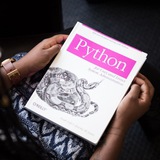
🗓️ Python Basics You Should Know 🐍
✅ 1. Variables & Data Types
Variables store data. Data types show what kind of data it is.
🔹 Use
✅ 2. Lists and Tuples
⦁ List = changeable collection
⦁ Tuple = fixed collection (cannot change items)
✅ 3. Dictionaries
Store data as key-value pairs.
✅ 4. Conditional Statements (if-else)
Make decisions.
🔹 Use
✅ 5. Loops
Repeat code.
⦁ For Loop – fixed repeats
⦁ While Loop – repeats while true
✅ 6. Functions
Reusable code blocks.
🔹 Return result:
✅ 7. Input / Output
Get user input and show messages.
🧪 Mini Projects
1. Number Guessing Game
2. To-Do List
🛠️ Recommended Tools
⦁ Google Colab (online)
⦁ Jupyter Notebook
⦁ Python IDLE or VS Code
💡 Practice a bit daily, start simple, and focus on basics — they matter most!
Data Science Roadmap: https://news.1rj.ru/str/datasciencefun/3730
Double Tap ♥️ For More
✅ 1. Variables & Data Types
Variables store data. Data types show what kind of data it is.
# String (text)
name = "Alice"

# Integer (whole number)
age = 25

# Float (decimal)
height = 5.6

# Boolean (True/False)
is_student = True
🔹 Use
type() to check data type:print(type(name)) # <class 'str'>
✅ 2. Lists and Tuples
⦁ List = changeable collection
fruits = ["apple", "banana", "cherry"]
print(fruits)  # banana
fruits.append("orange")  # add item
⦁ Tuple = fixed collection (cannot change items)
colors = ("red", "green", "blue")
print(colors)  # red
✅ 3. Dictionaries
Store data as key-value pairs.
person = {
  "name": "John",
  "age": 22,
  "city": "Seoul"
}
print(person["name"])  # John
✅ 4. Conditional Statements (if-else)
Make decisions.
age = 20
if age >= 18:
    print("Adult")
else:
    print("Minor")
🔹 Use
elif for multiple conditions:if age < 13:
print("Child")
elif age < 18:
print("Teenager")
else:
print("Adult")
✅ 5. Loops
Repeat code.
⦁ For Loop – fixed repeats
for i in range(3):
    print("Hello", i)
⦁ While Loop – repeats while true
count = 1
while count <= 3:
    print("Count is", count)
    count += 1
✅ 6. Functions
Reusable code blocks.
def greet(name):
    print("Hello", name)

greet("Alice")  # Hello Alice
🔹 Return result:
def add(a, b):
    return a + b

print(add(3, 5))  # 8
✅ 7. Input / Output
Get user input and show messages.
name = input("Enter your name: ")
print("Hi", name)
🧪 Mini Projects
1. Number Guessing Game
import random
num = random.randint(1, 10)
guess = int(input("Guess a number (1-10): "))
if guess == num:
    print("Correct!")
else:
    print("Wrong, number was", num)
2. To-Do List
todo = []
todo.append("Buy milk")
todo.append("Study Python")
print(todo)
🛠️ Recommended Tools
⦁ Google Colab (online)
⦁ Jupyter Notebook
⦁ Python IDLE or VS Code
💡 Practice a bit daily, start simple, and focus on basics — they matter most!
Data Science Roadmap: https://news.1rj.ru/str/datasciencefun/3730
Double Tap ♥️ For More
❤22🔥1
4 ways to copy a list in Python
In Python, there are several ways to make a copy of a list. But it is important to understand the difference between a shallow copy and a deep copy.
Now let's check the difference between shallow and deep copy:
In Python, there are several ways to make a copy of a list. But it is important to understand the difference between a shallow copy and a deep copy.
original = [1, 2, [3, 4]]

# 1. Slice (shallow copy)
copy1 = original[:]

# 2. .copy() method (shallow copy)
copy2 = original.copy()

# 3. Using list() (shallow copy)
copy3 = list(original)

# 4. deepcopy (deep copy)
import copy
copy4 = copy.deepcopy(original)
Now let's check the difference between shallow and deep copy:
original[2].append(5)
print(copy1)
# [1, 2, [3, 4, 5]] — nested list changed!
print(copy4)
# [1, 2, [3, 4]] — unchanged
❤8👍1