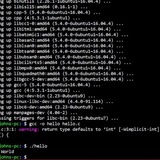
How do I make my prompt show the directory string only in the current line?
https://redd.it/yv5ozd
@r_bash
https://redd.it/yv5ozd
@r_bash
What are some resources for markup/prettifying bash commands for presentations?
I have the following bash noscript which runs
I have tried to use editors like https://carbon.now.sh/
but they all show something like
https://preview.redd.it/ofv5i8qzpyz91.png?width=1380&format=png&auto=webp&s=e7c4555f0db1503667c967d0fed0a45e38ea7410
where the
https://redd.it/yv8qqj
@r_bash
I have the following bash noscript which runs
python3:python3 /dir/to/python_code.py --option1 param1 --option2 param2I have tried to use editors like https://carbon.now.sh/
but they all show something like
https://preview.redd.it/ofv5i8qzpyz91.png?width=1380&format=png&auto=webp&s=e7c4555f0db1503667c967d0fed0a45e38ea7410
where the
python3 bit is colored, but nothing else. I am hoping to get more coloring, especially in the options. Is there an alternative editor that can do that? Thanks.https://redd.it/yv8qqj
@r_bash
carbon.now.sh
Carbon is the easiest way to create and share beautiful images of your source code.
Print pattern match once line below was found
I've got a really annoying problem. In my text file I have a number of objects that relate to an object group. An example is below.
object-group network TEST-GROUP1
network-object object SERVER1
network-object object SERVER2
network-object object SERVER3
network-object object SERVER4
The number of objects inside of any object-group can vary. What I need to do is check what object-groups, my object is a part of. So for example, how would I find if SERVER3 was part of an object group, and if it was, print that object group it's a member of.
Note, SERVER3 may be part of many object groups.
https://redd.it/yvcl79
@r_bash
I've got a really annoying problem. In my text file I have a number of objects that relate to an object group. An example is below.
object-group network TEST-GROUP1
network-object object SERVER1
network-object object SERVER2
network-object object SERVER3
network-object object SERVER4
The number of objects inside of any object-group can vary. What I need to do is check what object-groups, my object is a part of. So for example, how would I find if SERVER3 was part of an object group, and if it was, print that object group it's a member of.
Note, SERVER3 may be part of many object groups.
https://redd.it/yvcl79
@r_bash
Execute command for new files in directory tree
I currently have a noscript that uses fswatch to detect new files in a directory tree. In general it seems to work fine and I'm now trying to make the process more resilient. I'm looking for ways to handle the case where the watch noscript isn't running and a new file is added before the watch noscript is restarted. What are my options for this scenario?
https://redd.it/yvf58k
@r_bash
I currently have a noscript that uses fswatch to detect new files in a directory tree. In general it seems to work fine and I'm now trying to make the process more resilient. I'm looking for ways to handle the case where the watch noscript isn't running and a new file is added before the watch noscript is restarted. What are my options for this scenario?
https://redd.it/yvf58k
@r_bash
reddit
Execute command for new files in directory tree
I currently have a noscript that uses fswatch to detect new files in a directory tree. In general it seems to work fine and I'm now trying to make...
fill 2d array with spaces
I have a 2d array called canvas.
I want to fill this array with spaces.
Heres my code
#! /bin/bash
declare -A canvas
rows=30
cols=40
createCanvas() {
for ((i = 0; i < $rows; i++)); do
for ((j = 0; j < $cols; j++)); do
canvas$i, $j="."
done
done
}
drawCanvas() {
for ((i = 0; i < $rows; i++)); do
str=()
for ((j = 0; j < $cols; j++)); do
str+="${canvas$i, $j} "
done
echo $str
done
}
drawPointCustom() {
local x=$1
local y=$2
local c=$3
canvas"$x", "$y"=$c
}
createCanvas
drawPointCustom 10 10 'A'
drawCanvas
the create canvas is where im filling my array with '.' dots. But i want to fill it with spaces so that when i display it, nothing is visible. but when i try this
createCanvas() {
for ((i = 0; i < $rows; i++)); do
for ((j = 0; j < $cols; j++)); do
canvas$i, $j=" "
done
done
}
Everything becomes wrong.
my drawpointCustom function fails to work properly. Please help
​
Thanks in advance. :)
https://redd.it/yvtnah
@r_bash
I have a 2d array called canvas.
I want to fill this array with spaces.
Heres my code
#! /bin/bash
declare -A canvas
rows=30
cols=40
createCanvas() {
for ((i = 0; i < $rows; i++)); do
for ((j = 0; j < $cols; j++)); do
canvas$i, $j="."
done
done
}
drawCanvas() {
for ((i = 0; i < $rows; i++)); do
str=()
for ((j = 0; j < $cols; j++)); do
str+="${canvas$i, $j} "
done
echo $str
done
}
drawPointCustom() {
local x=$1
local y=$2
local c=$3
canvas"$x", "$y"=$c
}
createCanvas
drawPointCustom 10 10 'A'
drawCanvas
the create canvas is where im filling my array with '.' dots. But i want to fill it with spaces so that when i display it, nothing is visible. but when i try this
createCanvas() {
for ((i = 0; i < $rows; i++)); do
for ((j = 0; j < $cols; j++)); do
canvas$i, $j=" "
done
done
}
Everything becomes wrong.
my drawpointCustom function fails to work properly. Please help
​
Thanks in advance. :)
https://redd.it/yvtnah
@r_bash
reddit
fill 2d array with spaces
I have a 2d array called canvas. I want to fill this array with spaces. Heres my code #! /bin/bash declare -A canvas ...
Question about sort
In a file with two columns (think Name and Surname, for example), is doing
If I do both commands they appear to give the same output, however, in a one-liner that calculates the "average number of surnames per name" (not really what I'm doing but it's analogous) I get different results.
For clarity, imagine I have the following file:
Michael Jackson
Michael Scott
Michael Schumacher
Peter Griffin
Peter Pan
Someother Guy
Here,
Back to my question now, in my use case I have to remove the duplicates, so I'm doing this:
gawk 'NR>1{print $13, $2}' file.txt | sort | uniq | gawk '{print $1}' | uniq -c | gawk '{total += $1}END{print total/NR}'
The result of this is 1.99948.
However, when I do this:
gawk 'NR>1{print $13, $2}' dm6.txt | sort -k1,1 -k2,2 | uniq | gawk '{print $1}' | uniq -c | gawk '{total += $1}END{print total/NR}'
The result is 2.002.
So my question is, why is the result different if both commands do the same thing (or at least it looks like that when I examine the outputs), and if they don't do the same thing, what is the difference and which one do you think I should use?
https://redd.it/yw2lli
@r_bash
In a file with two columns (think Name and Surname, for example), is doing
sort and sort -k1,1 -k2,2 the same?If I do both commands they appear to give the same output, however, in a one-liner that calculates the "average number of surnames per name" (not really what I'm doing but it's analogous) I get different results.
For clarity, imagine I have the following file:
Michael Jackson
Michael Scott
Michael Schumacher
Peter Griffin
Peter Pan
Someother Guy
Here,
Michael has 3 different surnames, Peter has 2 and Someother has 1, so the average surnames per name is 2.Back to my question now, in my use case I have to remove the duplicates, so I'm doing this:
gawk 'NR>1{print $13, $2}' file.txt | sort | uniq | gawk '{print $1}' | uniq -c | gawk '{total += $1}END{print total/NR}'
The result of this is 1.99948.
However, when I do this:
gawk 'NR>1{print $13, $2}' dm6.txt | sort -k1,1 -k2,2 | uniq | gawk '{print $1}' | uniq -c | gawk '{total += $1}END{print total/NR}'
The result is 2.002.
So my question is, why is the result different if both commands do the same thing (or at least it looks like that when I examine the outputs), and if they don't do the same thing, what is the difference and which one do you think I should use?
https://redd.it/yw2lli
@r_bash
reddit
Question about sort
In a file with two columns (think Name and Surname, for example), is doing `sort` and `sort -k1,1 -k2,2` the same? If I do both commands they...
Help with Changing JDK via Mac Terminal
Hey all,
I think in the scheme of this sub this is probably a fairly simple request but I'm not familiar with Bash noscripting at all and hoping someone can help me here.
​
I had a noscript configured for me in my \~/.Bash\_profile on my Macbook by a colleague to allow me to change my Java JDK at will.
​
I went to run this today (possibly of note, after installing Ventura?) and today can't get it to run, it should, in theory, change JDK Using 'JDK XX' (XX being the version number) however as of today I get zsh command not found.
​
I get the impression this is probably something to do with the OS upgrade but can't figure out what. ANy advice would be very gratefully received.
​
export JAVA_HOME=/Library/Java/JavaVirtualMachines/temurin-17.jdk/Contents/Home
jdk() {
version=$1
export JAVA_HOME=$(/usr/libexec/java_home -v"$version");
java -version
}
https://redd.it/yw55rf
@r_bash
Hey all,
I think in the scheme of this sub this is probably a fairly simple request but I'm not familiar with Bash noscripting at all and hoping someone can help me here.
​
I had a noscript configured for me in my \~/.Bash\_profile on my Macbook by a colleague to allow me to change my Java JDK at will.
​
I went to run this today (possibly of note, after installing Ventura?) and today can't get it to run, it should, in theory, change JDK Using 'JDK XX' (XX being the version number) however as of today I get zsh command not found.
​
I get the impression this is probably something to do with the OS upgrade but can't figure out what. ANy advice would be very gratefully received.
​
export JAVA_HOME=/Library/Java/JavaVirtualMachines/temurin-17.jdk/Contents/Home
jdk() {
version=$1
export JAVA_HOME=$(/usr/libexec/java_home -v"$version");
java -version
}
https://redd.it/yw55rf
@r_bash
reddit
Help with Changing JDK via Mac Terminal
Hey all, I think in the scheme of this sub this is probably a fairly simple request but I'm not familiar with Bash noscripting at all and hoping...
Replace text in given column only
Hi all - I have a csv file separated by commas , am looking to find and replace in column 4 only, the last string which will be like /something* or with .git
Therefor name/age/postcode should become name/age. git
Looking at awk sed tr for solutions but this is a bit complex for me
https://redd.it/yw6jg6
@r_bash
Hi all - I have a csv file separated by commas , am looking to find and replace in column 4 only, the last string which will be like /something* or with .git
Therefor name/age/postcode should become name/age. git
Looking at awk sed tr for solutions but this is a bit complex for me
https://redd.it/yw6jg6
@r_bash
reddit
Replace text in given column only
Hi all - I have a csv file separated by commas , am looking to find and replace in column 4 only, the last string which will be like /something*...
thoughts? improvements? optimizations?
#!/usr/bin/env bash
if "$1" = "reboot" ; then
shift
sudo reboot
elif "$1" = "install" ; then
shift
if -x "$(command -v xbps-install)" ;then
sudo xbps-install "$@"
elif -x "$(command -v pacman)" ;then
sudo pacman -S "$@"
elif -x "$(command -v apt)" ;then
sudo apt-get install "$@"
fi
elif "$1" = "update" || "$1" = "upgrade" ; then
shift
if -x "$(command -v xbps-install)" ;then
sudo xbps-install -u "$@"
elif -x "$(command -v pacman)" ;then
sudo pacman -Syu
elif -x "$(command -v apt)" ;then
sudo apt-get upgrade "$@"
fi
elif "$1" = "search" ; then
shift
if -x "$(command -v xbps-install)" ;then
sudo xbps-query "$@"
elif -x "$(command -v pacman)" ;then
sudo pacman -Ss "$@"
elif -x "$(command -v apt)" ;then
sudo apt-get search "$@"
fi
elif "$1" = "uninstall" || "$1" = "remove" ; then
shift
if -x "$(command -v xbps-install)" ;then
sudo xbps-remove "$@"
elif -x "$(command -v pacman)" ;then
sudo pacman -Rsc "$@"
elif -x "$(command -v apt)" ;then
sudo apt-get remove "$@"
fi
fi
the name of the noscript/program is computer.
https://redd.it/yw5u4k
@r_bash
#!/usr/bin/env bash
if "$1" = "reboot" ; then
shift
sudo reboot
elif "$1" = "install" ; then
shift
if -x "$(command -v xbps-install)" ;then
sudo xbps-install "$@"
elif -x "$(command -v pacman)" ;then
sudo pacman -S "$@"
elif -x "$(command -v apt)" ;then
sudo apt-get install "$@"
fi
elif "$1" = "update" || "$1" = "upgrade" ; then
shift
if -x "$(command -v xbps-install)" ;then
sudo xbps-install -u "$@"
elif -x "$(command -v pacman)" ;then
sudo pacman -Syu
elif -x "$(command -v apt)" ;then
sudo apt-get upgrade "$@"
fi
elif "$1" = "search" ; then
shift
if -x "$(command -v xbps-install)" ;then
sudo xbps-query "$@"
elif -x "$(command -v pacman)" ;then
sudo pacman -Ss "$@"
elif -x "$(command -v apt)" ;then
sudo apt-get search "$@"
fi
elif "$1" = "uninstall" || "$1" = "remove" ; then
shift
if -x "$(command -v xbps-install)" ;then
sudo xbps-remove "$@"
elif -x "$(command -v pacman)" ;then
sudo pacman -Rsc "$@"
elif -x "$(command -v apt)" ;then
sudo apt-get remove "$@"
fi
fi
the name of the noscript/program is computer.
https://redd.it/yw5u4k
@r_bash
reddit
thoughts? improvements? optimizations?
#!/usr/bin/env bash if [ "$1" = "reboot" ]; then shift sudo reboot elif [ "$1" = "install" ]; then shift if [ -x...
divide input by x
Hello there! I can't post the entire command for strict NDA reasons; so I'll just quickly explain:
I have a command pulling a number out of a large set of data. I now need to divide it. Is there a way to do this in the same command in the terminal?
I'm having trouble figuring this out looking at the documentation, as I'm fairly new to bash.
Can someone help me with this, or point me to resources specific to bash in the terminal?
https://redd.it/yw2k5h
@r_bash
Hello there! I can't post the entire command for strict NDA reasons; so I'll just quickly explain:
I have a command pulling a number out of a large set of data. I now need to divide it. Is there a way to do this in the same command in the terminal?
I'm having trouble figuring this out looking at the documentation, as I'm fairly new to bash.
Can someone help me with this, or point me to resources specific to bash in the terminal?
https://redd.it/yw2k5h
@r_bash
reddit
divide input by x
Hello there! I can't post the entire command for strict NDA reasons; so I'll just quickly explain: I have a command pulling a number out of a...
Script to check if output is empty, then notifies via cURL
Hey there,
I'm looking for a bash noscript, that check's if an output is empty and then sends a notification via cURL.
I have multiple directories for multiple remote backups like this
If this command does not output a file I want to send a notification via cURL.
I'm a bash noob, so every help is appreciated.
Thank you guys in advance.
https://redd.it/ywbty5
@r_bash
Hey there,
I'm looking for a bash noscript, that check's if an output is empty and then sends a notification via cURL.
I have multiple directories for multiple remote backups like this
/remote_backups/<service> and want to check every <service> folder for a daily backup file with the following command.# Checks if there is a file from today in the directory
find /remote_backups/<service> -mtime -1 -type f -print
If this command does not output a file I want to send a notification via cURL.
I'm a bash noob, so every help is appreciated.
Thank you guys in advance.
https://redd.it/ywbty5
@r_bash
reddit
Script to check if output is empty, then notifies via cURL
Hey there, I'm looking for a bash noscript, that check's if an output is empty and then sends a notification via cURL. I have multiple directories...
Bash Question
I am working on an assignment, and I have to be able to enter a bash command and it tell if the month and day (number form) entered is odd or even.
I have attempted the following to find the month
"echo "Enter a month: "
read month
if [ "$month" -eq Jan\] && [ "$month" -eq Mar\] && [ "$month" -eq May\] && [ "$month" -eq Jul\] && [ "$month" -eq Sep\] && [ "$month" -eq Nov\];
then echo "Month is odd"
else echo "Month is even"
fi"
Is there a way I can condense this and make is function properly.
https://redd.it/ywgu0w
@r_bash
I am working on an assignment, and I have to be able to enter a bash command and it tell if the month and day (number form) entered is odd or even.
I have attempted the following to find the month
"echo "Enter a month: "
read month
if [ "$month" -eq Jan\] && [ "$month" -eq Mar\] && [ "$month" -eq May\] && [ "$month" -eq Jul\] && [ "$month" -eq Sep\] && [ "$month" -eq Nov\];
then echo "Month is odd"
else echo "Month is even"
fi"
Is there a way I can condense this and make is function properly.
https://redd.it/ywgu0w
@r_bash
reddit
Bash Question
I am working on an assignment, and I have to be able to enter a bash command and it tell if the month and day (number form) entered is odd or...
Need help assigning awk value to var
Hi, very new to bash, I would like to add the sum of the numbers and assign the final value to a variable
I have 2 files as such:
file1 and file2
12
13
14
​
#! /bin/sh
FILE1=/root/file1.txt
FILE2=/root/file2.txt
f1=
f2=
echo "$(f1)" "$(f2)"
but I get this error
testfile.sh: line 9: f1: not found
testfile.sh: line 9: f2: not found
https://redd.it/ywhnin
@r_bash
Hi, very new to bash, I would like to add the sum of the numbers and assign the final value to a variable
I have 2 files as such:
file1 and file2
12
13
14
​
#! /bin/sh
FILE1=/root/file1.txt
FILE2=/root/file2.txt
f1=
awk '{s+=$1} END {print s}' $FILE1f2=
awk '{s+=$1} END {print s}' $FILE2echo "$(f1)" "$(f2)"
but I get this error
testfile.sh: line 9: f1: not found
testfile.sh: line 9: f2: not found
https://redd.it/ywhnin
@r_bash
reddit
Need help assigning awk value to var
Hi, very new to bash, I would like to add the sum of the numbers and assign the final value to a variable I have 2 files as such: file1 and...
Bash Gives File Details
How would I go about the following:
Create a BASH noscript called noscript3.sh which takes in a file name as a command argument. The noscript consists of 6 logical parts.
Part 1) Print the menu options as shown below and wait for the user response.
1. Display the disk usage
2. Display the memory usage
3. Print the content of the specified file
4. Exit
Part 2) If option 1 is selected, execute “df -h” command.
Part 3) If option 2 is selected, execute “free -h” command.
Part 4) If option 3 is selected, print the content of the file as specified in the command argument. Use “while read … < filename” command, instead of “cat” command.
Part 5) if option 4 is selected, end the noscript.
Part 6) The whole noscript should be in a while true loop.
https://redd.it/ywmig6
@r_bash
How would I go about the following:
Create a BASH noscript called noscript3.sh which takes in a file name as a command argument. The noscript consists of 6 logical parts.
Part 1) Print the menu options as shown below and wait for the user response.
1. Display the disk usage
2. Display the memory usage
3. Print the content of the specified file
4. Exit
Part 2) If option 1 is selected, execute “df -h” command.
Part 3) If option 2 is selected, execute “free -h” command.
Part 4) If option 3 is selected, print the content of the file as specified in the command argument. Use “while read … < filename” command, instead of “cat” command.
Part 5) if option 4 is selected, end the noscript.
Part 6) The whole noscript should be in a while true loop.
https://redd.it/ywmig6
@r_bash
reddit
Bash Gives File Details
How would I go about the following: Create a BASH noscript called noscript3.sh which takes in a file name as a command argument. The noscript...
Bash Directory/File Search
For an assignment, I have to make a bash noscript that takes a directory name and file name as arguments.
For the first part, it finds if the exists. If it does not exist, it prompts the user if the directory should be created. If they say they do not want to create the directory, end the noscript. Ifthe answer is yes, it creates the specified directory.
For the second part, if the specified directory already exists, it verifies that the specified file exists in the specified directory. If the file does not exist, prompt the user if the file should be created under the specified directory. If no, print the long listingof the files in the specified directory and end the noscript. If yes, create the file under the specified directory, print the long listing of the files in the specified directory, and end the noscript.
https://redd.it/ywm64c
@r_bash
For an assignment, I have to make a bash noscript that takes a directory name and file name as arguments.
For the first part, it finds if the exists. If it does not exist, it prompts the user if the directory should be created. If they say they do not want to create the directory, end the noscript. Ifthe answer is yes, it creates the specified directory.
For the second part, if the specified directory already exists, it verifies that the specified file exists in the specified directory. If the file does not exist, prompt the user if the file should be created under the specified directory. If no, print the long listingof the files in the specified directory and end the noscript. If yes, create the file under the specified directory, print the long listing of the files in the specified directory, and end the noscript.
https://redd.it/ywm64c
@r_bash
reddit
Bash Directory/File Search
For an assignment, I have to make a bash noscript that takes a directory name and file name as arguments. For the first part, it finds if the...
Pasting a list of arguments as space-separated instead of newline-separated
I have a Python noscript which takes a variable number of arguments.
$ python handynoscript.py arg1 arg2 ... argN
The arguments come from a spreadsheet. There can be many of them.
6140839142
6147932537
6147119197
6145700817
6147950627
6147128158
6145704204
6146640673
6140994669
6147963572
6139979908
....
I currently copy the column of arguments, paste it into a text editor, do a find and replace
$ python handynoscript.py 6140839142 6147932537 6147119197 6145700817 6147950627 6147128158 6145704204 6146640673 6140994669 6147963572 6139979908 ...
Is there a way I can do this without using the text editor steps?
https://redd.it/ywq6ge
@r_bash
I have a Python noscript which takes a variable number of arguments.
$ python handynoscript.py arg1 arg2 ... argN
The arguments come from a spreadsheet. There can be many of them.
6140839142
6147932537
6147119197
6145700817
6147950627
6147128158
6145704204
6146640673
6140994669
6147963572
6139979908
....
I currently copy the column of arguments, paste it into a text editor, do a find and replace
'\n', ' 'and copy the result to paste after my noscript invocation:$ python handynoscript.py 6140839142 6147932537 6147119197 6145700817 6147950627 6147128158 6145704204 6146640673 6140994669 6147963572 6139979908 ...
Is there a way I can do this without using the text editor steps?
https://redd.it/ywq6ge
@r_bash
reddit
Pasting a list of arguments as space-separated instead of...
I have a Python noscript which takes a variable number of arguments. $ python handynoscript.py arg1 arg2 ... argN The arguments come from a...
Questions about piping and redirecting.
Hello, I have questions about piping and redirecting stdio.
When piping or redirecting, does stdio always follow specific rules, or are programs designed to use stdio in a specific way?
For example when I make a bash noscript, stdio does not flow into it as an argument. Why?
Same thing with other common commands, most of the time I use techniques I find online, or for some reason it just makes sense.
However, when I actually try to explore stdio with commands, I can't seem to figure out how it works. Like something ends up not working like it did in a similar example.
So I am basically asking if commands hardcode how stdio can be used with them, or does bash handle stdio the same for all commands?
https://redd.it/yx403p
@r_bash
Hello, I have questions about piping and redirecting stdio.
When piping or redirecting, does stdio always follow specific rules, or are programs designed to use stdio in a specific way?
For example when I make a bash noscript, stdio does not flow into it as an argument. Why?
Same thing with other common commands, most of the time I use techniques I find online, or for some reason it just makes sense.
However, when I actually try to explore stdio with commands, I can't seem to figure out how it works. Like something ends up not working like it did in a similar example.
So I am basically asking if commands hardcode how stdio can be used with them, or does bash handle stdio the same for all commands?
https://redd.it/yx403p
@r_bash
reddit
Questions about piping and redirecting.
Hello, I have questions about piping and redirecting stdio. When piping or redirecting, does stdio always follow specific rules, or are programs...
POSIX-ly way to read two multi-line variables into columns with specified widths
I know this isn't technically Bash (POSIX sh), but I wasn't sure where to post this.
I have two multi-line variables, and I want to print them into columns where I can specify the width of each column.
LEFT="One
Two
Three
"
RIGHT="A
B
C
"
Desired output:
One A
Two B
Three C
The most "elegant" solution I was able to find unfortunately uses here strings, but was the fastest:
while read -r LEFTLINE; read -r -u 3 RIGHTLINE; do
printf "%-20b%-20b\n" "$LEFTLINE" "$RIGHTLINE"
done <<< "$LEFT" 3<<< "$RIGHT"
So I am looking for a similar way to accomplish this in POSIX sh.
I have also tried (very slow):
LEFTCOUNT=$(printf "%s" "$LEFT" | grep -c '^')
i=1
while [ "$i" -le "$LEFTCOUNT" ]; do
LEFTLINE=$(printf "%b" "$LEFT" | awk -v var="$i" 'NR==var')
RIGHTLINE=$(printf "%b" "$RIGHT" | awk -v var="$i" 'NR==var')
printf "\n%-10b%-20b" "${LEFTLINE}" "${RIGHTLINE}"
i=$(( i + 1 ))
done
And then (faster than awk, but still pretty slow):
LEFTCOUNT=$(printf "%s" "$LEFT" | grep -c '^')
i=1
while [ "$i" -le "$LEFTCOUNT" ]; do
LEFTLINE=$(printf "%s" "$LEFT" | head --lines "$i" | tail --lines "1")
RIGHTLINE=$(printf "%s" "$RIGHT" | head --lines "$i" | tail --lines "1")
printf "%-20b%-20b\n" "$LEFTLINE" "$RIGHTLINE"
i=$(( i + 1 ))
done
And finally, the simplest (however -w cannot specify individual column widths):
printf "%s\n%s\n" "$LEFT" "$RIGHT" | pr -2t
Is there a better way to do this?
https://redd.it/yx38zs
@r_bash
I know this isn't technically Bash (POSIX sh), but I wasn't sure where to post this.
I have two multi-line variables, and I want to print them into columns where I can specify the width of each column.
LEFT="One
Two
Three
"
RIGHT="A
B
C
"
Desired output:
One A
Two B
Three C
The most "elegant" solution I was able to find unfortunately uses here strings, but was the fastest:
while read -r LEFTLINE; read -r -u 3 RIGHTLINE; do
printf "%-20b%-20b\n" "$LEFTLINE" "$RIGHTLINE"
done <<< "$LEFT" 3<<< "$RIGHT"
So I am looking for a similar way to accomplish this in POSIX sh.
I have also tried (very slow):
LEFTCOUNT=$(printf "%s" "$LEFT" | grep -c '^')
i=1
while [ "$i" -le "$LEFTCOUNT" ]; do
LEFTLINE=$(printf "%b" "$LEFT" | awk -v var="$i" 'NR==var')
RIGHTLINE=$(printf "%b" "$RIGHT" | awk -v var="$i" 'NR==var')
printf "\n%-10b%-20b" "${LEFTLINE}" "${RIGHTLINE}"
i=$(( i + 1 ))
done
And then (faster than awk, but still pretty slow):
LEFTCOUNT=$(printf "%s" "$LEFT" | grep -c '^')
i=1
while [ "$i" -le "$LEFTCOUNT" ]; do
LEFTLINE=$(printf "%s" "$LEFT" | head --lines "$i" | tail --lines "1")
RIGHTLINE=$(printf "%s" "$RIGHT" | head --lines "$i" | tail --lines "1")
printf "%-20b%-20b\n" "$LEFTLINE" "$RIGHTLINE"
i=$(( i + 1 ))
done
And finally, the simplest (however -w cannot specify individual column widths):
printf "%s\n%s\n" "$LEFT" "$RIGHT" | pr -2t
Is there a better way to do this?
https://redd.it/yx38zs
@r_bash
reddit
POSIX-ly way to read two multi-line variables into columns with...
I know this isn't technically Bash (POSIX sh), but I wasn't sure where to post this. I have two multi-line variables, and I want to print them...
Bash help?
I'm very new to Bash noscripting and I need help creating the following:
Bash Menu
1. The menu items will be read from a separate text file, menu.
2. The menu must have at least 6 menu items.
https://redd.it/yx6hhv
@r_bash
I'm very new to Bash noscripting and I need help creating the following:
Bash Menu
1. The menu items will be read from a separate text file, menu.
2. The menu must have at least 6 menu items.
https://redd.it/yx6hhv
@r_bash
reddit
Bash help?
I'm very new to Bash noscripting and I need help creating the following: Bash Menu 1. The menu items will be read from a separate text file,...
How about some tags?
Posts range from those new to bash working on homework assignments, to tinkerers working on personal projects to long-timers with obscure tips or questions.
Can we get some flair/tags to help identify the context of posts?
In most situations, a poster needs a solution to a problem. Homework-related posts often require a prescribed solution with strict requirements within set boundaries. It'd be good to know in advance what sort of help is being sought, especially when new folks aren't aware how important such context is.
Potential tags:
- homework
- personal-project
- obscure
- professional-grade
Others?
Please forgive my misuse of tags vs. flair. I'm not sure what options are available to subreddit mods.
https://redd.it/yx89tp
@r_bash
Posts range from those new to bash working on homework assignments, to tinkerers working on personal projects to long-timers with obscure tips or questions.
Can we get some flair/tags to help identify the context of posts?
In most situations, a poster needs a solution to a problem. Homework-related posts often require a prescribed solution with strict requirements within set boundaries. It'd be good to know in advance what sort of help is being sought, especially when new folks aren't aware how important such context is.
Potential tags:
- homework
- personal-project
- obscure
- professional-grade
Others?
Please forgive my misuse of tags vs. flair. I'm not sure what options are available to subreddit mods.
https://redd.it/yx89tp
@r_bash
reddit
How about some tags?
Posts range from those new to bash working on homework assignments, to tinkerers working on personal projects to long-timers with obscure tips or...
Problem making an if statement to log whether a command succeeded or not
I have a function "startInstallation()" that does some clean up and directory creation then calls a java jar to the rest of the installation with the typical command "java -jar myapp.jar".
Basically I want to to make an if condition to tell wether the installation was successfull or not, if there were no errors outputted from the startInstallation function therefore it succeeded otherwise it failed.
So after googling a bit I've found the following should work:
if startInstallation ; then
log "installation was successful"
else
log "installation failed"
fi
This however always logs the "installation was successful" even if the java command fails. But why? I read this on this stackexchange post "How to conditionally do something if a command succeeded or failed" which had a lot of upvotes.
https://redd.it/yx834m
@r_bash
I have a function "startInstallation()" that does some clean up and directory creation then calls a java jar to the rest of the installation with the typical command "java -jar myapp.jar".
Basically I want to to make an if condition to tell wether the installation was successfull or not, if there were no errors outputted from the startInstallation function therefore it succeeded otherwise it failed.
So after googling a bit I've found the following should work:
if startInstallation ; then
log "installation was successful"
else
log "installation failed"
fi
This however always logs the "installation was successful" even if the java command fails. But why? I read this on this stackexchange post "How to conditionally do something if a command succeeded or failed" which had a lot of upvotes.
https://redd.it/yx834m
@r_bash
Unix & Linux Stack Exchange
How to conditionally do something if a command succeeded or failed
How can I do something like this in bash?
if "`command` returns any error";
then
echo "Returned an error"
else
echo "Proceed..."
fi
if "`command` returns any error";
then
echo "Returned an error"
else
echo "Proceed..."
fi