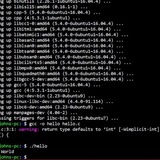
thoughts? improvements? optimizations?
#!/usr/bin/env bash
if "$1" = "reboot" ; then
shift
sudo reboot
elif "$1" = "install" ; then
shift
if -x "$(command -v xbps-install)" ;then
sudo xbps-install "$@"
elif -x "$(command -v pacman)" ;then
sudo pacman -S "$@"
elif -x "$(command -v apt)" ;then
sudo apt-get install "$@"
fi
elif "$1" = "update" || "$1" = "upgrade" ; then
shift
if -x "$(command -v xbps-install)" ;then
sudo xbps-install -u "$@"
elif -x "$(command -v pacman)" ;then
sudo pacman -Syu
elif -x "$(command -v apt)" ;then
sudo apt-get upgrade "$@"
fi
elif "$1" = "search" ; then
shift
if -x "$(command -v xbps-install)" ;then
sudo xbps-query "$@"
elif -x "$(command -v pacman)" ;then
sudo pacman -Ss "$@"
elif -x "$(command -v apt)" ;then
sudo apt-get search "$@"
fi
elif "$1" = "uninstall" || "$1" = "remove" ; then
shift
if -x "$(command -v xbps-install)" ;then
sudo xbps-remove "$@"
elif -x "$(command -v pacman)" ;then
sudo pacman -Rsc "$@"
elif -x "$(command -v apt)" ;then
sudo apt-get remove "$@"
fi
fi
the name of the noscript/program is computer.
https://redd.it/yw5u4k
@r_bash
#!/usr/bin/env bash
if "$1" = "reboot" ; then
shift
sudo reboot
elif "$1" = "install" ; then
shift
if -x "$(command -v xbps-install)" ;then
sudo xbps-install "$@"
elif -x "$(command -v pacman)" ;then
sudo pacman -S "$@"
elif -x "$(command -v apt)" ;then
sudo apt-get install "$@"
fi
elif "$1" = "update" || "$1" = "upgrade" ; then
shift
if -x "$(command -v xbps-install)" ;then
sudo xbps-install -u "$@"
elif -x "$(command -v pacman)" ;then
sudo pacman -Syu
elif -x "$(command -v apt)" ;then
sudo apt-get upgrade "$@"
fi
elif "$1" = "search" ; then
shift
if -x "$(command -v xbps-install)" ;then
sudo xbps-query "$@"
elif -x "$(command -v pacman)" ;then
sudo pacman -Ss "$@"
elif -x "$(command -v apt)" ;then
sudo apt-get search "$@"
fi
elif "$1" = "uninstall" || "$1" = "remove" ; then
shift
if -x "$(command -v xbps-install)" ;then
sudo xbps-remove "$@"
elif -x "$(command -v pacman)" ;then
sudo pacman -Rsc "$@"
elif -x "$(command -v apt)" ;then
sudo apt-get remove "$@"
fi
fi
the name of the noscript/program is computer.
https://redd.it/yw5u4k
@r_bash
reddit
thoughts? improvements? optimizations?
#!/usr/bin/env bash if [ "$1" = "reboot" ]; then shift sudo reboot elif [ "$1" = "install" ]; then shift if [ -x...
divide input by x
Hello there! I can't post the entire command for strict NDA reasons; so I'll just quickly explain:
I have a command pulling a number out of a large set of data. I now need to divide it. Is there a way to do this in the same command in the terminal?
I'm having trouble figuring this out looking at the documentation, as I'm fairly new to bash.
Can someone help me with this, or point me to resources specific to bash in the terminal?
https://redd.it/yw2k5h
@r_bash
Hello there! I can't post the entire command for strict NDA reasons; so I'll just quickly explain:
I have a command pulling a number out of a large set of data. I now need to divide it. Is there a way to do this in the same command in the terminal?
I'm having trouble figuring this out looking at the documentation, as I'm fairly new to bash.
Can someone help me with this, or point me to resources specific to bash in the terminal?
https://redd.it/yw2k5h
@r_bash
reddit
divide input by x
Hello there! I can't post the entire command for strict NDA reasons; so I'll just quickly explain: I have a command pulling a number out of a...
Script to check if output is empty, then notifies via cURL
Hey there,
I'm looking for a bash noscript, that check's if an output is empty and then sends a notification via cURL.
I have multiple directories for multiple remote backups like this
If this command does not output a file I want to send a notification via cURL.
I'm a bash noob, so every help is appreciated.
Thank you guys in advance.
https://redd.it/ywbty5
@r_bash
Hey there,
I'm looking for a bash noscript, that check's if an output is empty and then sends a notification via cURL.
I have multiple directories for multiple remote backups like this
/remote_backups/<service> and want to check every <service> folder for a daily backup file with the following command.# Checks if there is a file from today in the directory
find /remote_backups/<service> -mtime -1 -type f -print
If this command does not output a file I want to send a notification via cURL.
I'm a bash noob, so every help is appreciated.
Thank you guys in advance.
https://redd.it/ywbty5
@r_bash
reddit
Script to check if output is empty, then notifies via cURL
Hey there, I'm looking for a bash noscript, that check's if an output is empty and then sends a notification via cURL. I have multiple directories...
Bash Question
I am working on an assignment, and I have to be able to enter a bash command and it tell if the month and day (number form) entered is odd or even.
I have attempted the following to find the month
"echo "Enter a month: "
read month
if [ "$month" -eq Jan\] && [ "$month" -eq Mar\] && [ "$month" -eq May\] && [ "$month" -eq Jul\] && [ "$month" -eq Sep\] && [ "$month" -eq Nov\];
then echo "Month is odd"
else echo "Month is even"
fi"
Is there a way I can condense this and make is function properly.
https://redd.it/ywgu0w
@r_bash
I am working on an assignment, and I have to be able to enter a bash command and it tell if the month and day (number form) entered is odd or even.
I have attempted the following to find the month
"echo "Enter a month: "
read month
if [ "$month" -eq Jan\] && [ "$month" -eq Mar\] && [ "$month" -eq May\] && [ "$month" -eq Jul\] && [ "$month" -eq Sep\] && [ "$month" -eq Nov\];
then echo "Month is odd"
else echo "Month is even"
fi"
Is there a way I can condense this and make is function properly.
https://redd.it/ywgu0w
@r_bash
reddit
Bash Question
I am working on an assignment, and I have to be able to enter a bash command and it tell if the month and day (number form) entered is odd or...
Need help assigning awk value to var
Hi, very new to bash, I would like to add the sum of the numbers and assign the final value to a variable
I have 2 files as such:
file1 and file2
12
13
14
​
#! /bin/sh
FILE1=/root/file1.txt
FILE2=/root/file2.txt
f1=
f2=
echo "$(f1)" "$(f2)"
but I get this error
testfile.sh: line 9: f1: not found
testfile.sh: line 9: f2: not found
https://redd.it/ywhnin
@r_bash
Hi, very new to bash, I would like to add the sum of the numbers and assign the final value to a variable
I have 2 files as such:
file1 and file2
12
13
14
​
#! /bin/sh
FILE1=/root/file1.txt
FILE2=/root/file2.txt
f1=
awk '{s+=$1} END {print s}' $FILE1f2=
awk '{s+=$1} END {print s}' $FILE2echo "$(f1)" "$(f2)"
but I get this error
testfile.sh: line 9: f1: not found
testfile.sh: line 9: f2: not found
https://redd.it/ywhnin
@r_bash
reddit
Need help assigning awk value to var
Hi, very new to bash, I would like to add the sum of the numbers and assign the final value to a variable I have 2 files as such: file1 and...
Bash Gives File Details
How would I go about the following:
Create a BASH noscript called noscript3.sh which takes in a file name as a command argument. The noscript consists of 6 logical parts.
Part 1) Print the menu options as shown below and wait for the user response.
1. Display the disk usage
2. Display the memory usage
3. Print the content of the specified file
4. Exit
Part 2) If option 1 is selected, execute “df -h” command.
Part 3) If option 2 is selected, execute “free -h” command.
Part 4) If option 3 is selected, print the content of the file as specified in the command argument. Use “while read … < filename” command, instead of “cat” command.
Part 5) if option 4 is selected, end the noscript.
Part 6) The whole noscript should be in a while true loop.
https://redd.it/ywmig6
@r_bash
How would I go about the following:
Create a BASH noscript called noscript3.sh which takes in a file name as a command argument. The noscript consists of 6 logical parts.
Part 1) Print the menu options as shown below and wait for the user response.
1. Display the disk usage
2. Display the memory usage
3. Print the content of the specified file
4. Exit
Part 2) If option 1 is selected, execute “df -h” command.
Part 3) If option 2 is selected, execute “free -h” command.
Part 4) If option 3 is selected, print the content of the file as specified in the command argument. Use “while read … < filename” command, instead of “cat” command.
Part 5) if option 4 is selected, end the noscript.
Part 6) The whole noscript should be in a while true loop.
https://redd.it/ywmig6
@r_bash
reddit
Bash Gives File Details
How would I go about the following: Create a BASH noscript called noscript3.sh which takes in a file name as a command argument. The noscript...
Bash Directory/File Search
For an assignment, I have to make a bash noscript that takes a directory name and file name as arguments.
For the first part, it finds if the exists. If it does not exist, it prompts the user if the directory should be created. If they say they do not want to create the directory, end the noscript. Ifthe answer is yes, it creates the specified directory.
For the second part, if the specified directory already exists, it verifies that the specified file exists in the specified directory. If the file does not exist, prompt the user if the file should be created under the specified directory. If no, print the long listingof the files in the specified directory and end the noscript. If yes, create the file under the specified directory, print the long listing of the files in the specified directory, and end the noscript.
https://redd.it/ywm64c
@r_bash
For an assignment, I have to make a bash noscript that takes a directory name and file name as arguments.
For the first part, it finds if the exists. If it does not exist, it prompts the user if the directory should be created. If they say they do not want to create the directory, end the noscript. Ifthe answer is yes, it creates the specified directory.
For the second part, if the specified directory already exists, it verifies that the specified file exists in the specified directory. If the file does not exist, prompt the user if the file should be created under the specified directory. If no, print the long listingof the files in the specified directory and end the noscript. If yes, create the file under the specified directory, print the long listing of the files in the specified directory, and end the noscript.
https://redd.it/ywm64c
@r_bash
reddit
Bash Directory/File Search
For an assignment, I have to make a bash noscript that takes a directory name and file name as arguments. For the first part, it finds if the...
Pasting a list of arguments as space-separated instead of newline-separated
I have a Python noscript which takes a variable number of arguments.
$ python handynoscript.py arg1 arg2 ... argN
The arguments come from a spreadsheet. There can be many of them.
6140839142
6147932537
6147119197
6145700817
6147950627
6147128158
6145704204
6146640673
6140994669
6147963572
6139979908
....
I currently copy the column of arguments, paste it into a text editor, do a find and replace
$ python handynoscript.py 6140839142 6147932537 6147119197 6145700817 6147950627 6147128158 6145704204 6146640673 6140994669 6147963572 6139979908 ...
Is there a way I can do this without using the text editor steps?
https://redd.it/ywq6ge
@r_bash
I have a Python noscript which takes a variable number of arguments.
$ python handynoscript.py arg1 arg2 ... argN
The arguments come from a spreadsheet. There can be many of them.
6140839142
6147932537
6147119197
6145700817
6147950627
6147128158
6145704204
6146640673
6140994669
6147963572
6139979908
....
I currently copy the column of arguments, paste it into a text editor, do a find and replace
'\n', ' 'and copy the result to paste after my noscript invocation:$ python handynoscript.py 6140839142 6147932537 6147119197 6145700817 6147950627 6147128158 6145704204 6146640673 6140994669 6147963572 6139979908 ...
Is there a way I can do this without using the text editor steps?
https://redd.it/ywq6ge
@r_bash
reddit
Pasting a list of arguments as space-separated instead of...
I have a Python noscript which takes a variable number of arguments. $ python handynoscript.py arg1 arg2 ... argN The arguments come from a...
Questions about piping and redirecting.
Hello, I have questions about piping and redirecting stdio.
When piping or redirecting, does stdio always follow specific rules, or are programs designed to use stdio in a specific way?
For example when I make a bash noscript, stdio does not flow into it as an argument. Why?
Same thing with other common commands, most of the time I use techniques I find online, or for some reason it just makes sense.
However, when I actually try to explore stdio with commands, I can't seem to figure out how it works. Like something ends up not working like it did in a similar example.
So I am basically asking if commands hardcode how stdio can be used with them, or does bash handle stdio the same for all commands?
https://redd.it/yx403p
@r_bash
Hello, I have questions about piping and redirecting stdio.
When piping or redirecting, does stdio always follow specific rules, or are programs designed to use stdio in a specific way?
For example when I make a bash noscript, stdio does not flow into it as an argument. Why?
Same thing with other common commands, most of the time I use techniques I find online, or for some reason it just makes sense.
However, when I actually try to explore stdio with commands, I can't seem to figure out how it works. Like something ends up not working like it did in a similar example.
So I am basically asking if commands hardcode how stdio can be used with them, or does bash handle stdio the same for all commands?
https://redd.it/yx403p
@r_bash
reddit
Questions about piping and redirecting.
Hello, I have questions about piping and redirecting stdio. When piping or redirecting, does stdio always follow specific rules, or are programs...
POSIX-ly way to read two multi-line variables into columns with specified widths
I know this isn't technically Bash (POSIX sh), but I wasn't sure where to post this.
I have two multi-line variables, and I want to print them into columns where I can specify the width of each column.
LEFT="One
Two
Three
"
RIGHT="A
B
C
"
Desired output:
One A
Two B
Three C
The most "elegant" solution I was able to find unfortunately uses here strings, but was the fastest:
while read -r LEFTLINE; read -r -u 3 RIGHTLINE; do
printf "%-20b%-20b\n" "$LEFTLINE" "$RIGHTLINE"
done <<< "$LEFT" 3<<< "$RIGHT"
So I am looking for a similar way to accomplish this in POSIX sh.
I have also tried (very slow):
LEFTCOUNT=$(printf "%s" "$LEFT" | grep -c '^')
i=1
while [ "$i" -le "$LEFTCOUNT" ]; do
LEFTLINE=$(printf "%b" "$LEFT" | awk -v var="$i" 'NR==var')
RIGHTLINE=$(printf "%b" "$RIGHT" | awk -v var="$i" 'NR==var')
printf "\n%-10b%-20b" "${LEFTLINE}" "${RIGHTLINE}"
i=$(( i + 1 ))
done
And then (faster than awk, but still pretty slow):
LEFTCOUNT=$(printf "%s" "$LEFT" | grep -c '^')
i=1
while [ "$i" -le "$LEFTCOUNT" ]; do
LEFTLINE=$(printf "%s" "$LEFT" | head --lines "$i" | tail --lines "1")
RIGHTLINE=$(printf "%s" "$RIGHT" | head --lines "$i" | tail --lines "1")
printf "%-20b%-20b\n" "$LEFTLINE" "$RIGHTLINE"
i=$(( i + 1 ))
done
And finally, the simplest (however -w cannot specify individual column widths):
printf "%s\n%s\n" "$LEFT" "$RIGHT" | pr -2t
Is there a better way to do this?
https://redd.it/yx38zs
@r_bash
I know this isn't technically Bash (POSIX sh), but I wasn't sure where to post this.
I have two multi-line variables, and I want to print them into columns where I can specify the width of each column.
LEFT="One
Two
Three
"
RIGHT="A
B
C
"
Desired output:
One A
Two B
Three C
The most "elegant" solution I was able to find unfortunately uses here strings, but was the fastest:
while read -r LEFTLINE; read -r -u 3 RIGHTLINE; do
printf "%-20b%-20b\n" "$LEFTLINE" "$RIGHTLINE"
done <<< "$LEFT" 3<<< "$RIGHT"
So I am looking for a similar way to accomplish this in POSIX sh.
I have also tried (very slow):
LEFTCOUNT=$(printf "%s" "$LEFT" | grep -c '^')
i=1
while [ "$i" -le "$LEFTCOUNT" ]; do
LEFTLINE=$(printf "%b" "$LEFT" | awk -v var="$i" 'NR==var')
RIGHTLINE=$(printf "%b" "$RIGHT" | awk -v var="$i" 'NR==var')
printf "\n%-10b%-20b" "${LEFTLINE}" "${RIGHTLINE}"
i=$(( i + 1 ))
done
And then (faster than awk, but still pretty slow):
LEFTCOUNT=$(printf "%s" "$LEFT" | grep -c '^')
i=1
while [ "$i" -le "$LEFTCOUNT" ]; do
LEFTLINE=$(printf "%s" "$LEFT" | head --lines "$i" | tail --lines "1")
RIGHTLINE=$(printf "%s" "$RIGHT" | head --lines "$i" | tail --lines "1")
printf "%-20b%-20b\n" "$LEFTLINE" "$RIGHTLINE"
i=$(( i + 1 ))
done
And finally, the simplest (however -w cannot specify individual column widths):
printf "%s\n%s\n" "$LEFT" "$RIGHT" | pr -2t
Is there a better way to do this?
https://redd.it/yx38zs
@r_bash
reddit
POSIX-ly way to read two multi-line variables into columns with...
I know this isn't technically Bash (POSIX sh), but I wasn't sure where to post this. I have two multi-line variables, and I want to print them...
Bash help?
I'm very new to Bash noscripting and I need help creating the following:
Bash Menu
1. The menu items will be read from a separate text file, menu.
2. The menu must have at least 6 menu items.
https://redd.it/yx6hhv
@r_bash
I'm very new to Bash noscripting and I need help creating the following:
Bash Menu
1. The menu items will be read from a separate text file, menu.
2. The menu must have at least 6 menu items.
https://redd.it/yx6hhv
@r_bash
reddit
Bash help?
I'm very new to Bash noscripting and I need help creating the following: Bash Menu 1. The menu items will be read from a separate text file,...
How about some tags?
Posts range from those new to bash working on homework assignments, to tinkerers working on personal projects to long-timers with obscure tips or questions.
Can we get some flair/tags to help identify the context of posts?
In most situations, a poster needs a solution to a problem. Homework-related posts often require a prescribed solution with strict requirements within set boundaries. It'd be good to know in advance what sort of help is being sought, especially when new folks aren't aware how important such context is.
Potential tags:
- homework
- personal-project
- obscure
- professional-grade
Others?
Please forgive my misuse of tags vs. flair. I'm not sure what options are available to subreddit mods.
https://redd.it/yx89tp
@r_bash
Posts range from those new to bash working on homework assignments, to tinkerers working on personal projects to long-timers with obscure tips or questions.
Can we get some flair/tags to help identify the context of posts?
In most situations, a poster needs a solution to a problem. Homework-related posts often require a prescribed solution with strict requirements within set boundaries. It'd be good to know in advance what sort of help is being sought, especially when new folks aren't aware how important such context is.
Potential tags:
- homework
- personal-project
- obscure
- professional-grade
Others?
Please forgive my misuse of tags vs. flair. I'm not sure what options are available to subreddit mods.
https://redd.it/yx89tp
@r_bash
reddit
How about some tags?
Posts range from those new to bash working on homework assignments, to tinkerers working on personal projects to long-timers with obscure tips or...
Problem making an if statement to log whether a command succeeded or not
I have a function "startInstallation()" that does some clean up and directory creation then calls a java jar to the rest of the installation with the typical command "java -jar myapp.jar".
Basically I want to to make an if condition to tell wether the installation was successfull or not, if there were no errors outputted from the startInstallation function therefore it succeeded otherwise it failed.
So after googling a bit I've found the following should work:
if startInstallation ; then
log "installation was successful"
else
log "installation failed"
fi
This however always logs the "installation was successful" even if the java command fails. But why? I read this on this stackexchange post "How to conditionally do something if a command succeeded or failed" which had a lot of upvotes.
https://redd.it/yx834m
@r_bash
I have a function "startInstallation()" that does some clean up and directory creation then calls a java jar to the rest of the installation with the typical command "java -jar myapp.jar".
Basically I want to to make an if condition to tell wether the installation was successfull or not, if there were no errors outputted from the startInstallation function therefore it succeeded otherwise it failed.
So after googling a bit I've found the following should work:
if startInstallation ; then
log "installation was successful"
else
log "installation failed"
fi
This however always logs the "installation was successful" even if the java command fails. But why? I read this on this stackexchange post "How to conditionally do something if a command succeeded or failed" which had a lot of upvotes.
https://redd.it/yx834m
@r_bash
Unix & Linux Stack Exchange
How to conditionally do something if a command succeeded or failed
How can I do something like this in bash?
if "`command` returns any error";
then
echo "Returned an error"
else
echo "Proceed..."
fi
if "`command` returns any error";
then
echo "Returned an error"
else
echo "Proceed..."
fi
Converting field before delimiter to uppercase and how to replace with multiple newlines
Hi all,
I'm trying to make a little noscript that fetches all the links after a delimiter from a national news platform, cleans them up and outputs simple text and I am having trouble formatting the output
This is the noscript so far :
lynx -dump -listonly https://www.nu.nl/meest-gelezen | awk '/Hidden links/,EOF' | sed 's/.....$//' | cut -f4,6 -d'/' | tr '-' ' ' | sed 's/-/\\n/g' | tr "/" "\\n" | grep -v Hidden
Where:
\- the cut steps indicates the field I want to make uppercase, field 4 as indicated to cut, for example one line of the output at this point is:https://www.nu.nl/category-name/6236420/news-noscript
\- I'm using tr "/" "\\n" to replace one byte where I really want two as the output; two new lines would do
I think the noscript is a bit all over the place since it is probably quite possible to do all the operations with just perl or advanced regex but this approach is quite readable and quick enough, what do you think?
https://redd.it/yxboa3
@r_bash
Hi all,
I'm trying to make a little noscript that fetches all the links after a delimiter from a national news platform, cleans them up and outputs simple text and I am having trouble formatting the output
This is the noscript so far :
lynx -dump -listonly https://www.nu.nl/meest-gelezen | awk '/Hidden links/,EOF' | sed 's/.....$//' | cut -f4,6 -d'/' | tr '-' ' ' | sed 's/-/\\n/g' | tr "/" "\\n" | grep -v Hidden
Where:
\- the cut steps indicates the field I want to make uppercase, field 4 as indicated to cut, for example one line of the output at this point is:https://www.nu.nl/category-name/6236420/news-noscript
\- I'm using tr "/" "\\n" to replace one byte where I really want two as the output; two new lines would do
I think the noscript is a bit all over the place since it is probably quite possible to do all the operations with just perl or advanced regex but this approach is quite readable and quick enough, what do you think?
https://redd.it/yxboa3
@r_bash
NU
Meest Gelezen | NU - Het laatste nieuws het eerst op NU.nl
Nieuws en video's uit de rubriek Meest Gelezen. Betrouwbaar, gratis en snel op NU.nl, de grootste nieuwssite van Nederland.
Attempted Yes/No Directory/File Creation
I am trying to create a bash file that searches if a directory exists and, if it does not, makes it. If it does exist, it searches if the file exists and, if not, creates it. Only issue is that my bash code doesn't appear to work (due to my inexperience) and I don't know why. Help would be appreciated.
bash:
bin/bash
echo “Enter the Directory: ”
read dd
read y
if [ -d $dd \]
then
echo “$dd is valid directory and it exists. ”
if test -f “$dd”; then
echo “$dd file exists.”
else
echo “$dd file does not exist. Do you want to create it (Y/N)? ”
yes=$(echo $y | tr -s '[:upper:\]' '[:lower:\]')
if [[ "$y" = "yes" \]\] ; then
echo “File will not be created.”
else
echo “File will be created.”
touch $dd
else
echo “$directory does not exist. Do you want to create it (Y/N)? ”
yes=$(echo $y | tr -s '[:upper:\]' '[:lower:\]')
if [[ "$y" = "yes" \]\] ; then
echo “Directory will not be created.”
else
echo “Directory will be created.”
mkdir $dd
fi
​
Output:
noscript2.sh: line 1: bin/bash: No such file or directory
​
“Enter the Directory: ”
​
s
​
s
​
sript2.sh: line 12: syntax error near unexpected token `('
​
noscript2.sh: line 12: ` echo “$dd file does not exist. Do you want to create it (Y/N)? ”'
I have no clue where I messed up.
https://redd.it/yxk5ms
@r_bash
I am trying to create a bash file that searches if a directory exists and, if it does not, makes it. If it does exist, it searches if the file exists and, if not, creates it. Only issue is that my bash code doesn't appear to work (due to my inexperience) and I don't know why. Help would be appreciated.
bash:
bin/bash
echo “Enter the Directory: ”
read dd
read y
if [ -d $dd \]
then
echo “$dd is valid directory and it exists. ”
if test -f “$dd”; then
echo “$dd file exists.”
else
echo “$dd file does not exist. Do you want to create it (Y/N)? ”
yes=$(echo $y | tr -s '[:upper:\]' '[:lower:\]')
if [[ "$y" = "yes" \]\] ; then
echo “File will not be created.”
else
echo “File will be created.”
touch $dd
else
echo “$directory does not exist. Do you want to create it (Y/N)? ”
yes=$(echo $y | tr -s '[:upper:\]' '[:lower:\]')
if [[ "$y" = "yes" \]\] ; then
echo “Directory will not be created.”
else
echo “Directory will be created.”
mkdir $dd
fi
​
Output:
noscript2.sh: line 1: bin/bash: No such file or directory
​
“Enter the Directory: ”
​
s
​
s
​
sript2.sh: line 12: syntax error near unexpected token `('
​
noscript2.sh: line 12: ` echo “$dd file does not exist. Do you want to create it (Y/N)? ”'
I have no clue where I messed up.
https://redd.it/yxk5ms
@r_bash
reddit
Attempted Yes/No Directory/File Creation
I am trying to create a bash file that searches if a directory exists and, if it does not, makes it. If it does exist, it searches if the file...
Checking for newly moved files in shared folder
So I have a shared folder, in which people put pdf files, which I then need to convert.
And I wanted to automate it, so I watned to do a bash noscript that will:
1. Check if there are any new pdf files in a directory
2. If there are new pdf files, execute ananother noscript ([convertert.sh](https://convertert.sh) <locationOfPDFFile>)
3. repeat
When I was testing it on local storage, I managed to do it with **inotifywait.** The problem is, inotifywait doesn't work with shared folder.
So I tried to implemet this using **find,** like this:
while $(true); do
find /mnt/pdf/ -type f -iname "*.pdf" -cmin-1
sleep 60
done;
And it works with *created* files, but when I *move* file from somewhere else to my shared fodler, the file won't show up, since technically it is not modified.
What is the best solution for this situation?
https://redd.it/yxnvac
@r_bash
So I have a shared folder, in which people put pdf files, which I then need to convert.
And I wanted to automate it, so I watned to do a bash noscript that will:
1. Check if there are any new pdf files in a directory
2. If there are new pdf files, execute ananother noscript ([convertert.sh](https://convertert.sh) <locationOfPDFFile>)
3. repeat
When I was testing it on local storage, I managed to do it with **inotifywait.** The problem is, inotifywait doesn't work with shared folder.
So I tried to implemet this using **find,** like this:
while $(true); do
find /mnt/pdf/ -type f -iname "*.pdf" -cmin-1
sleep 60
done;
And it works with *created* files, but when I *move* file from somewhere else to my shared fodler, the file won't show up, since technically it is not modified.
What is the best solution for this situation?
https://redd.it/yxnvac
@r_bash
Multiple Variable Solutoions
How do you go about putting multiple variables as a solution/meeting the criteria for an if/then/else statement?
Example:
The previous section of it doesn't matter that much in this instance
if test -f '$dd'; then
echo '$dd file exists.'
else
read Y/N
echo '$dd file does not exist. Do you want to create it (Y/N)? $Y/N'
read Y/N
\#How I assume you would put multiple variables
if [[ "$Y/N" = no | No | NO| n \]\] ; then
echo 'File will not be created.'
else
echo 'File will be created.'
touch $dd
fi
fi
.... To be continued
Also, can you use multiple if/then/else statements in a single bash so long as you keep them in the right columns?
https://redd.it/yxp11t
@r_bash
How do you go about putting multiple variables as a solution/meeting the criteria for an if/then/else statement?
Example:
The previous section of it doesn't matter that much in this instance
if test -f '$dd'; then
echo '$dd file exists.'
else
read Y/N
echo '$dd file does not exist. Do you want to create it (Y/N)? $Y/N'
read Y/N
\#How I assume you would put multiple variables
if [[ "$Y/N" = no | No | NO| n \]\] ; then
echo 'File will not be created.'
else
echo 'File will be created.'
touch $dd
fi
fi
.... To be continued
Also, can you use multiple if/then/else statements in a single bash so long as you keep them in the right columns?
https://redd.it/yxp11t
@r_bash
reddit
Multiple Variable Solutoions
How do you go about putting multiple variables as a solution/meeting the criteria for an if/then/else statement? Example: The previous section...
Save result of echo command in a variable
This is a very basic question, but I am new to bash noscripting. In the code snippet below, I am trying to extract something from a file and save it to a variable. What I have shown in the first echo command is working correctly. Instead of echoing it, I want to save it to a variable. The stuff below that is not working, I feel like maybe I am missing brackets or have the $ in the wrong place. Thanks in advance for your help! Sorry about the bad formatting, I am posting from my phone.
#!/bin/bash
header_file="../../build.vivado/output/headers/axi_gp_header.vh"
# Extract the 3rd word (reg value) from the line that contains the word "DIAGNOSTICS":
echo $(grep "DIAGNOSTICS" $header_file) | cut -d " " -f 3
# This does not print the same thing as above:
REG_VALUE=$((grep "DIAGNOSTICS" $header_file) | cut -d " " -f 3)
echo $REG_VALUE
https://redd.it/yxtsx7
@r_bash
This is a very basic question, but I am new to bash noscripting. In the code snippet below, I am trying to extract something from a file and save it to a variable. What I have shown in the first echo command is working correctly. Instead of echoing it, I want to save it to a variable. The stuff below that is not working, I feel like maybe I am missing brackets or have the $ in the wrong place. Thanks in advance for your help! Sorry about the bad formatting, I am posting from my phone.
#!/bin/bash
header_file="../../build.vivado/output/headers/axi_gp_header.vh"
# Extract the 3rd word (reg value) from the line that contains the word "DIAGNOSTICS":
echo $(grep "DIAGNOSTICS" $header_file) | cut -d " " -f 3
# This does not print the same thing as above:
REG_VALUE=$((grep "DIAGNOSTICS" $header_file) | cut -d " " -f 3)
echo $REG_VALUE
https://redd.it/yxtsx7
@r_bash
reddit
Save result of echo command in a variable
This is a very basic question, but I am new to bash noscripting. In the code snippet below, I am trying to extract something from a file and save it...
Bash - Renaming text file names based on word count
I am new to bash and have been struggling to figure this problem out. I have been trying to figure out how to go through a directory that contains all text file, sort and rename each text file according to their word count. I am trying to rename them 1.txt 2.txt 3.txt etc. 1.txt being the file with the least amount of words.
i=1
wc -w ./test1/txt | sort -n |
for files in./test1/txt; do
mv "$files" "./test1/$i.txt"
let i++
done;
This would rename the files 1,2,3.txt etc but it wont be in order of word count.
​
Thanks!
https://redd.it/yxw1nc
@r_bash
I am new to bash and have been struggling to figure this problem out. I have been trying to figure out how to go through a directory that contains all text file, sort and rename each text file according to their word count. I am trying to rename them 1.txt 2.txt 3.txt etc. 1.txt being the file with the least amount of words.
i=1
wc -w ./test1/txt | sort -n |
for files in./test1/txt; do
mv "$files" "./test1/$i.txt"
let i++
done;
This would rename the files 1,2,3.txt etc but it wont be in order of word count.
​
Thanks!
https://redd.it/yxw1nc
@r_bash
reddit
Bash - Renaming text file names based on word count
I am new to bash and have been struggling to figure this problem out. I have been trying to figure out how to go through a directory that contains...
There seems to be a ghost in my array.
Here's the noscript:
get_names() { sudo virsh list --all | sed 1,2d | tr -s ' ' | cut -d ' ' -f 3 }
mapfile -t names < <( get_names )
printf '%s\\n' "${names[@\]}"; printf '%s\\n' "${#names[@\]}"
exit
There should be 5 elements in $names, but the noscript says there are 6. I manually the edits to virsh list output and they seem fine. I even rewrote the edits from the original noscript, posted a few days ago. I tested with a simple array, where I fed it the elements, so I know my computer can count ;-)
Any help?
https://redd.it/yxxvuu
@r_bash
Here's the noscript:
get_names() { sudo virsh list --all | sed 1,2d | tr -s ' ' | cut -d ' ' -f 3 }
mapfile -t names < <( get_names )
printf '%s\\n' "${names[@\]}"; printf '%s\\n' "${#names[@\]}"
exit
There should be 5 elements in $names, but the noscript says there are 6. I manually the edits to virsh list output and they seem fine. I even rewrote the edits from the original noscript, posted a few days ago. I tested with a simple array, where I fed it the elements, so I know my computer can count ;-)
Any help?
https://redd.it/yxxvuu
@r_bash
reddit
There seems to be a ghost in my array.
Here's the noscript: get\_names() { sudo virsh list --all | sed 1,2d | tr -s ' ' | cut -d ' ' -f 3 } mapfile -t names < <( get\_names ) printf...
Confused about desktop entry (.desktop) not making executable visible under App Launcher
Hi there,
I have:
added this line to `.bashrc` to append the directory 'Portables' to variable `$PATH`:
​
export PATH=$PATH:/home/abc-pc/Portables
​
applied this code from the terminal:
​
source ~/.bashrc
copied the executable 'xyz' (an AppImage without extension) to 'Portables' with associated `xyz.desktop` and `xyz.png` files placed into `~/.local/share/applications` and `~/.local/share/icons`, respectively.
​
Exec=xyz %f
Icon=xyz
The program runs okay from the terminal by just typing
Question: Why doesn't the program icon show under the Application Launcher? It does, however, when I type in the full path to the program directory inside
Thank you!
https://redd.it/yy2vsg
@r_bash
Hi there,
I have:
added this line to `.bashrc` to append the directory 'Portables' to variable `$PATH`:
​
export PATH=$PATH:/home/abc-pc/Portables
​
applied this code from the terminal:
​
source ~/.bashrc
copied the executable 'xyz' (an AppImage without extension) to 'Portables' with associated `xyz.desktop` and `xyz.png` files placed into `~/.local/share/applications` and `~/.local/share/icons`, respectively.
xyz.desktop contains these lines:​
Exec=xyz %f
Icon=xyz
The program runs okay from the terminal by just typing
$ xyz, not $ ./xyz, which I presume means the system recognises the directory path inserted into `.bashrc`.Question: Why doesn't the program icon show under the Application Launcher? It does, however, when I type in the full path to the program directory inside
xyz.desktop. Although I thought that appending the path to $PATH was enough for the executable to be recognised by simply Exec=xyz (no full path, no file extension).Thank you!
https://redd.it/yy2vsg
@r_bash
reddit
Confused about desktop entry (.desktop) not making executable...
Hi there, I have: * added this line to `.bashrc` to append the directory 'Portables' to variable `$PATH`: export...