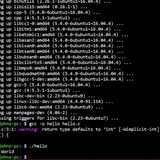
Question for bash expert
Hi everyone
I'm using a tool in CLI that requires one fila as argument: mycommand -f file.yaml
I would like to call this command in one line but with a "file" result of 2 other files merge.
It would have been:
$ cat file1.yaml file2.yaml > merged.yaml
$ mycommand -f merged.yaml
I used sometimes the triple < for input, like
$ jq . <<< ${contentInJson}
but I don't know how to use it in var as input/var
Does someone know a way to achieve that?
Thanks
https://redd.it/10zjtxl
@r_bash
Hi everyone
I'm using a tool in CLI that requires one fila as argument: mycommand -f file.yaml
I would like to call this command in one line but with a "file" result of 2 other files merge.
It would have been:
$ cat file1.yaml file2.yaml > merged.yaml
$ mycommand -f merged.yaml
I used sometimes the triple < for input, like
$ jq . <<< ${contentInJson}
but I don't know how to use it in var as input/var
Does someone know a way to achieve that?
Thanks
https://redd.it/10zjtxl
@r_bash
Reddit
r/bash on Reddit
Question for bash expert - No votes and 3 comments
What is bash written in?
I googled it and it says C, but when I open up a bash command it doesn't look like C. It looks like the following.
​
^B^@^B^O<84>MÿÿÿH<8b>-Ä ^B^@H<85>í^O<84>@ÿÿÿH»ÿÿÿÿÿÿÿ^H!ëH9ÝubL<8d>$í^@^@^@^@L<89>çèÑGÿÿH<89>^Eâ^^^B^@H<89>ÇH<85>ÀtCH<8b>^U<8b>^^^B^@H<89>Áë^NH<89>^QH<8b><92>°^@^@^@H<83>Á^HH<85>ÒuíH<89>îH<8d>^MÉÄÿÿº^H^@^@^@èÏDÿÿH<8b>-P ^B^@H9ë^O<84><92>^D^@^@A¿^D^@^@^@éÁþÿÿè^Eÿÿ<83>=t ^B^@^Bu^M<83>=×^^^B^@^@^O<84>Ý^D^@^@H<8b>=ê^]^B^@L<89>æèÊFÿÿH<89>^Eã^]^B^@H<89>ÇH<85>À^O<84>°^V^@^@º^B^@^@^@HÇÆ^@^@þÿèvGÿÿ<85>À^O<85>Ý^C^@^@H<8b>=·^]^B^@èòEÿÿH<83>À^A^O<84>Ç^C^@^@H<8b>=¡^]^B^@H<8d>-³î^@^@H<89>îè<82>ÌÿÿH<8b>=<8b>^]^B^@<85>Àu^Nés^D^@^@f<90>H<8b>=y^]^B^@è´EÿÿH<8b>=m^]^B^@H<89>îH<89>ÃèRÌÿÿ<85>ÀuÞH<8b>=W^]^B^@1ÒH<89>ÞèýFÿÿA<89>Ç<85>À^O<85>y^C^@^@H<8d><84>$<80>^@^@^@º^R^@^@^@¾^A^@^@^@H<8b>^M)^]^B^@H<89>ÇH<89>D$^HèÜCÿÿ^O·<84>$<80>^@^@^@D^O·¬$<90>^@^@^@D<8b>´$<8c>^@^@^@H<8d>P^AH<89>^Eà^G^B^@^O·<84>$<82>^@^@^@H<89>^UÙ^G^B^@f<89>D$^P^O·<84>$<86>^@^@^@fD<89>-Ö^^^B^@H<89>^D$<8b><84>$<88>^@^@^@<89>D$^XfE<85>í^O<85>=^D^@^@H<83><$^@^O<84><88>^D^@^@L<8b>-<99>^G^B^@D<89>ðH<89>D$ I<83>ý^A^O<84><8b>^D^@^@H<8b>=<88>^\^B^@èÛCÿÿ<83>=\^]^B^@^@^O<85>D^C^@^@H<8b>^M<87>^\^B^@HcÐL<8d>|^Qü<83>ø^C^O<8e>³^C^@^@A<80>?.^O<85>©^C^@^@è^GBÿÿI^O¾W^AH<8b>^@<83><<90>Z^O<85><92>^C^@^@I^O¾W^B<83><<90>I^O<85><83>^C^@^@I^O¾W^C<83><<90>P^O<85>t^C^@^@<83>=Ð^\^B^@^@^O<85>^^D^@^@H<8b>5^C^\^B^@H<8b>=^D^\^B^@è§Dÿÿ<85>À^O<84>^F^O^@^@<83>=d^G^B^@^A^O<84>^[^D^@^@<83>=Ã^\^B^@^@^O<85>^X^D^@^@L<8d>sèHÇD$^X^@^@^@^@H<8b>=Ñ^[^B^@1ÒL<89>öèwEÿÿA<89>Ç<85>À^O<85>u
what is this, I am looking to make a tui in python that reads bash commands from usr/bin and walks me through the command.
[https://redd.it/10znnly
@r_bash
I googled it and it says C, but when I open up a bash command it doesn't look like C. It looks like the following.
​
^B^@^B^O<84>MÿÿÿH<8b>-Ä ^B^@H<85>í^O<84>@ÿÿÿH»ÿÿÿÿÿÿÿ^H!ëH9ÝubL<8d>$í^@^@^@^@L<89>çèÑGÿÿH<89>^Eâ^^^B^@H<89>ÇH<85>ÀtCH<8b>^U<8b>^^^B^@H<89>Áë^NH<89>^QH<8b><92>°^@^@^@H<83>Á^HH<85>ÒuíH<89>îH<8d>^MÉÄÿÿº^H^@^@^@èÏDÿÿH<8b>-P ^B^@H9ë^O<84><92>^D^@^@A¿^D^@^@^@éÁþÿÿè^Eÿÿ<83>=t ^B^@^Bu^M<83>=×^^^B^@^@^O<84>Ý^D^@^@H<8b>=ê^]^B^@L<89>æèÊFÿÿH<89>^Eã^]^B^@H<89>ÇH<85>À^O<84>°^V^@^@º^B^@^@^@HÇÆ^@^@þÿèvGÿÿ<85>À^O<85>Ý^C^@^@H<8b>=·^]^B^@èòEÿÿH<83>À^A^O<84>Ç^C^@^@H<8b>=¡^]^B^@H<8d>-³î^@^@H<89>îè<82>ÌÿÿH<8b>=<8b>^]^B^@<85>Àu^Nés^D^@^@f<90>H<8b>=y^]^B^@è´EÿÿH<8b>=m^]^B^@H<89>îH<89>ÃèRÌÿÿ<85>ÀuÞH<8b>=W^]^B^@1ÒH<89>ÞèýFÿÿA<89>Ç<85>À^O<85>y^C^@^@H<8d><84>$<80>^@^@^@º^R^@^@^@¾^A^@^@^@H<8b>^M)^]^B^@H<89>ÇH<89>D$^HèÜCÿÿ^O·<84>$<80>^@^@^@D^O·¬$<90>^@^@^@D<8b>´$<8c>^@^@^@H<8d>P^AH<89>^Eà^G^B^@^O·<84>$<82>^@^@^@H<89>^UÙ^G^B^@f<89>D$^P^O·<84>$<86>^@^@^@fD<89>-Ö^^^B^@H<89>^D$<8b><84>$<88>^@^@^@<89>D$^XfE<85>í^O<85>=^D^@^@H<83><$^@^O<84><88>^D^@^@L<8b>-<99>^G^B^@D<89>ðH<89>D$ I<83>ý^A^O<84><8b>^D^@^@H<8b>=<88>^\^B^@èÛCÿÿ<83>=\^]^B^@^@^O<85>D^C^@^@H<8b>^M<87>^\^B^@HcÐL<8d>|^Qü<83>ø^C^O<8e>³^C^@^@A<80>?.^O<85>©^C^@^@è^GBÿÿI^O¾W^AH<8b>^@<83><<90>Z^O<85><92>^C^@^@I^O¾W^B<83><<90>I^O<85><83>^C^@^@I^O¾W^C<83><<90>P^O<85>t^C^@^@<83>=Ð^\^B^@^@^O<85>^^D^@^@H<8b>5^C^\^B^@H<8b>=^D^\^B^@è§Dÿÿ<85>À^O<84>^F^O^@^@<83>=d^G^B^@^A^O<84>^[^D^@^@<83>=Ã^\^B^@^@^O<85>^X^D^@^@L<8d>sèHÇD$^X^@^@^@^@H<8b>=Ñ^[^B^@1ÒL<89>öèwEÿÿA<89>Ç<85>À^O<85>u
what is this, I am looking to make a tui in python that reads bash commands from usr/bin and walks me through the command.
[https://redd.it/10znnly
@r_bash
Reddit
r/bash - What is bash written in?
Posted in the bash community.
gh-f adds diff per filetype and other small improvements
gh-f is a GitHub CLI extension that I wrote that does all-things-fzf for git. From time to time I add new small features or quality of life adjustments :).
Latest I added the possibility to diff, add and checkout filetypes based on extension only, see below:
​
https://i.redd.it/sa5w25fdglha1.gif
together with support for git environment variables and other minor fixes to cherry pick files and branches. There are many more features available as shown in the gif: hop by and have a look!
Link to the repository
https://redd.it/10zsubv
@r_bash
gh-f is a GitHub CLI extension that I wrote that does all-things-fzf for git. From time to time I add new small features or quality of life adjustments :).
Latest I added the possibility to diff, add and checkout filetypes based on extension only, see below:
​
https://i.redd.it/sa5w25fdglha1.gif
together with support for git environment variables and other minor fixes to cherry pick files and branches. There are many more features available as shown in the gif: hop by and have a look!
Link to the repository
https://redd.it/10zsubv
@r_bash
GitHub
GitHub - gennaro-tedesco/gh-f: 🔎 the ultimate compact fzf gh extension
🔎 the ultimate compact fzf gh extension. Contribute to gennaro-tedesco/gh-f development by creating an account on GitHub.
Bash/programming community
Are there any good programming forums that is active with discussions etc, not the stackoverflow page but some other?
I have a task im stuck on and in need for some help in my noscript
Appreciate any answers :)
https://redd.it/10zumn2
@r_bash
Are there any good programming forums that is active with discussions etc, not the stackoverflow page but some other?
I have a task im stuck on and in need for some help in my noscript
Appreciate any answers :)
https://redd.it/10zumn2
@r_bash
Reddit
r/bash - Bash/programming community
Posted in the bash community.
How do I concat multiple child nodes while referencing to another node with xmlstarlet?
Hello everyone, I'd like to ask for some help.
# Background
I'm planning to parse xml and extract the data I need and input them to SQLITE database. I thought that I could achieve this by creating the statement in a file and run it with sqlite3.
INSERT INTO table (col1,col2)
VALUES
(col1,col2)
#
# XML Structure
The xml has structure like this.
<TaskerData sr="" dvi="1" tv="6.1.9-beta">
<Project sr="proj0" ve="2">
<cdate>1675479414660</cdate>
<name>Quick Tile</name>
<psort>Alpha</psort>
<tids>145,358</tids>
</Project>
<Task sr="task145">
<id>145</id>
<Action sr="act0" ve="7">
<code>130</code>
<Str sr="arg0" ve="3">BB</Str>
</Action>
<Action sr="act1" ve="7">
<code>130</code>
<Str sr="arg0" ve="3">AA</Str>
</Action>
</Task>
<Task sr="task146">
<id>146</id>
<Action sr="act0" ve="7">
<code>130</code>
<Str sr="arg0" ve="3">BB</Str>
</Action>
</Task>
</TaskerData>
​
# Attempted Solution
I want to form the values pattern with the value of
Here's my attempted code.
xmlstarlet sel -t \
-m "//TaskerData/Task./Action[code='130']" \
-v "concat('(\"' ,id, '\", \"', Actioncode='130'/Str@sr='arg0', '\"), ')" -n \
It outputs the format I want
("145", "BB"),
("146", "BB"),
However the code only catch the first occurrence of
​
# Desired Output
How do I make concat to recognizes multiple child nodes and form the following format?
("145", "BB"),
("145", "AA"),
("146", "BB"),
​
Thankyou!
https://redd.it/11099f2
@r_bash
Hello everyone, I'd like to ask for some help.
# Background
I'm planning to parse xml and extract the data I need and input them to SQLITE database. I thought that I could achieve this by creating the statement in a file and run it with sqlite3.
INSERT INTO table (col1,col2)
VALUES
(col1,col2)
#
# XML Structure
The xml has structure like this.
<TaskerData sr="" dvi="1" tv="6.1.9-beta">
<Project sr="proj0" ve="2">
<cdate>1675479414660</cdate>
<name>Quick Tile</name>
<psort>Alpha</psort>
<tids>145,358</tids>
</Project>
<Task sr="task145">
<id>145</id>
<Action sr="act0" ve="7">
<code>130</code>
<Str sr="arg0" ve="3">BB</Str>
</Action>
<Action sr="act1" ve="7">
<code>130</code>
<Str sr="arg0" ve="3">AA</Str>
</Action>
</Task>
<Task sr="task146">
<id>146</id>
<Action sr="act0" ve="7">
<code>130</code>
<Str sr="arg0" ve="3">BB</Str>
</Action>
</Task>
</TaskerData>
​
# Attempted Solution
I want to form the values pattern with the value of
id and Action[code='130']/Str[@sr='arg0'] from Task node that matches //TaskerData/Task[./Action[code='130']]Here's my attempted code.
xmlstarlet sel -t \
-m "//TaskerData/Task./Action[code='130']" \
-v "concat('(\"' ,id, '\", \"', Actioncode='130'/Str@sr='arg0', '\"), ')" -n \
It outputs the format I want
("145", "BB"),
("146", "BB"),
However the code only catch the first occurrence of
Action[code='130']/Str[@sr='arg0']​
# Desired Output
How do I make concat to recognizes multiple child nodes and form the following format?
("145", "BB"),
("145", "AA"),
("146", "BB"),
​
Thankyou!
https://redd.it/11099f2
@r_bash
Reddit
r/bash - How do I concat multiple child nodes while referencing to another node with xmlstarlet?
Posted in the bash community.
hey i dicided to learn bash is the “bash mastery: the complete guide to bash noscripting “ good ?
https://redd.it/110b7tp
@r_bash
https://redd.it/110b7tp
@r_bash
Reddit
r/bash - hey i dicided to learn bash is the “bash mastery: the complete guide to bash noscripting “ good ?
Posted in the bash community.
A minimal project setup using make from within Vim to run shellscheck and ctags on current shell noscript.
Hello.
Say you have a collection of noscripts that sources the same files, wouldn't it be nice if you had one command that worked on all of them, showing the errors in the quick fix window, and ran `exurbant ctags` on the source files, all by pressing one hotkey?
`ctags creates a tags file, so that you later can jump to any sourced function by hitting `Ctrl-]`, when standing on it in your current noscript, during editing?
(It works with FZF Tags command in Vim too.)
You need to have `exuberant ctags` and `GNU make` installed.
Here is the Makefile, named shellcheck.mkf and goes in the working directory of your project, staying in that directory is crucial for it to work. You need to change the above source files.
# Makefile to be run from vim, to run shellcheck.
# Vim-licence (c) 2023 McUsr
SOURCES := file1.sh file2.sh
$(TARGET) :: $(SOURCES)
-@shellcheck -f gcc -a -x $^ $@
-@ctags --language-force=sh $^
Here is the compiler file, that is named `shellcheck.vim` and it is put in `$HOME/.vim/compiler`
https://redd.it/110fwlu
@r_bash
Hello.
Say you have a collection of noscripts that sources the same files, wouldn't it be nice if you had one command that worked on all of them, showing the errors in the quick fix window, and ran `exurbant ctags` on the source files, all by pressing one hotkey?
`ctags creates a tags file, so that you later can jump to any sourced function by hitting `Ctrl-]`, when standing on it in your current noscript, during editing?
(It works with FZF Tags command in Vim too.)
You need to have `exuberant ctags` and `GNU make` installed.
Here is the Makefile, named shellcheck.mkf and goes in the working directory of your project, staying in that directory is crucial for it to work. You need to change the above source files.
# Makefile to be run from vim, to run shellcheck.
# Vim-licence (c) 2023 McUsr
SOURCES := file1.sh file2.sh
$(TARGET) :: $(SOURCES)
-@shellcheck -f gcc -a -x $^ $@
-@ctags --language-force=sh $^
Here is the compiler file, that is named `shellcheck.vim` and it is put in `$HOME/.vim/compiler`
https://redd.it/110fwlu
@r_bash
Reddit
r/bash - A minimal project setup using make from within Vim to run shellscheck and ctags on current shell noscript.
Posted in the bash community.
Exit noscript and restart again
I have a noscript with inotify-tools that emails me when a transfer is finished. Sometimes, there is _edit in the filename and I want it removed, so I have an if then with a
If I have:
It works fine, but that obviously stops my noscript. How would I have my noscript run again. I made it a systemd service and the service is in
To clarify, this rename is only to happen if _edit is in the filename, so I don't need to exit and restart otherwise.
https://redd.it/110kp12
@r_bash
I have a noscript with inotify-tools that emails me when a transfer is finished. Sometimes, there is _edit in the filename and I want it removed, so I have an if then with a
mv command to rename the file to get rid of _edit in the filename. But when this happens, inotify-tools runs again and emails me about the filename change, which I don't want.If I have:
mv filename_edit.mp4 filename.mp4 && exitIt works fine, but that obviously stops my noscript. How would I have my noscript run again. I made it a systemd service and the service is in
/lib/systemd/system/transfernotify.service while the actual noscript is in /usr/bin/transfernotify.shTo clarify, this rename is only to happen if _edit is in the filename, so I don't need to exit and restart otherwise.
https://redd.it/110kp12
@r_bash
Reddit
r/bash - Exit noscript and restart again
Posted in the bash community.
I'd like your opinion on my choice of Bash for data manipulation/cleaning and some stats
Hi everyone,
This may sound strange, but everything's pretty much in the noscript. More explanations:
I'm a researcher in the field of linguistics. I do text analysis mainly in order to understand how certain corpora/datasets of textual data are organized, how certain people use certain words, how certain words evolve over time etc... I'm not originally a programmer, so I pretty much had to learn by myself, which was pretty tough at the beginning. I started with Python, then I had to learn some R for a post-doc, I liked it so I stuck with it for a while, and then for a more recent project I had to deal with much larger datasets of Twitter data. The file were around 20-30Gb in size, so I did not know of R or Python workarounds to clean and manipulate all that without loading the files in memory on my laptop, so I decided to use Bash (which I learned the basics of at the same time as the other languages), which is much lighter and thus could do the job much more easily with combinations of grep, sed, awk etc... So I used those,and decided to completely ditch Python and R in order to focus on one Bash only! I like the lightweight aspect of it, its efficiency, speed and the overall simplicity.
The thing is that I'm not a programmer, and research is not at all the core of my job since I also teach (English). Since I do not necessarily program consistently throughout the year, I don't want to focus on too many languages and forget most of that in the five months during which I sometimes may not program. Also, I realize that I may not always rely 100% on Bash, especially for visualization, but I also use some GUI software developed for corpus linguistics, so these are the core of my 'fine-grained' analyses, programming in my case being mostly used for cleaning/manipulation and some stats.
Thus, it seems to be working pretty well for me so far, but I'm wondering whether this seems strange/not adapted/too limited for people who are a lot more advanced and familiar with these tools. Any thoughts on that? Does it seem too unconventional and so am I risking to encounter huge bottlenecks in the future? After all, one may wonder that if language like R and Python exist as well as specialized libraries, it may be because they are better suited for the job...
Thanks for any insights! : )
https://redd.it/110qpqf
@r_bash
Hi everyone,
This may sound strange, but everything's pretty much in the noscript. More explanations:
I'm a researcher in the field of linguistics. I do text analysis mainly in order to understand how certain corpora/datasets of textual data are organized, how certain people use certain words, how certain words evolve over time etc... I'm not originally a programmer, so I pretty much had to learn by myself, which was pretty tough at the beginning. I started with Python, then I had to learn some R for a post-doc, I liked it so I stuck with it for a while, and then for a more recent project I had to deal with much larger datasets of Twitter data. The file were around 20-30Gb in size, so I did not know of R or Python workarounds to clean and manipulate all that without loading the files in memory on my laptop, so I decided to use Bash (which I learned the basics of at the same time as the other languages), which is much lighter and thus could do the job much more easily with combinations of grep, sed, awk etc... So I used those,and decided to completely ditch Python and R in order to focus on one Bash only! I like the lightweight aspect of it, its efficiency, speed and the overall simplicity.
The thing is that I'm not a programmer, and research is not at all the core of my job since I also teach (English). Since I do not necessarily program consistently throughout the year, I don't want to focus on too many languages and forget most of that in the five months during which I sometimes may not program. Also, I realize that I may not always rely 100% on Bash, especially for visualization, but I also use some GUI software developed for corpus linguistics, so these are the core of my 'fine-grained' analyses, programming in my case being mostly used for cleaning/manipulation and some stats.
Thus, it seems to be working pretty well for me so far, but I'm wondering whether this seems strange/not adapted/too limited for people who are a lot more advanced and familiar with these tools. Any thoughts on that? Does it seem too unconventional and so am I risking to encounter huge bottlenecks in the future? After all, one may wonder that if language like R and Python exist as well as specialized libraries, it may be because they are better suited for the job...
Thanks for any insights! : )
https://redd.it/110qpqf
@r_bash
Reddit
r/bash - I'd like your opinion on my choice of Bash for data manipulation/cleaning and some stats
Posted in the bash community.
Script to comment out lines
I'm trying to comment out some lines in a file that are between four hash characters like this:
####
here
are
some
lines
####
I want that to be changed to this:
# here
# are
# some
# lines
So here is the relevant part of my noscript:
insection=false
while read line; do
if [ "$line" == "####" ]; then
insection=! $insection
elif [ -z "$line" ]; then
echo "" >> "$file.temp"
elif [ "$insection" = true ]; then
echo "# $line" >> "$file.temp"
else
echo "$line" >> "$file.temp"
fi
done < "$file"
And at the end to remove '####':
sed -i '/####/d' "$file"
Only removing the hash characters at the end is working, any idea what's wrong?
https://redd.it/110uinf
@r_bash
I'm trying to comment out some lines in a file that are between four hash characters like this:
####
here
are
some
lines
####
I want that to be changed to this:
# here
# are
# some
# lines
So here is the relevant part of my noscript:
insection=false
while read line; do
if [ "$line" == "####" ]; then
insection=! $insection
elif [ -z "$line" ]; then
echo "" >> "$file.temp"
elif [ "$insection" = true ]; then
echo "# $line" >> "$file.temp"
else
echo "$line" >> "$file.temp"
fi
done < "$file"
And at the end to remove '####':
sed -i '/####/d' "$file"
Only removing the hash characters at the end is working, any idea what's wrong?
https://redd.it/110uinf
@r_bash
Reddit
r/bash - Script to comment out lines
Posted in the bash community.
This is a shell noscript that provides a mommy function which emulates a nurturing and supportive figure
https://github.com/sudofox/shell-mommy
https://redd.it/110xa38
@r_bash
https://github.com/sudofox/shell-mommy
https://redd.it/110xa38
@r_bash
GitHub
GitHub - sudofox/shell-mommy: Mommy is here for you on the command line ~ ❤️
Mommy is here for you on the command line ~ ❤️. Contribute to sudofox/shell-mommy development by creating an account on GitHub.
Cannot Redirect stderr in a For Loop?
I'm at my wits end with this problem, and I'm hoping someone can help me out! Using bash and Ubuntu 20.04.
I have a small noscript that gathers a list of projects from our RunDeck instance, then iterates over that list of projects to execute the RunDeck cli tool to take an archive. This works fine until the token I use expires, then the cli tool throws an error I can't capture within the for loop.
If I attempt to take an archive of a single project, I can redirect stderr and capture the output I need:
echo 'sudopw' | sudo -S -k -E rd projects archives export -p PowerUsers --file /mnt/test/PowerUsers.zip >> /tmp/temprundecklog 2>&1
Here's the output into the log:
>\# Contents: null
>
>\# Begin asynchronous request...
>
>Error: (Token:doodo****) is not authorized for: /api/29/project/PowerUsers/export/async
>
>[code: unauthorized; APIv35\]
>
>Authorization failed: 403 Forbidden
​
But when I do this within a for loop, I'm unable to capture stderr. This will capture stdout just fine though... (using either "&>> /tmp/temp_rundeck_log" or ">> /tmp/temp_rundeck_log 2>&1")
list=$(rd projects list | sed '/^$/d' | sed '/#/d')
for rdproj in ${list@}; do
echo 'sudopw' | sudo -S -k -E rd projects archives export -p $rdproj --file /mnt/test/$rdproj.zip
done &>> /tmp/temprundecklog
I get nothing in my log, even though this is outputted to console:
>Error: (Token:doodo****) is not authorized for: /api/29/projects
>
>[code: unauthorized; APIv35\]
>
>Authorization failed: 403 Forbidden
​
For my purposes, assume the "echo pw" piped into sudo is necessary, and that I can't run the "rd projects" command without sudo (even though I have tried it without the echo/sudo and run into the same problem).
I've tried the redirection inside the for loop, tried to save the output to a variable and/or a file, but the result is always the same. I've been Googling for days now and haven't been able to figure out what I'm doing wrong...
https://redd.it/111hcmm
@r_bash
I'm at my wits end with this problem, and I'm hoping someone can help me out! Using bash and Ubuntu 20.04.
I have a small noscript that gathers a list of projects from our RunDeck instance, then iterates over that list of projects to execute the RunDeck cli tool to take an archive. This works fine until the token I use expires, then the cli tool throws an error I can't capture within the for loop.
If I attempt to take an archive of a single project, I can redirect stderr and capture the output I need:
echo 'sudopw' | sudo -S -k -E rd projects archives export -p PowerUsers --file /mnt/test/PowerUsers.zip >> /tmp/temprundecklog 2>&1
Here's the output into the log:
>\# Contents: null
>
>\# Begin asynchronous request...
>
>Error: (Token:doodo****) is not authorized for: /api/29/project/PowerUsers/export/async
>
>[code: unauthorized; APIv35\]
>
>Authorization failed: 403 Forbidden
​
But when I do this within a for loop, I'm unable to capture stderr. This will capture stdout just fine though... (using either "&>> /tmp/temp_rundeck_log" or ">> /tmp/temp_rundeck_log 2>&1")
list=$(rd projects list | sed '/^$/d' | sed '/#/d')
for rdproj in ${list@}; do
echo 'sudopw' | sudo -S -k -E rd projects archives export -p $rdproj --file /mnt/test/$rdproj.zip
done &>> /tmp/temprundecklog
I get nothing in my log, even though this is outputted to console:
>Error: (Token:doodo****) is not authorized for: /api/29/projects
>
>[code: unauthorized; APIv35\]
>
>Authorization failed: 403 Forbidden
​
For my purposes, assume the "echo pw" piped into sudo is necessary, and that I can't run the "rd projects" command without sudo (even though I have tried it without the echo/sudo and run into the same problem).
I've tried the redirection inside the for loop, tried to save the output to a variable and/or a file, but the result is always the same. I've been Googling for days now and haven't been able to figure out what I'm doing wrong...
https://redd.it/111hcmm
@r_bash
Reddit
r/bash - Cannot Redirect stderr in a For Loop?
Posted in the bash community.
Tarefas em Bash
Eu sou um "recém-convertido" ao sistema operacional Linux e a primeira coisa que me veio em mente foi trabalhar com as configurações do sistema e a automatização de tarefas. O estímulo para ir um pouco mais a fundo nas linhas de programação em Shell Bash foi a grande popularidade entre os programadores mais experientes do ambiente Unix e a reputação de estabilidade e portabilidade entre programas que possui este sistema.
Descobri em curtíssimo espaço de tempo recursos bastante úteis para automatizar desde tarefas simples até alguns processos mais complicados como os arquivos de configuração do sistema.
Para aqueles que trabalham em servidores, há comandos simples que podem ser executados através de noscripts para manipular arquivos de 'logs' de usuários e gerenciamento de arquivos diversos. Pois é exatamente isso: no Linux, tudo é baseado em arquivos.
A programação baseada no sistema de arquivos no Linux permite que possamos realizar o mesmo procedimento que fazemos com arquivos em lotes do sistema operacional Windows porém com ferramentas de longe mais sofisticadas. Eu coloquei em prática quando tomei a decisão de trabalhar vários arquivos de uma só vez e sem precisar de fazer a mesma coisa com todos os arquivos de meu computador. Uma dessas ferramentas de programação é o comando 'for' que pode iterar uma lista de arquivos e executar um ou mais comandos. Aliás, muitas diretivas de programação são parecidas com a linguagem C/C++ como os comandos 'printf', "for(( 'início', 'enquanto, 'incremento'))"' ...embora não sejam muito usados, eles são de fácil assimilação para os que já possuem experiência em linguagem C/C++. Talvez seja esse o motivo pelo qual minha curva de aprendizado em Bash tenha tido um alto coeficiente de aproveitamento no espaço curto de tempo. Abaixo, coloco o exemplo de alguns comandos de rotina executados em minhas pastas pessoais Automatizando tarefas no Bash \~ exemplo prático \~
https://redd.it/1104tg3
@r_bash
Eu sou um "recém-convertido" ao sistema operacional Linux e a primeira coisa que me veio em mente foi trabalhar com as configurações do sistema e a automatização de tarefas. O estímulo para ir um pouco mais a fundo nas linhas de programação em Shell Bash foi a grande popularidade entre os programadores mais experientes do ambiente Unix e a reputação de estabilidade e portabilidade entre programas que possui este sistema.
Descobri em curtíssimo espaço de tempo recursos bastante úteis para automatizar desde tarefas simples até alguns processos mais complicados como os arquivos de configuração do sistema.
Para aqueles que trabalham em servidores, há comandos simples que podem ser executados através de noscripts para manipular arquivos de 'logs' de usuários e gerenciamento de arquivos diversos. Pois é exatamente isso: no Linux, tudo é baseado em arquivos.
A programação baseada no sistema de arquivos no Linux permite que possamos realizar o mesmo procedimento que fazemos com arquivos em lotes do sistema operacional Windows porém com ferramentas de longe mais sofisticadas. Eu coloquei em prática quando tomei a decisão de trabalhar vários arquivos de uma só vez e sem precisar de fazer a mesma coisa com todos os arquivos de meu computador. Uma dessas ferramentas de programação é o comando 'for' que pode iterar uma lista de arquivos e executar um ou mais comandos. Aliás, muitas diretivas de programação são parecidas com a linguagem C/C++ como os comandos 'printf', "for(( 'início', 'enquanto, 'incremento'))"' ...embora não sejam muito usados, eles são de fácil assimilação para os que já possuem experiência em linguagem C/C++. Talvez seja esse o motivo pelo qual minha curva de aprendizado em Bash tenha tido um alto coeficiente de aproveitamento no espaço curto de tempo. Abaixo, coloco o exemplo de alguns comandos de rotina executados em minhas pastas pessoais Automatizando tarefas no Bash \~ exemplo prático \~
https://redd.it/1104tg3
@r_bash
Test -f and -e give the same results when testing a symlink
I created a symlink in the same folder as a noscript. This noscript does 1 thing: Test if the symlink points to an existing file.
#!/usr/bin/env bash
cd "$(dirname "$0")" || { echo "cd $(dirname "$0") failed!"; exit 1; }
echo "Checking if files exist"
if [ -f "test.config" ]; then # check if file exists
echo "-f test.config exists"
else
echo "-f test.config missing"
fi
echo "Checking if files symlinks point to exist"
if [ -e "test.config" ]; then # check if file symlink points to exists
echo "-e test.config exists"
else
echo "-e test.config missing"
fi
If the symlink points to a file named test.config both -f and -e return true.
If the symlink points to a missing file both -f and -e return false.
What is the point of -e if -f works exactly the same?
https://redd.it/111x8g2
@r_bash
I created a symlink in the same folder as a noscript. This noscript does 1 thing: Test if the symlink points to an existing file.
#!/usr/bin/env bash
cd "$(dirname "$0")" || { echo "cd $(dirname "$0") failed!"; exit 1; }
echo "Checking if files exist"
if [ -f "test.config" ]; then # check if file exists
echo "-f test.config exists"
else
echo "-f test.config missing"
fi
echo "Checking if files symlinks point to exist"
if [ -e "test.config" ]; then # check if file symlink points to exists
echo "-e test.config exists"
else
echo "-e test.config missing"
fi
If the symlink points to a file named test.config both -f and -e return true.
If the symlink points to a missing file both -f and -e return false.
What is the point of -e if -f works exactly the same?
https://redd.it/111x8g2
@r_bash
Reddit
Test -f and -e give the same results when testing a symlink
Posted in the bash community.
Get output from your bash noscript directly in Vim, with colors too.
Hello.
This is a snippet that I use for getting output from noscripts directly in a newly created window. You can close the output window by hitting
It works for me. The AnsiEsc sequences too, which I downloaded from https://www.vim.org/noscripts/noscript.php?noscript_id=302
Ahh, and the noscript was originally made by the guy that made "Learn Vim noscripting the hard way" Steve Losh. And, you should save it in your
This is posted here, because it may if not increase your productivity when writing shell noscripts, but maybe a tad more comfortable. If you ever want to save the contents of the output buffer, then you can
" Shell ------------------------------------------------------------------- {{{
" From Steven Losh's vim.rc
function! s:ExecuteInShell(command) " {{{
if &filetype == "sh"
let command = join(map(split(a:command), 'expand(v:val)'))
let winnr = bufwinnr('^' . command . '$')
echom winnr
silent! execute winnr < 0 ? 'botright vnew ' . fnameescape(command) : 'vert vnew'
setlocal buftype=nowrite bufhidden=wipe nobuflisted noswapfile nowrap nonumber
echo 'Execute ' . command . '...'
silent! execute 'silent %!'. command
silent! redraw
silent! execute 'au BufUnload <buffer> execute bufwinnr(' . bufnr('#') . ') . ''wincmd w'''
silent! execute 'nnoremap <silent> <buffer> <LocalLeader>r :call <SID>ExecuteInShell(''' . command . ''')<CR>:AnsiEsc<CR>'
silent! execute 'nnoremap <silent> <buffer> q :q<CR>'
silent! execute 'AnsiEsc'
echo 'Shell command ' . command . ' executed.'
endif
endfunction " }}}
command! -complete=shellcmd -nargs=+ Shell call s:ExecuteInShell(<q-args>)
nnoremap <leader>! :Shell
Here is a mapping I have in my
nnoremap <F5> :Shell %:p<cr>
Enjoy!
https://redd.it/1126owg
@r_bash
Hello.
This is a snippet that I use for getting output from noscripts directly in a newly created window. You can close the output window by hitting
q, and rerun the noscript by hitting <leader> rIt works for me. The AnsiEsc sequences too, which I downloaded from https://www.vim.org/noscripts/noscript.php?noscript_id=302
Ahh, and the noscript was originally made by the guy that made "Learn Vim noscripting the hard way" Steve Losh. And, you should save it in your
~/.vim/plugin directory, as Shell.vim for instance, so it gets sourced into Vim at startup. This is posted here, because it may if not increase your productivity when writing shell noscripts, but maybe a tad more comfortable. If you ever want to save the contents of the output buffer, then you can
:set buftype="" on the command line before you save, having the output buffer active as you do of course." Shell ------------------------------------------------------------------- {{{
" From Steven Losh's vim.rc
function! s:ExecuteInShell(command) " {{{
if &filetype == "sh"
let command = join(map(split(a:command), 'expand(v:val)'))
let winnr = bufwinnr('^' . command . '$')
echom winnr
silent! execute winnr < 0 ? 'botright vnew ' . fnameescape(command) : 'vert vnew'
setlocal buftype=nowrite bufhidden=wipe nobuflisted noswapfile nowrap nonumber
echo 'Execute ' . command . '...'
silent! execute 'silent %!'. command
silent! redraw
silent! execute 'au BufUnload <buffer> execute bufwinnr(' . bufnr('#') . ') . ''wincmd w'''
silent! execute 'nnoremap <silent> <buffer> <LocalLeader>r :call <SID>ExecuteInShell(''' . command . ''')<CR>:AnsiEsc<CR>'
silent! execute 'nnoremap <silent> <buffer> q :q<CR>'
silent! execute 'AnsiEsc'
echo 'Shell command ' . command . ' executed.'
endif
endfunction " }}}
command! -complete=shellcmd -nargs=+ Shell call s:ExecuteInShell(<q-args>)
nnoremap <leader>! :Shell
Here is a mapping I have in my
.vimrc to execute the current buffer, which should be a shell noscript when I do, by hitting Function key 5nnoremap <F5> :Shell %:p<cr>
Enjoy!
https://redd.it/1126owg
@r_bash
Move all files from same group to its newly created corresponding folder
Hello,
I have many files like this:
File1-BLABLA.mkv
File2-BLABLA.mkv
File3-Toto.mkv
File4-Toto.mkv
BLABLA and Toto being the groups who made these files.
I want all these files grouped in newly created corresponding folders like this:
BLABLA/File1-BLABLA.mkv
BLABLA/File2-BLABLA.mkv
Toto/File3-Toto.mkv
Toto/File4-Toto.mkv
Basically all files made by a certain group moved to a folder dedicated to that group.
But without having to specify the pattern because I have thousands of files with different groups.
So I want to avoid typing for all the different groups mv *-GROUP.mkv GROUP/
Is this possible?
Sorry for my bad english.
https://redd.it/1129p6f
@r_bash
Hello,
I have many files like this:
File1-BLABLA.mkv
File2-BLABLA.mkv
File3-Toto.mkv
File4-Toto.mkv
BLABLA and Toto being the groups who made these files.
I want all these files grouped in newly created corresponding folders like this:
BLABLA/File1-BLABLA.mkv
BLABLA/File2-BLABLA.mkv
Toto/File3-Toto.mkv
Toto/File4-Toto.mkv
Basically all files made by a certain group moved to a folder dedicated to that group.
But without having to specify the pattern because I have thousands of files with different groups.
So I want to avoid typing for all the different groups mv *-GROUP.mkv GROUP/
Is this possible?
Sorry for my bad english.
https://redd.it/1129p6f
@r_bash
Reddit
r/bash - Move all files from same group to its newly created corresponding folder
Posted in the bash community.
Trying to iterate through folders until a file is found
So i have a collection of folders that have files at different depths, and I'm trying to iterate through them in such a way that I can recursive perform some operations in the folder that contains said files. I'm able to do this with
/rock/artist1/songs.mp3
/rock/artist2/album/songs.mp3
/pop/artist1/songs.mp3
/pop/artist2/album/disc1/songs.mp3
/pop/artist2/album/disc2/songs.mp3
And so on.
So basically I want to iterate through an entire directory with sub directories and identify all directory paths that contain *.mp3 files, and not ones that don't contain any. Then I'll execute, for instance,
This seems like something that should be relatively easy, but I can't seem to figure it out. My files do have white spaces in the names, so a solution that takes that into account is ideal. Though I suppose I just go through and replacing all " " with "_" if I really need to.
Thanks for your consideration.
https://redd.it/112ls1v
@r_bash
So i have a collection of folders that have files at different depths, and I'm trying to iterate through them in such a way that I can recursive perform some operations in the folder that contains said files. I'm able to do this with
for dir in */ or find if they are all at the same depth, but I can't seem to figure out how to do it when the files are arbitrarily deep (well, maximum of 5 or so levels). My filesystem looks a bit like this:/rock/artist1/songs.mp3
/rock/artist2/album/songs.mp3
/pop/artist1/songs.mp3
/pop/artist2/album/disc1/songs.mp3
/pop/artist2/album/disc2/songs.mp3
And so on.
So basically I want to iterate through an entire directory with sub directories and identify all directory paths that contain *.mp3 files, and not ones that don't contain any. Then I'll execute, for instance,
normalize "$dir/*.mp3" This seems like something that should be relatively easy, but I can't seem to figure it out. My files do have white spaces in the names, so a solution that takes that into account is ideal. Though I suppose I just go through and replacing all " " with "_" if I really need to.
Thanks for your consideration.
https://redd.it/112ls1v
@r_bash
Reddit
Trying to iterate through folders until a file is found
Posted in the bash community.
tar error "Exiting with failure status due to previous errors"
When I use 1st tar -cvfz output filename directory to backup
I know the "c" in "-cfz" means "create file" so I was puzzled by this but I went ahead and touched the file then reran the command. Good news: the command ran all the way through with no error messages. Bad news: the output file is a zero byte file.
I've tried backing up sub-subdirectories of the docker container (e.g. ~/docker/containers/caddy) but I get the same error. Can anyone tell me what’s going wrong and how I can fix it?
https://redd.it/112x71r
@r_bash
When I use 1st tar -cvfz output filename directory to backup
I get a bunch of file paths/names that scroll quickly by, then it stops and says 10mg tar: Exiting with failure status due to previous errors. I googled this error message and people said not to use verbose so you can see more info about the error. So I ran tar -cfz [output filename] [directory to backup] and got tar: ./flash64/raro-docker.tar.gz: Cannot stat: No such file or directory
tar: Exiting with failure status due to previous errors
I know the "c" in "-cfz" means "create file" so I was puzzled by this but I went ahead and touched the file then reran the command. Good news: the command ran all the way through with no error messages. Bad news: the output file is a zero byte file.
I've tried backing up sub-subdirectories of the docker container (e.g. ~/docker/containers/caddy) but I get the same error. Can anyone tell me what’s going wrong and how I can fix it?
https://redd.it/112x71r
@r_bash
Reddit
r/bash - tar error "Exiting with failure status due to previous errors"
Posted in the bash community.
Store the output of command in a variable to then perform calculation on it?
The following is a command with ffmpeg/ffprobe to get the bitrate of a video file. The problem is that the result is in bits, instead of kilobits.
`ffprobe -v quiet -select_streams v:0 -show_entries stream=bit_rate -of default=noprint_wrappers=1 inputvideo.mp4`
Output:
`bit_rate=19858777`
I tried to the following:
`br=$(ffprobe -v quiet -select_streams v:0 -show_entries stream=bit_rate -of default=noprint_wrappers=1 inputvideo.mp4)`
Extract value after 'bit_rate=', the following failed to extract/display the value 198...
`echo {($br)#*=}`
Main goal is divide the integer by 1000 to get the kbps.
https://redd.it/1136i4z
@r_bash
The following is a command with ffmpeg/ffprobe to get the bitrate of a video file. The problem is that the result is in bits, instead of kilobits.
`ffprobe -v quiet -select_streams v:0 -show_entries stream=bit_rate -of default=noprint_wrappers=1 inputvideo.mp4`
Output:
`bit_rate=19858777`
I tried to the following:
`br=$(ffprobe -v quiet -select_streams v:0 -show_entries stream=bit_rate -of default=noprint_wrappers=1 inputvideo.mp4)`
Extract value after 'bit_rate=', the following failed to extract/display the value 198...
`echo {($br)#*=}`
Main goal is divide the integer by 1000 to get the kbps.
https://redd.it/1136i4z
@r_bash
Reddit
r/bash - Store the output of command in a variable to then perform calculation on it?
Posted in the bash community.
Just for fun: cowsay and dad jokes
I am forever amused by *cowsay*, which can be installed with your favorite package manager (e.g.
$ cat
foo=$(curl -s -H "Accept: text/plain" https://icanhazdadjoke.com/)
/usr/games/cowsay $foo
And produces output thusly:
$ dadjoke
/ Did you hear about the new restaurant \
| on the moon? The food is great, but |
\ there’s just no atmosphere. /
---------------------------------------
\ ^^
\ (oo)\
()\ )\/\
||----w |
|| ||
https://redd.it/113arse
@r_bash
I am forever amused by *cowsay*, which can be installed with your favorite package manager (e.g.
apt install cowsay). I combined it with a REST call to a dad joke API:$ cat
which dadjokefoo=$(curl -s -H "Accept: text/plain" https://icanhazdadjoke.com/)
/usr/games/cowsay $foo
And produces output thusly:
$ dadjoke
/ Did you hear about the new restaurant \
| on the moon? The food is great, but |
\ there’s just no atmosphere. /
---------------------------------------
\ ^^
\ (oo)\
()\ )\/\
||----w |
|| ||
https://redd.it/113arse
@r_bash
icanhazdadjoke
icanhzdadjoke
What did the scarf say to the hat? You go on ahead, I am going to hang around a bit longer.