Copied large directory, want to verify, struggling with md5sum
I copied a large directory with multiple layers of folders and subfolders to a new drive and I'd like to verify that everything got copied correctly before I delete it off the old drive.
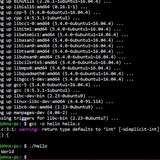
I'm trying to do this via md5sum (but open to suggestions this is just one that was mentioned a lot) but struggling. I'm not sure if it's the command that just does nothing or if it takes long because it's lots of files, but either the resulting txt file (that's meant to have the checksum) is empty or in a random order.
E.g. this command:
I've also tried this command
Any advice?
Thanks!
https://redd.it/15ml345
@r_bash
I copied a large directory with multiple layers of folders and subfolders to a new drive and I'd like to verify that everything got copied correctly before I delete it off the old drive.
I'm trying to do this via md5sum (but open to suggestions this is just one that was mentioned a lot) but struggling. I'm not sure if it's the command that just does nothing or if it takes long because it's lots of files, but either the resulting txt file (that's meant to have the checksum) is empty or in a random order.
E.g. this command:
find -type f -exec md5sum '{}' \; > md5sum.txt from here actually results in that file being created, but the checksums are then in a seemingly random order. And because of this I'm not sure if the comparison will work if it the checksums from the other drive are in a different order?I've also tried this command
find . -type f -exec md5sum {} + | LC_ALL=C sort | md5sum from here but that one just takes forever or does nothing. And because this one doesn't create a file but is meant to output a collective checksum in terminal, I don't get any feedback if anything's happening.Any advice?
Thanks!
https://redd.it/15ml345
@r_bash
Ask Ubuntu
How can I recursively list Md5sum of all the files in a directory and its subdirectories?
I want to list (and save) Md5 check sum of all the files in a directory and save that list in a text file called md5sum.txt
it would be also nice if I could
Integrate it within tree command (which
it would be also nice if I could
Integrate it within tree command (which
Real-time log streaming. Is it possible?
Can I stream the log content to a mounted partition or a remote directory?
And I have a particular environment and some applications created by the company's development team that are also very specific.
Therefore, occasionally, some problems occur due to very large logs generated in a few hours.
My idea is to stream these logs in real-time (so I can monitor them) and rotate logs daily.
Any idea how to do it with Shell Script?
https://redd.it/15mp2do
@r_bash
Can I stream the log content to a mounted partition or a remote directory?
And I have a particular environment and some applications created by the company's development team that are also very specific.
Therefore, occasionally, some problems occur due to very large logs generated in a few hours.
My idea is to stream these logs in real-time (so I can monitor them) and rotate logs daily.
Any idea how to do it with Shell Script?
https://redd.it/15mp2do
@r_bash
Reddit
From the bash community on Reddit
Explore this post and more from the bash community
grep 5 numbers only?
how do i test for 5 digits only ie i tried
grep -rE "[0-9\]{5}"
​
https://redd.it/15mwp6c
@r_bash
how do i test for 5 digits only ie i tried
grep -rE "[0-9\]{5}"
​
https://redd.it/15mwp6c
@r_bash
Reddit
From the bash community on Reddit
Explore this post and more from the bash community
Everything Hijacked
Some mf on here said I can’t comment on an article and wants me to behave first before I have the privilege of communicating my thoughts to people all over the world. This mf literally has no idea who I am but he can silence me.
https://redd.it/15mwvn7
@r_bash
Some mf on here said I can’t comment on an article and wants me to behave first before I have the privilege of communicating my thoughts to people all over the world. This mf literally has no idea who I am but he can silence me.
https://redd.it/15mwvn7
@r_bash
Reddit
From the bash community on Reddit
Explore this post and more from the bash community
How do I make remove all the extra spaces while using jq to read raw html into a JSON string
- My use case is to upload SES templates to AWS for sending emails
- It requires you to have a JSON templates uploaded to SES in a [https://docs.aws.amazon.com/ses/latest/dg/send-personalized-email-api.html!](certain format)
I wrote a bash noscript in jq that does the following thanks to the help from some of the redditors here
```
declare -A confirm_email=( [TemplateName]="confirm-email" [SubjectPart]="Please confirm your email" )
declare -A forgot_password=( [TemplateName]="forgot-password" [SubjectPart]="Reset Password" )
declare -a templates=(confirm_email forgot_password)
for ((i=0; i<"${#templates[*]}"; i++)); do
curr="${templates[$i]}"
TemplateName="${curr}[TemplateName]"
SubjectPart="${curr}[SubjectPart]"
jq -n \
--arg TemplateName "${!TemplateName}" \
--arg SubjectPart "${!SubjectPart}" \
--rawfile html "${manually_created_directory}/${!TemplateName}.html" \
--rawfile text "${manually_created_directory}/${!TemplateName}.txt" \
'
{
"Template": {
"TemplateName": $TemplateName,
"SubjectPart": $SubjectPart,
"HtmlPart": $html,
"TextPart": $text
}
}' > "${automatically_generated_directory}/${!TemplateName}.json"
aws ses update-template --cli-input-json "file://${automatically_generated_directory}/${!TemplateName}.json"
done
```
My generated json file that I can uploaded to AWS SES looks somewhat like this
```
{
"Template": {
"TemplateName": "confirm-email",
"SubjectPart": "Please confirm your ch email",
"HtmlPart": "<!DOCTYPE html PUBLIC \"-//W3C//DTD XHTML 1.0 Transitional//EN\" \"http://www.w3.org/TR/xhtml1/DTD/xhtml1-transitional.dtd\">\n<html xmlns=\"http://www.w3.org/1999/xhtml\" xmlns=\"http://www.w3.org/1999/xhtml\">\n <head>\n <meta name=\"viewport\" content=\"width=device-width, initial-scale=1.0\" />\n <meta http-equiv=\"Content-Type\" content=\"text/html; charset=UTF-8\" />\n <noscript>Please confirm your email on ch</noscript>\n </head>\n <body\n style=\"\n -webkit-text-size-adjust: none;\n box-sizing: border-box;\n color: #74787e;\n font-family: Arial, 'Helvetica Neue', Helvetica, sans-serif;\n height: 100%;\n line-height: 1.4;\n margin: 0;\n width: 100% !important;\n \"\n bgcolor=\"#f2f4f6\"\n >\n <style type=\"text/css\">\n body {\n width: 100% !important;\n height: 100%;\n margin: 0;\n line-height: 1.4;\n background-color: #f2f4f6;\n color: #74787e;\n -webkit-text-size-adjust: none;\n }\n @media only screen and (max-width: 600px) {\n .email-body_inner {\n width: 100% !important;\n }\n .email-footer {\n width: 100% !important;\n }\n }\n @media only screen and (max-width: 500px) {\n .button {\n width: 100% !important;\n }\n }\n </style>\n <span\n class=\"preheader\"\n style=\"\n box-sizing: border-box;\n display: none !important;\n font-family: Arial, sans-serif;\n font-size: 1px;\n line-height: 1px;\n max-height: 0;\n max-width: 0;\n mso-hide: all;\n opacity: 0;\n overflow: hidden;\n visibility: hidden;\n \"\n >Use this link to reset your password. The link is only valid for 24\n hours.</span\n >\n <table\n class=\"email-wrapper\"\n width=\"100%\"\n cellpadding=\"0\"\n cellspacing=\"0\"\n style=\"\n box-sizing: border-box;\n font-family: Arial, sans-serif;\n margin: 0;\n padding: 0;\n width: 100%;\n \"\n bgcolor=\"#f2f4f6\"\n >\n <tr>\n <td\n align=\"center\"\n style=\"\n box-sizing: border-box;\n font-family: Arial, sans-serif;\n
- My use case is to upload SES templates to AWS for sending emails
- It requires you to have a JSON templates uploaded to SES in a [https://docs.aws.amazon.com/ses/latest/dg/send-personalized-email-api.html!](certain format)
I wrote a bash noscript in jq that does the following thanks to the help from some of the redditors here
```
declare -A confirm_email=( [TemplateName]="confirm-email" [SubjectPart]="Please confirm your email" )
declare -A forgot_password=( [TemplateName]="forgot-password" [SubjectPart]="Reset Password" )
declare -a templates=(confirm_email forgot_password)
for ((i=0; i<"${#templates[*]}"; i++)); do
curr="${templates[$i]}"
TemplateName="${curr}[TemplateName]"
SubjectPart="${curr}[SubjectPart]"
jq -n \
--arg TemplateName "${!TemplateName}" \
--arg SubjectPart "${!SubjectPart}" \
--rawfile html "${manually_created_directory}/${!TemplateName}.html" \
--rawfile text "${manually_created_directory}/${!TemplateName}.txt" \
'
{
"Template": {
"TemplateName": $TemplateName,
"SubjectPart": $SubjectPart,
"HtmlPart": $html,
"TextPart": $text
}
}' > "${automatically_generated_directory}/${!TemplateName}.json"
aws ses update-template --cli-input-json "file://${automatically_generated_directory}/${!TemplateName}.json"
done
```
My generated json file that I can uploaded to AWS SES looks somewhat like this
```
{
"Template": {
"TemplateName": "confirm-email",
"SubjectPart": "Please confirm your ch email",
"HtmlPart": "<!DOCTYPE html PUBLIC \"-//W3C//DTD XHTML 1.0 Transitional//EN\" \"http://www.w3.org/TR/xhtml1/DTD/xhtml1-transitional.dtd\">\n<html xmlns=\"http://www.w3.org/1999/xhtml\" xmlns=\"http://www.w3.org/1999/xhtml\">\n <head>\n <meta name=\"viewport\" content=\"width=device-width, initial-scale=1.0\" />\n <meta http-equiv=\"Content-Type\" content=\"text/html; charset=UTF-8\" />\n <noscript>Please confirm your email on ch</noscript>\n </head>\n <body\n style=\"\n -webkit-text-size-adjust: none;\n box-sizing: border-box;\n color: #74787e;\n font-family: Arial, 'Helvetica Neue', Helvetica, sans-serif;\n height: 100%;\n line-height: 1.4;\n margin: 0;\n width: 100% !important;\n \"\n bgcolor=\"#f2f4f6\"\n >\n <style type=\"text/css\">\n body {\n width: 100% !important;\n height: 100%;\n margin: 0;\n line-height: 1.4;\n background-color: #f2f4f6;\n color: #74787e;\n -webkit-text-size-adjust: none;\n }\n @media only screen and (max-width: 600px) {\n .email-body_inner {\n width: 100% !important;\n }\n .email-footer {\n width: 100% !important;\n }\n }\n @media only screen and (max-width: 500px) {\n .button {\n width: 100% !important;\n }\n }\n </style>\n <span\n class=\"preheader\"\n style=\"\n box-sizing: border-box;\n display: none !important;\n font-family: Arial, sans-serif;\n font-size: 1px;\n line-height: 1px;\n max-height: 0;\n max-width: 0;\n mso-hide: all;\n opacity: 0;\n overflow: hidden;\n visibility: hidden;\n \"\n >Use this link to reset your password. The link is only valid for 24\n hours.</span\n >\n <table\n class=\"email-wrapper\"\n width=\"100%\"\n cellpadding=\"0\"\n cellspacing=\"0\"\n style=\"\n box-sizing: border-box;\n font-family: Arial, sans-serif;\n margin: 0;\n padding: 0;\n width: 100%;\n \"\n bgcolor=\"#f2f4f6\"\n >\n <tr>\n <td\n align=\"center\"\n style=\"\n box-sizing: border-box;\n font-family: Arial, sans-serif;\n
Amazon
Using templates to send personalized email with the Amazon SES API - Amazon Simple Email Service
Use the Amazon SES CreateTemplate and SendBulkEmail operations to send personalized messages.
word-break: break-word;\n \"\n >\n <table\n class=\"email-content\"\n width=\"100%\"\n cellpadding=\"0\"\n cellspacing=\"0\"\n style=\"\n box-sizing: border-box;\n font-family: Arial, sans-serif;\n margin: 0;\n padding: 0;\n width: 100%;\n \"\n >\n <tr>\n <td\n class=\"email-masthead\"\n style=\"\n box-sizing: border-box;\n font-family: Arial, sans-serif;\n padding: 25px 0;\n word-break: break-word;\n \"\n align=\"center\"\n >\n <a\n href=\"https://example.com\"\n class=\"email-masthead_name\"\n style=\"\n box-sizing: border-box;\n color: #bbbfc3;\n font-family: Arial, sans-serif;\n font-size: 16px;\n font-weight: bold;\n text-decoration: none;\n \"\n >ch</a\n >\n </td>\n </tr>\n <tr>\n <td\n class=\"email-body\"\n width=\"100%\"\n cellpadding=\"0\"\n cellspacing=\"0\"\n style=\"\n -premailer-cellpadding: 0;\n -premailer-cellspacing: 0;\n border-bottom-color: #edeff2;\n border-bottom-style: solid;\n border-bottom-width: 1px;\n border-top-color: #edeff2;\n border-top-style: solid;\n border-top-width: 1px;\n box-sizing: border-box;\n font-family: Arial, sans-serif;\n margin: 0;\n padding: 0;\n width: 100%;\n word-break: break-word;\n \"\n bgcolor=\"#ffffff\"\n >\n <table\n class=\"email-body_inner\"\n align=\"center\"\n width=\"570\"\n cellpadding=\"0\"\n cellspacing=\"0\"\n style=\"\n box-sizing: border-box;\n font-family: Arial, sans-serif;\n margin: 0 auto;\n padding: 0;\n width: 570px;\n \"\n bgcolor=\"#ffffff\"\n >\n <tr>\n <td\n class=\"content-cell\"\n style=\"\n box-sizing: border-box;\n font-family: Arial, sans-serif;\n padding: 35px;\n word-break: break-word;\n \"\n >\n <h1\n style=\"\n box-sizing: border-box;\n color: #2f3133;\n font-family: Arial, sans-serif;\n font-size: 19px;\n font-weight: bold;\n margin-top: 0;\n \"\n align=\"left\"\n >\n Hi {{name}},\n </h1>\n <p\n style=\"\n box-sizing: border-box;\n color: #74787e;\n font-family: Arial, sans-serif;\n font-size: 16px;\n line-height: 1.5em;\n margin-top: 0;\n \"\n align=\"left\"\n >\n Use the button below to confirm your email on ch.\n <strong\n
style=\"\n box-sizing: border-box;\n font-family: Arial, sans-serif;\n \"\n >This link is only valid for the next 24\n hours.</strong\n >\n </p>\n <table\n class=\"body-action\"\n align=\"center\"\n width=\"100%\"\n cellpadding=\"0\"\n cellspacing=\"0\"\n style=\"\n box-sizing: border-box;\n font-family: Arial, sans-serif;\n margin: 30px auto;\n padding: 0;\n text-align: center;\n width: 100%;\n \"\n >\n <tr>\n <td\n align=\"center\"\n style=\"\n box-sizing: border-box;\n font-family: Arial, sans-serif;\n word-break: break-word;\n \"\n >\n <table\n width=\"100%\"\n border=\"0\"\n cellspacing=\"0\"\n cellpadding=\"0\"\n style=\"\n box-sizing: border-box;\n font-family: Arial, sans-serif;\n \"\n >\n <tr>\n <td\n align=\"center\"\n style=\"\n box-sizing: border-box;\n font-family: Arial, sans-serif;\n word-break: break-word;\n \"\n >\n <table\n border=\"0\"\n cellspacing=\"0\"\n cellpadding=\"0\"\n style=\"\n box-sizing: border-box;\n font-family: Arial, sans-serif;\n \"\n >\n <tr>\n <td\n style=\"\n box-sizing: border-box;\n font-family: Arial, sans-serif;\n word-break: break-word;\n \"\n >\n <a\n href=\"{{action_url}}\"\n class=\"button button--blue\"\n target=\"_blank\"\n style=\"\n -webkit-text-size-adjust: none;\n background: #007dcc;\n border-color: #007dcc;\n border-radius: 3px;\n border-style: solid;\n border-width: 10px 18px;\n box-shadow: 0 2px 3px\n rgba(0, 0, 0, 0.16);\n box-sizing: border-box;\n color: #ffffff;\n
display: inline-block;\n font-family: Arial, sans-serif;\n font-size: 16px;\n text-decoration: none;\n \"\n >Confirm Email</a\n >\n </td>\n </tr>\n </table>\n </td>\n </tr>\n </table>\n </td>\n </tr>\n </table>\n <p\n style=\"\n box-sizing: border-box;\n color: #74787e;\n font-family: Arial, sans-serif;\n font-size: 16px;\n line-height: 1.5em;\n margin-top: 0;\n \"\n align=\"left\"\n >\n Thanks, <br />The ch Team\n </p>\n <table\n class=\"body-sub\"\n style=\"\n border-top-color: #edeff2;\n border-top-style: solid;\n border-top-width: 1px;\n box-sizing: border-box;\n font-family: Arial, sans-serif;\n margin-top: 25px;\n padding-top: 25px;\n \"\n >\n <tr>\n <td\n style=\"\n box-sizing: border-box;\n font-family: Arial, sans-serif;\n word-break: break-word;\n \"\n >\n <p\n class=\"sub\"\n style=\"\n box-sizing: border-box;\n color: #74787e;\n font-family: Arial, sans-serif;\n font-size: 12px;\n line-height: 1.5em;\n margin-top: 0;\n \"\n align=\"left\"\n >\n If you’re having trouble with the button above,\n copy and paste the URL below into your web\n browser.\n </p>\n <p\n class=\"sub\"\n style=\"\n box-sizing: border-box;\n color: #74787e;\n font-family: Arial, sans-serif;\n font-size: 16px;\n line-height: 1.5em;\n margin-top: 0;\n \"\n align=\"left\"\n >\n {{action_url}}\n </p>\n </td>\n </tr>\n </table>\n </td>\n </tr>\n </table>\n </td>\n </tr>\n <tr>\n <td\n style=\"\n box-sizing: border-box;\n font-family: Arial, sans-serif;\n word-break: break-word;\n \"\n >\n <table\n class=\"email-footer\"\n align=\"center\"\n
width=\"570\"\n cellpadding=\"0\"\n cellspacing=\"0\"\n style=\"\n box-sizing: border-box;\n font-family: Arial, sans-serif;\n margin: 0 auto;\n padding: 0;\n text-align: center;\n width: 570px;\n \"\n >\n <tr>\n <td\n class=\"content-cell\"\n align=\"center\"\n style=\"\n box-sizing: border-box;\n font-family: Arial, sans-serif;\n padding: 35px;\n word-break: break-word;\n \"\n >\n <p\n class=\"sub align-center\"\n style=\"\n box-sizing: border-box;\n color: #bbbfc3;\n font-family: Arial, sans-serif;\n font-size: 12px;\n line-height: 1.5em;\n margin-top: 0;\n \"\n align=\"center\"\n >\n © 2023 ch. All rights reserved.\n </p>\n </td>\n </tr>\n </table>\n </td>\n </tr>\n </table>\n </td>\n </tr>\n </table>\n </body>\n</html>\n",
"TextPart": "Use this link to confirm your email. The link is only valid for 24 hours.\n\nch ( https://example.com )\n\n************\nHi {{name}},\n************\n\nUse the button below to confirm your email on ch. This link is only valid for the next 24 hours.\n\nConfirm your email ( {{ action_url }} )\n\nThanks,\nThe ch Team\n\nIf you’re having trouble with the button above, copy and paste the URL below into your web browser.\n\n{{action_url}}\n\n© 2023 ch. All rights reserved.\n"
}
}
```
Has a tonne of new lines, extra spaces and what not. How do I tell jq to remove these while reading the rawfile?
https://redd.it/15n1mkl
@r_bash
"TextPart": "Use this link to confirm your email. The link is only valid for 24 hours.\n\nch ( https://example.com )\n\n************\nHi {{name}},\n************\n\nUse the button below to confirm your email on ch. This link is only valid for the next 24 hours.\n\nConfirm your email ( {{ action_url }} )\n\nThanks,\nThe ch Team\n\nIf you’re having trouble with the button above, copy and paste the URL below into your web browser.\n\n{{action_url}}\n\n© 2023 ch. All rights reserved.\n"
}
}
```
Has a tonne of new lines, extra spaces and what not. How do I tell jq to remove these while reading the rawfile?
https://redd.it/15n1mkl
@r_bash
Reddit
From the bash community on Reddit
Explore this post and more from the bash community
One of the insignificant portions of my shell noscript, what do you think?
https://redd.it/15n22f9
@r_bash
https://redd.it/15n22f9
@r_bash
Unwanted expansion - no idea why this is happening in grep with Perl regex
Trying negative lookbehind with grep.
This seems reasonable, show 5 numbers not preceded by 'w':
I get this error:
grep: syntax error in subpattern name (missing terminator)
and this appears in my history:
So the <!w was expanded to wc -l current.csv.
Where is this coming from? How can I avoid it? (tried single and double quote around the regex, same result.
​
https://redd.it/15n1jnz
@r_bash
Trying negative lookbehind with grep.
This seems reasonable, show 5 numbers not preceded by 'w':
echo -e "w12121\n888lj\n123456" | grep -P "(?<!w)[[:digit:]]{5}"I get this error:
grep: syntax error in subpattern name (missing terminator)
and this appears in my history:
echo -e "w12121\n888lj\n123456" | grep -P "(?<wc -l current.csv )[[:digit:]]{5}"So the <!w was expanded to wc -l current.csv.
Where is this coming from? How can I avoid it? (tried single and double quote around the regex, same result.
​
https://redd.it/15n1jnz
@r_bash
Reddit
From the bash community on Reddit
Explore this post and more from the bash community
I wrote a TUI drawing tool in just bash
https://github.com/wick3dr0se/drawin
https://redd.it/15ns0yj
@r_bash
https://github.com/wick3dr0se/drawin
https://redd.it/15ns0yj
@r_bash
GitHub
GitHub - wick3dr0se/drawin: A super minimal TUI drawing tool written in BASH
A super minimal TUI drawing tool written in BASH. Contribute to wick3dr0se/drawin development by creating an account on GitHub.
How do I add a variable as an alias?
I'm not sure if that was a decent enough denoscription, but basically, I'm trying to effectively remove the
​
I'm hoping what I said made sense. I've tried several ideas such as
​
I showed this to a friend in my software class, and she wrote:
​
In case you're wondering/haven't noticed, the full command I want to use is:
​
If I'm lucky enough to have someone help me with this, I could also change:
https://redd.it/15o8igq
@r_bash
I'm not sure if that was a decent enough denoscription, but basically, I'm trying to effectively remove the
--volume= part of mpv --volume =x. I want to input mpv x and for it to set mpv's volume to x, and I want to add this to my .zshrc, as opposed to a noscript, because I know I can make a noscript and just do cd [directory] && ./[noscript].sh && cd or something like that.​
I'm hoping what I said made sense. I've tried several ideas such as
alias mpv=$1 --volume=$1 and even prefaced it with volume=$1 just in case.​
I showed this to a friend in my software class, and she wrote:
alias mpv='volume(){ mpv ~/Music/[playlist]/* --shuffle --no-audio-display --af="volume='$1'" "$2"; unset -f volume; }; volume' which i don't understand, nor does it work.​
In case you're wondering/haven't noticed, the full command I want to use is:
mpv ~/Music/[playlist]/* --volume=x --shuffle --no-audio-display​
If I'm lucky enough to have someone help me with this, I could also change:
alias weather='curl -s `wttr.in/`[location] | head -n -2' To alias weather x='curl -s `wttr.in/`x | head -n -2'.https://redd.it/15o8igq
@r_bash
wttr.in
Weather report: armidale
I wrote a simple JSON -> JSON schema converter in jq
Here is a code:
def to_noscript: . | gsub("(?<x>[A-Z])"; " \(.x)") | ascii_downcase;
def to_denoscription: . | to_noscript + "\n" + $url;
def wrap: {
type: "object",
properties: with_entries(
if .value | type != "object" then
{
key,
value: {
noscript: .key | to_noscript,
denoscription: .key | to_denoscription,
type: (.value | type),
default: .value
}
}
else
.value = {
noscript: .key | to_noscript,
denoscription: .key | to_denoscription
} + (.value | wrap)
end)
};
{
"$schema": "http://json-schema.org/draft-07/schema",
noscript: "config",
denoscription: "A config"
} + (. | wrap)
The idea is to pass some sample config file for some tool and get a JSON schema generated for it. I wrote this noscript as I didn't like how [online generator](https://jsonformatter.org/yaml-to-jsonschema) generated JSON schemas for YAML: it used too many `$ref`s when they were redundant, and made all properties required by default. So I decided just to convert YAML -> JSON and then apply my noscript to get JSON schemas.
For the following input: `{ "a": 1, "b": { "c": 2, "d": { "e": 3 } } }` it generates this schema (note that `--arg url x` is passed to jq):
Input:
'{ "a": 1, "b": { "c": 2, "d": { "e": 3 } } }'
Output:
{
"$schema": "http://json-schema.org/draft-07/schema",
"noscript": "config",
"denoscription": "A config",
"type": "object",
"properties": {
"a": {
"noscript": "a",
"denoscription": "a\nx",
"type": "number",
"default": 1
},
"b": {
"noscript": "b",
"denoscription": "b\nx",
"type": "object",
"properties": {
"c": {
"noscript": "c",
"denoscription": "c\nx",
"type": "number",
"default": 2
},
"d": {
"noscript": "d",
"denoscription": "d\nx",
"type": "object",
"properties": {
"e": {
"noscript": "e",
"denoscription": "e\nx",
"type": "number",
"default": 3
}
}
}
}
}
}
}
https://redd.it/15oh21e
@r_bash
Here is a code:
def to_noscript: . | gsub("(?<x>[A-Z])"; " \(.x)") | ascii_downcase;
def to_denoscription: . | to_noscript + "\n" + $url;
def wrap: {
type: "object",
properties: with_entries(
if .value | type != "object" then
{
key,
value: {
noscript: .key | to_noscript,
denoscription: .key | to_denoscription,
type: (.value | type),
default: .value
}
}
else
.value = {
noscript: .key | to_noscript,
denoscription: .key | to_denoscription
} + (.value | wrap)
end)
};
{
"$schema": "http://json-schema.org/draft-07/schema",
noscript: "config",
denoscription: "A config"
} + (. | wrap)
The idea is to pass some sample config file for some tool and get a JSON schema generated for it. I wrote this noscript as I didn't like how [online generator](https://jsonformatter.org/yaml-to-jsonschema) generated JSON schemas for YAML: it used too many `$ref`s when they were redundant, and made all properties required by default. So I decided just to convert YAML -> JSON and then apply my noscript to get JSON schemas.
For the following input: `{ "a": 1, "b": { "c": 2, "d": { "e": 3 } } }` it generates this schema (note that `--arg url x` is passed to jq):
Input:
'{ "a": 1, "b": { "c": 2, "d": { "e": 3 } } }'
Output:
{
"$schema": "http://json-schema.org/draft-07/schema",
"noscript": "config",
"denoscription": "A config",
"type": "object",
"properties": {
"a": {
"noscript": "a",
"denoscription": "a\nx",
"type": "number",
"default": 1
},
"b": {
"noscript": "b",
"denoscription": "b\nx",
"type": "object",
"properties": {
"c": {
"noscript": "c",
"denoscription": "c\nx",
"type": "number",
"default": 2
},
"d": {
"noscript": "d",
"denoscription": "d\nx",
"type": "object",
"properties": {
"e": {
"noscript": "e",
"denoscription": "e\nx",
"type": "number",
"default": 3
}
}
}
}
}
}
}
https://redd.it/15oh21e
@r_bash
jsonformatter.org
Best YAML to Jsonschema Converter
YAML to Jsonschema Online with https and easiest way to convert YAML to Jsonschema. Save online and Share.
Command-line secrets manager powered by macOS keychains, written entirely in Bash
https://github.com/loteoo/ks
https://redd.it/15onqrx
@r_bash
https://github.com/loteoo/ks
https://redd.it/15onqrx
@r_bash
GitHub
GitHub - loteoo/ks: Command-line secrets manager powered by macOS keychains
Command-line secrets manager powered by macOS keychains - loteoo/ks
Running a bash noscript function as an alias
pzserver () {
if "$1" == "-backup" ; then
# run backup function
elif "$1 == "-start" ; then
# run start function
elif "$1" == "-quit" ; then
# run quit function
else
# no options set
fi
}
^(Obligatory: I'm new at bash noscripting so forgive me if I'm overlooking a simpler solution. Also, any tips and hints in general are much appreciated!)
I have the function above defined in my .bashrc and would like to use this function from a terminal. For example, I'd like to run
Of course I've done some searching and found that I'll need to use
Any hints would be massively appreciated! Thanks!
https://redd.it/15opx5k
@r_bash
pzserver () {
if "$1" == "-backup" ; then
# run backup function
elif "$1 == "-start" ; then
# run start function
elif "$1" == "-quit" ; then
# run quit function
else
# no options set
fi
}
^(Obligatory: I'm new at bash noscripting so forgive me if I'm overlooking a simpler solution. Also, any tips and hints in general are much appreciated!)
I have the function above defined in my .bashrc and would like to use this function from a terminal. For example, I'd like to run
pzserver -backup from a terminal to start the backup process. However, I'm seeing the following error when running that command: -bash: pzserver: command not foundOf course I've done some searching and found that I'll need to use
bash -c to be able to do this, however I'm not sure how to get an alias to do this for me.alias pzserver = "bash -c source pzserver.sh; pzserver $1" doesn't work, it returns -bash: alias: pzserver: not foundAny hints would be massively appreciated! Thanks!
https://redd.it/15opx5k
@r_bash
Reddit
From the bash community on Reddit
Explore this post and more from the bash community
grep 'echo -' vs grep 'echo -.'
what am i missing here, the results for the second version all appear in red font? what's the difference the dot is making? i always thought .* refered to filenames?
https://redd.it/15ose0y
@r_bash
what am i missing here, the results for the second version all appear in red font? what's the difference the dot is making? i always thought .* refered to filenames?
https://redd.it/15ose0y
@r_bash
Reddit
From the bash community on Reddit
Explore this post and more from the bash community
How do I output the new lines onto my terminal.
If I do
But if we do
If I forget the -e option in the initial echo step, then is there a way to still have the newlines output onto my terminal?
https://redd.it/15pfkp1
@r_bash
If I do
echo "dog\ncow\ncat" > file1.txt and then cat file1.txt, it will output dog\ncow\ncat. But if we do
echo -e "dog\ncow\ncat" > file1.txtand then cat it, then it does output the newlines correctly. If I forget the -e option in the initial echo step, then is there a way to still have the newlines output onto my terminal?
https://redd.it/15pfkp1
@r_bash
Reddit
From the bash community on Reddit
Explore this post and more from the bash community
a little wallpaper noscript written by a noob
This is my noscript here: https://github.com/jpatzy/whaven
I was looking for a project idea to help me learn and I came across this wallpaper noscript by /u/wick3dr0se that grabs random wallpapers from unsplash, so I decided to make own noscript to get random wallpapers from Wallhaven.cc. I originally started writing this in bash (I thought) but found out that most of it wasn't bash, and so with the help of shellcheck I tried to make it POSIX compliant instead. I am not 100% that it is since shell noscripting is very new to me.
If anybody is willing to take a look, I'd appreciate any feedback, tips, or criticisms. It only works with utilities that I have personally used which are, sway, feh, and gnome (gsettings).
https://redd.it/15ph8o1
@r_bash
This is my noscript here: https://github.com/jpatzy/whaven
I was looking for a project idea to help me learn and I came across this wallpaper noscript by /u/wick3dr0se that grabs random wallpapers from unsplash, so I decided to make own noscript to get random wallpapers from Wallhaven.cc. I originally started writing this in bash (I thought) but found out that most of it wasn't bash, and so with the help of shellcheck I tried to make it POSIX compliant instead. I am not 100% that it is since shell noscripting is very new to me.
If anybody is willing to take a look, I'd appreciate any feedback, tips, or criticisms. It only works with utilities that I have personally used which are, sway, feh, and gnome (gsettings).
https://redd.it/15ph8o1
@r_bash
GitHub
GitHub - jpatzy/whaven: Get random wallpapers from wallhaven.cc
Get random wallpapers from wallhaven.cc. Contribute to jpatzy/whaven development by creating an account on GitHub.
Isolated environment for iteratively developing dev machine set up noscript?
I want to write a noscript that will set up my machine (MacOS). Nothing too crazy - install brew, brew install a bunch of things I use, prompt me for certain logins so it can auth for me, etc.
Hypothetically, if I test a bash function to install something, then make a change, I'll need to uninstall that thing to re-test.
Is there a better way to do this? Some sort of isolated environment that I can tear down with each run?
Thanks
https://redd.it/15pkanw
@r_bash
I want to write a noscript that will set up my machine (MacOS). Nothing too crazy - install brew, brew install a bunch of things I use, prompt me for certain logins so it can auth for me, etc.
Hypothetically, if I test a bash function to install something, then make a change, I'll need to uninstall that thing to re-test.
Is there a better way to do this? Some sort of isolated environment that I can tear down with each run?
Thanks
https://redd.it/15pkanw
@r_bash
Reddit
From the bash community on Reddit
Explore this post and more from the bash community