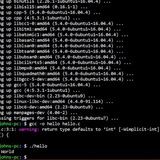
adding newline to two variables
Hello all,
In the below snippet, I'm trying to combine the output of 2 external output with a new line between the two output.
Desired output:
both:
f1
f2
f3
f4
Current output:
both:
f1
f2f3
f4
#!/bin/bash
mkdir /tmp/dir1 /tmp/dir2
touch /tmp/dir1/f1 /tmp/dir1/f2
touch /tmp/dir2/f3 touch /tmp/dir2/f4
# nl=$(echo "\n")
nl=$(echo)
# nl=$(echo -e "\n")
dir1="$(ls -1 /tmp/dir1)"
dir2="$(ls -1 /tmp/dir2)"
echo dir1:
echo "$dir1"
echo dir2:
echo "$dir2"
#both="$(echo "$dir1$nl$dir2")"
both=$(echo "$dir1$nl$dir2")
#both="${dir1}\n${dir2}"
echo both:
echo "$both"
https://redd.it/1cl0s1h
@r_bash
Hello all,
In the below snippet, I'm trying to combine the output of 2 external output with a new line between the two output.
Desired output:
both:
f1
f2
f3
f4
Current output:
both:
f1
f2f3
f4
#!/bin/bash
mkdir /tmp/dir1 /tmp/dir2
touch /tmp/dir1/f1 /tmp/dir1/f2
touch /tmp/dir2/f3 touch /tmp/dir2/f4
# nl=$(echo "\n")
nl=$(echo)
# nl=$(echo -e "\n")
dir1="$(ls -1 /tmp/dir1)"
dir2="$(ls -1 /tmp/dir2)"
echo dir1:
echo "$dir1"
echo dir2:
echo "$dir2"
#both="$(echo "$dir1$nl$dir2")"
both=$(echo "$dir1$nl$dir2")
#both="${dir1}\n${dir2}"
echo both:
echo "$both"
https://redd.it/1cl0s1h
@r_bash
Reddit
From the bash community on Reddit
Explore this post and more from the bash community
Wrote my first bash noscript, looking for someone to look it over and make sure I am doing things correctly
I wrote my first bash noscript, a noscript to back up my linux system. I am going to have a systemd timer run the noscript daily and was hoping someone could tell me if I am doing ok.
Thanks
Suzie
#!/usr/bin/bash
######Define noscript variables
backupdest=/mnt/Backups/$(cat /etc/hostname)
filename=$(date +%b-%d-%y)
######Create backup tar archive
if ! -d "$backupdest" ; then
mkdir "$backupdest"
fi
#######Create tar archive
tar -cpzf "$backupdest/$filename" --exclude={\
"/dev/",\
"/proc/",\
"/sys/",\
"/tmp/",\
"/run/",\
"/mnt/",\
"/media/",\
"/lost+found",\
"/usr/lib/",\
"/usr/share/",\
"/usr/lib/",\
"/usr/lib32/",\
"/usr/include/",\
"/home/suzie/.cache/",\
"/home/suzie/.cmake/",\
"/home/suzie/.config/",\
"/home/suzie/.var/",\
} /
######Delete previous weeks daily backup
find "$backupdest" -mtime +7 -delete
########Create Weekly folder
if ! -d "$backupdest/weekly" ; then
mkdir "$backupdest/weekly"
fi
########Copy Sundays daily backup file to weekly folder
if $(date +%a) == Sun ; then
cp "$backupdest/$filename" "$backupdest/weekly"
fi
########Delete previous months weekly backups
find "$backupdest/weekly" +31 -delete
########Create monthly folder
if ! -d "$backupdest/monthly" ; then
mkdir "$backupdest/monthly"
fi
########Copy backup file to monthly folder
if $(date +%d) == 1 ; then
cp "$backupdest/$filename" "$backupdest/monthly"
fi
########Delete previous years monthly backups
find "$backupdest/monthly" +365 -delete
https://redd.it/1clexd4
@r_bash
I wrote my first bash noscript, a noscript to back up my linux system. I am going to have a systemd timer run the noscript daily and was hoping someone could tell me if I am doing ok.
Thanks
Suzie
#!/usr/bin/bash
######Define noscript variables
backupdest=/mnt/Backups/$(cat /etc/hostname)
filename=$(date +%b-%d-%y)
######Create backup tar archive
if ! -d "$backupdest" ; then
mkdir "$backupdest"
fi
#######Create tar archive
tar -cpzf "$backupdest/$filename" --exclude={\
"/dev/",\
"/proc/",\
"/sys/",\
"/tmp/",\
"/run/",\
"/mnt/",\
"/media/",\
"/lost+found",\
"/usr/lib/",\
"/usr/share/",\
"/usr/lib/",\
"/usr/lib32/",\
"/usr/include/",\
"/home/suzie/.cache/",\
"/home/suzie/.cmake/",\
"/home/suzie/.config/",\
"/home/suzie/.var/",\
} /
######Delete previous weeks daily backup
find "$backupdest" -mtime +7 -delete
########Create Weekly folder
if ! -d "$backupdest/weekly" ; then
mkdir "$backupdest/weekly"
fi
########Copy Sundays daily backup file to weekly folder
if $(date +%a) == Sun ; then
cp "$backupdest/$filename" "$backupdest/weekly"
fi
########Delete previous months weekly backups
find "$backupdest/weekly" +31 -delete
########Create monthly folder
if ! -d "$backupdest/monthly" ; then
mkdir "$backupdest/monthly"
fi
########Copy backup file to monthly folder
if $(date +%d) == 1 ; then
cp "$backupdest/$filename" "$backupdest/monthly"
fi
########Delete previous years monthly backups
find "$backupdest/monthly" +365 -delete
https://redd.it/1clexd4
@r_bash
Reddit
From the bash community on Reddit
Explore this post and more from the bash community
how to get a unique emails?
so in this noscripts there are emails in all_emails variable and i want to get the unique ones. this noscript does not work. any suggestions?
for email in "$allemails"; do
if [[ "$email" -eq "$allemails" ]]; then
echo "$email - not unique"
else
echo "$email - unique"
fi
done
https://redd.it/1cln8nr
@r_bash
so in this noscripts there are emails in all_emails variable and i want to get the unique ones. this noscript does not work. any suggestions?
for email in "$allemails"; do
if [[ "$email" -eq "$allemails" ]]; then
echo "$email - not unique"
else
echo "$email - unique"
fi
done
https://redd.it/1cln8nr
@r_bash
Reddit
From the bash community on Reddit
Explore this post and more from the bash community
Why my following noscript doesn’t provide any output?
https://redd.it/1clrl3g
@r_bash
file=()
while read -r -d ''
do
file+=(“$REPLY”)
done < <(find . -print0)

echo “${file[@]}”
https://redd.it/1clrl3g
@r_bash
Reddit
From the bash community on Reddit
Explore this post and more from the bash community
Bash AWS kungFu migrating AWS Lambda functions from the Go1.x runtime
I have been working on Migrating AWS Lambda functions from the Go1.x runtime to the custom runtime on Amazon Linux 2, Created the sprint noscript to list lambda func in all region
https://github.com/muhammedabdelkader/Micro-Sprint/blob/main/reports/list\_lambda.sh
Don't forgot the filter command
https://redd.it/1cm6g5v
@r_bash
I have been working on Migrating AWS Lambda functions from the Go1.x runtime to the custom runtime on Amazon Linux 2, Created the sprint noscript to list lambda func in all region
https://github.com/muhammedabdelkader/Micro-Sprint/blob/main/reports/list\_lambda.sh
Don't forgot the filter command
https://redd.it/1cm6g5v
@r_bash
GitHub
Micro-Sprint/reports/list_lambda.sh at main · muhammedabdelkader/Micro-Sprint
A small pieces of code that are smaller versions of full sprint application - muhammedabdelkader/Micro-Sprint
netcat as non root
With the help of this sub, I was able to get my netcat command to run as expected
printf '#011001\015\012' | netcat -N 192.168.x.x 8080
works perfectly....as root
but I need to be able to run it as a non root user. While it will execute, it does not actually do anything. I cannot figure out why
I have even tried via sudo or su and it just will not execute
Any suggestions to get this to work as a regular user?
I see no errors or why it won't send the commands. I am assuming this is for security reasons...
https://redd.it/1cmaqw6
@r_bash
With the help of this sub, I was able to get my netcat command to run as expected
printf '#011001\015\012' | netcat -N 192.168.x.x 8080
works perfectly....as root
but I need to be able to run it as a non root user. While it will execute, it does not actually do anything. I cannot figure out why
I have even tried via sudo or su and it just will not execute
Any suggestions to get this to work as a regular user?
I see no errors or why it won't send the commands. I am assuming this is for security reasons...
https://redd.it/1cmaqw6
@r_bash
Reddit
From the bash community on Reddit
Explore this post and more from the bash community
Settings $PS1 Variable (Prompt String)
In Linux, the bash shell allows you to customize the command prompt that appears before each new line in your terminal. This is done using special prompt variables that are expanded by the shell when it displays the prompt. Here are some of the most commonly used prompt variables:
1.
2.
3.
4.
5.
6.
7.
8.
9.
You can use these variables to create a custom prompt string by enclosing them in curly braces and separating them with escaped spaces (\\ ). For example, the following prompt variable sets the prompt to display the username, hostname, current directory, and a dollar sign:
export PS1="\u@\h \W\$
https://redd.it/1cmbo6o
@r_bash
In Linux, the bash shell allows you to customize the command prompt that appears before each new line in your terminal. This is done using special prompt variables that are expanded by the shell when it displays the prompt. Here are some of the most commonly used prompt variables:
1.
\u - The username of the current user.2.
\h - The hostname up to the first dot. For example, if the hostname is "example.com", then "\\h" will expand to just "example".3.
\W - The basename of the current working directory, with $HOME abbreviated with a tilde (\~).4.
\w - The full pathname of the current working directory, with $HOME abbreviated with a tilde (\~).5.
\$ - A dollar sign ($) for regular users or a hash symbol (#) for the root user.6.
\! - The history number of this command.7.
\t - The current time in 24-hour HH:MM:SS format.8.
\T - The current time in 12-hour hh:mm:ss format.9.
\@ - The current time in 12-hour am/pm format.You can use these variables to create a custom prompt string by enclosing them in curly braces and separating them with escaped spaces (\\ ). For example, the following prompt variable sets the prompt to display the username, hostname, current directory, and a dollar sign:
export PS1="\u@\h \W\$
https://redd.it/1cmbo6o
@r_bash
Reddit
From the bash community on Reddit
Explore this post and more from the bash community
Add last login time and elapsed time since current login to prompt in Linux
# Customizing Your Bash Prompt
How to calculate the time of the last login and the time elapsed since the active login in Linux? How do we add them to the $PS1 prompt string variable? This video shows how to do these two things by editing the .bashrc file.
Watching video on YT
https://youtu.be/2uG1Pm3i974
https://redd.it/1cmcyk2
@r_bash
# Customizing Your Bash Prompt
How to calculate the time of the last login and the time elapsed since the active login in Linux? How do we add them to the $PS1 prompt string variable? This video shows how to do these two things by editing the .bashrc file.
Watching video on YT
https://youtu.be/2uG1Pm3i974
https://redd.it/1cmcyk2
@r_bash
YouTube
Add last login time and elapsed time since current login to prompt in Linux
How to calculate the time of the last login and the time elapsed since the active login in Linux? How do we add them to the $PS1 prompt string variable? This...
when do you use commands with ./ . ?
Hi! sawing videos about grep command I saw a comand ending in .... grep keytofind ./.
I think that ./ isn't used but maybe I am wrong, when do you use that ./
I know the meaning of ./ but I use in command line go there and then put the commands for example ls , so why should I use there ./
star key.star key = all
Thank you and Regards!
edit by wrong interpretation of star key and markdown
https://redd.it/1cmiaac
@r_bash
Hi! sawing videos about grep command I saw a comand ending in .... grep keytofind ./.
I think that ./ isn't used but maybe I am wrong, when do you use that ./
I know the meaning of ./ but I use in command line go there and then put the commands for example ls , so why should I use there ./
star key.star key = all
Thank you and Regards!
edit by wrong interpretation of star key and markdown
https://redd.it/1cmiaac
@r_bash
Reddit
From the bash community on Reddit
Explore this post and more from the bash community
Sending and executing a command in the bash noscript and calculating the execution time
# What is the $@ variable in bash?
In Bash noscripting, "$@" is a special variable that represents all the command-line arguments passed to the noscript or function. It allows you to access each argument individually.
Here's an example to illustrate its usage:
#!/bin/bash
# Loop through all the command-line arguments
for arg in "$@"; do
echo "Argument: $arg"
done
If you run this noscript with the command
Argument: arg1
Argument: arg2
Argument: arg3
In the noscript,
We can send a command along with its options through the $@ variable as input to the bash noscript to be executed inside it.
./noscript ls -l (arg1=ls, arg2=-l)
./noscript find / -type f (arg1=find, arg2=/ arg3=-type arg4=f)
It's worth noting that
# What is the $SECONDS variable in bash?
In Bash noscripting,
Here's an example to demonstrate its usage:
#!/bin/bash
echo "Script started."
sleep 5
echo "Elapsed time: $SECONDS seconds."
sleep 3
echo "Elapsed time: $SECONDS seconds."
SECONDS=0
sleep 2
echo "Elapsed time (after reset): $SECONDS seconds."
When you run this noscript, it will output:
Script started.
Elapsed time: 5 seconds.
Elapsed time: 8 seconds.
Elapsed time (after reset): 2 seconds.
In the noscript,
By resetting the value of
Note that
Therefore
1. Whenever you start a shell (for example, you open a graphical terminal window like Gnome-Terminal) a $SECONDS variable is assigned to it.
2. A $SECONDS variable is also assigned to the non-interactive shell that executes the bash noscript file.
https://preview.redd.it/9hpvk7qxy6zc1.png?width=732&format=png&auto=webp&s=67619f0a8a6cd077dcab79f4625490e406394c06
In the short video below, I have shown how to use the $@ and $SECONDS variables to send a command to a bash file and calculate its execution time.
# Watch videos on YouTube
**Send and execute a command to a noscript and calculate the execution time**
https://redd.it/1cn2g5u
@r_bash
# What is the $@ variable in bash?
In Bash noscripting, "$@" is a special variable that represents all the command-line arguments passed to the noscript or function. It allows you to access each argument individually.
Here's an example to illustrate its usage:
#!/bin/bash
# Loop through all the command-line arguments
for arg in "$@"; do
echo "Argument: $arg"
done
If you run this noscript with the command
./noscript.sh arg1 arg2 arg3, it will output:Argument: arg1
Argument: arg2
Argument: arg3
In the noscript,
"$@" expands to separate arguments, so the for loop iterates over each argument and prints it.We can send a command along with its options through the $@ variable as input to the bash noscript to be executed inside it.
./noscript ls -l (arg1=ls, arg2=-l)
./noscript find / -type f (arg1=find, arg2=/ arg3=-type arg4=f)
It's worth noting that
"$@" is different from "$*" in Bash. While "$@" treats each argument as a separate entity, "$*" treats all the arguments as a single string separated by the first character of the IFS (Internal Field Separator) variable (usually a space)# What is the $SECONDS variable in bash?
In Bash noscripting,
$SECONDS is a special variable that holds the number of seconds since the noscript started running or since the last reset of the variable.Here's an example to demonstrate its usage:
#!/bin/bash
echo "Script started."
sleep 5
echo "Elapsed time: $SECONDS seconds."
sleep 3
echo "Elapsed time: $SECONDS seconds."
SECONDS=0
sleep 2
echo "Elapsed time (after reset): $SECONDS seconds."
When you run this noscript, it will output:
Script started.
Elapsed time: 5 seconds.
Elapsed time: 8 seconds.
Elapsed time (after reset): 2 seconds.
In the noscript,
$SECONDS is used to track the elapsed time. It starts counting when the noscript begins executing, and you can access its value using $SECONDS at any point in the noscript.\\By resetting the value of
$SECONDS to 0 (SECONDS=0), you can restart the timer and measure a new interval from that point onward.Note that
$SECONDS is an integer variable, and it represents the number of seconds as a whole number. It does not include milliseconds or fractions of a second.Therefore
1. Whenever you start a shell (for example, you open a graphical terminal window like Gnome-Terminal) a $SECONDS variable is assigned to it.
2. A $SECONDS variable is also assigned to the non-interactive shell that executes the bash noscript file.
https://preview.redd.it/9hpvk7qxy6zc1.png?width=732&format=png&auto=webp&s=67619f0a8a6cd077dcab79f4625490e406394c06
In the short video below, I have shown how to use the $@ and $SECONDS variables to send a command to a bash file and calculate its execution time.
# Watch videos on YouTube
**Send and execute a command to a noscript and calculate the execution time**
https://redd.it/1cn2g5u
@r_bash
Modify the bash prompt to indicate that the user is logged in with SSH
# Detecting that the current user is logged in with SSH?
To detect if the current user is logged in via SSH, you can check the value of the `SSH_CLIENT` environment variable. If the variable is set, it indicates that the user has logged in using SSH.
In this noscript, we use the `-n` test condition to check if the `SSH_CLIENT` variable is not empty. If it has a value, it means the user is connected via SSH, and the noscript outputs "You are logged in via SSH." Otherwise, it outputs "You are not logged in via SSH."
#!/bin/bash
if [[ -n "$SSH_CLIENT" ]]; then
echo "You are logged in via SSH."
else
echo "You are not logged in via SSH."
fi
In addition to the `SSH_CLIENT` environment variable, you can also check for the presence of other environment variables to determine if a user is logged in via SSH. Here are a few commonly used variables:
1. `SSH_CONNECTION`: This variable contains the client IP address, client port, server IP address, and server port in the format `client_ip client_port server_ip server_port`. If the variable is set, it indicates an SSH connection.
2. `SSH_TTY`: This variable is set if the user is logged in via SSH and is connected to a terminal. It holds the path to the TTY (terminal) device associated with the SSH session.
3. `SSH_AUTH_SOCK`: This variable is set when an SSH agent is running and available for authentication. Its presence indicates that the user has logged in via SSH and has access to an SSH agent.
Here's an example noscript that checks these variables to determine if the user is logged in via SSH:
#!/bin/bash
if [[ -n "$SSH_CLIENT" || -n "$SSH_CONNECTION" || -n "$SSH_TTY" || -n "$SSH_AUTH_SOCK" ]]; then
echo "You are logged in via SSH."
else
echo "You are not logged in via SSH."
fi
By checking the presence of any of these variables, the noscript can identify if the user is logged in via SSH. If any of the variables are set, it will output "You are logged in via SSH." Otherwise, it will output "You are not logged in via SSH."
Here's an example of how the `SSH_CONNECTION` environment variable would typically look if a user is logged in via SSH:
echo $SSH_CONNECTION
92.168.1.100 12345 203.0.113.10 22
* [`192.168.1.100`](http://192.168.1.100) is the client's IP address.
* `12345` is the client's port number.
* [`203.0.113.10`](http://203.0.113.10) is the server's IP address.
* `22` is the server's SSH port number.
The values are separated by spaces, and they represent the client's IP address, client's port, server's IP address, and server's port, respectively.
# Modify Bash Prompt
[Sample output](https://preview.redd.it/pt4xi3c2c9zc1.png?width=504&format=png&auto=webp&s=d9d416467d81bc74fd0c0ee671b8602085e62e23)
How to modify the prompt to indicate that the user is logged in via SSH: [**Watch videos on YouTube**](https://youtu.be/H0U5fJykTBg)
https://redd.it/1cndoho
@r_bash
# Detecting that the current user is logged in with SSH?
To detect if the current user is logged in via SSH, you can check the value of the `SSH_CLIENT` environment variable. If the variable is set, it indicates that the user has logged in using SSH.
In this noscript, we use the `-n` test condition to check if the `SSH_CLIENT` variable is not empty. If it has a value, it means the user is connected via SSH, and the noscript outputs "You are logged in via SSH." Otherwise, it outputs "You are not logged in via SSH."
#!/bin/bash
if [[ -n "$SSH_CLIENT" ]]; then
echo "You are logged in via SSH."
else
echo "You are not logged in via SSH."
fi
In addition to the `SSH_CLIENT` environment variable, you can also check for the presence of other environment variables to determine if a user is logged in via SSH. Here are a few commonly used variables:
1. `SSH_CONNECTION`: This variable contains the client IP address, client port, server IP address, and server port in the format `client_ip client_port server_ip server_port`. If the variable is set, it indicates an SSH connection.
2. `SSH_TTY`: This variable is set if the user is logged in via SSH and is connected to a terminal. It holds the path to the TTY (terminal) device associated with the SSH session.
3. `SSH_AUTH_SOCK`: This variable is set when an SSH agent is running and available for authentication. Its presence indicates that the user has logged in via SSH and has access to an SSH agent.
Here's an example noscript that checks these variables to determine if the user is logged in via SSH:
#!/bin/bash
if [[ -n "$SSH_CLIENT" || -n "$SSH_CONNECTION" || -n "$SSH_TTY" || -n "$SSH_AUTH_SOCK" ]]; then
echo "You are logged in via SSH."
else
echo "You are not logged in via SSH."
fi
By checking the presence of any of these variables, the noscript can identify if the user is logged in via SSH. If any of the variables are set, it will output "You are logged in via SSH." Otherwise, it will output "You are not logged in via SSH."
Here's an example of how the `SSH_CONNECTION` environment variable would typically look if a user is logged in via SSH:
echo $SSH_CONNECTION
92.168.1.100 12345 203.0.113.10 22
* [`192.168.1.100`](http://192.168.1.100) is the client's IP address.
* `12345` is the client's port number.
* [`203.0.113.10`](http://203.0.113.10) is the server's IP address.
* `22` is the server's SSH port number.
The values are separated by spaces, and they represent the client's IP address, client's port, server's IP address, and server's port, respectively.
# Modify Bash Prompt
[Sample output](https://preview.redd.it/pt4xi3c2c9zc1.png?width=504&format=png&auto=webp&s=d9d416467d81bc74fd0c0ee671b8602085e62e23)
How to modify the prompt to indicate that the user is logged in via SSH: [**Watch videos on YouTube**](https://youtu.be/H0U5fJykTBg)
https://redd.it/1cndoho
@r_bash
How to delete duplicate #s in a line within file
Within all lines containing the words "CONECT", I need to remove duplicate #s
Ex:
CONECT 1 2 13 14 15
CONECT 2 1 3 3 7
CONECT 3 2 2 4 16
CONECT 4 3 5 5 17
Should be
CONECT 1 2 13 14 15
CONECT 2 1 3 7
CONECT 3 2 4 16
CONECT 4 3 5 17
Is there a way to do this using sed or awk?
https://redd.it/1cnf7yt
@r_bash
Within all lines containing the words "CONECT", I need to remove duplicate #s
Ex:
CONECT 1 2 13 14 15
CONECT 2 1 3 3 7
CONECT 3 2 2 4 16
CONECT 4 3 5 5 17
Should be
CONECT 1 2 13 14 15
CONECT 2 1 3 7
CONECT 3 2 4 16
CONECT 4 3 5 17
Is there a way to do this using sed or awk?
https://redd.it/1cnf7yt
@r_bash
Reddit
From the bash community on Reddit
Explore this post and more from the bash community
Window manager startup noscript isn't working
I'm not sure if this is the right place to post this, but I'm having an issue with my startup noscript and since it's written in bash (and the WM doesn't have a Subreddit), I figured I'd start here.
I'm trying to start a locker noscript within a WM startup noscript and, for whatever reason, everything else in my noscript starts except the locker.
Here's the relevant part in my WM file:
#!/usr/bin/env bash
...
dunst &
pidof -q picom || { picom & }
pidof -q pipewire || { pipewire & }
pidof -q syncthing || { syncthing & }
pidof -q redshift || { redshift & }
$HOME/noscripts/locker.sh 2>&1 || tee -a /tmp/locker.log & disown
And here's locker.sh:
#!/usr/bin/env bash
# Only exported variables can be used within the timer's command.
export PRIMARYDISPLAY="$(xrandr | awk '/ primary/{print $1}')"
export BRIGHTNESS="$(xbacklight -get)"
# Run xidlehook
xidlehook \
--not-when-fullscreen \
--not-when-audio \
--timer 300 \
"xbacklight -d $PRIMARYDISPLAY = 10 -time 1000" \
"xbacklight -d $PRIMARYDISPLAY = $BRIGHTNESS" \
--timer 30 \
"xbacklight -d $PRIMARYDISPLAY = $BRIGHTNESS; betterlockscreen -l dim" \
"" \
--timer 300 \
standby \
""
I'm not sure what's going on, and I've tried so many things. When I run `locker.sh` in my terminal, it works fine, so I'm pretty confused.
P.S. I'm using the DK window manager, which is similar to BSPWM, and my system is running Void Linux.
https://redd.it/1cnf0kh
@r_bash
I'm not sure if this is the right place to post this, but I'm having an issue with my startup noscript and since it's written in bash (and the WM doesn't have a Subreddit), I figured I'd start here.
I'm trying to start a locker noscript within a WM startup noscript and, for whatever reason, everything else in my noscript starts except the locker.
Here's the relevant part in my WM file:
#!/usr/bin/env bash
...
dunst &
pidof -q picom || { picom & }
pidof -q pipewire || { pipewire & }
pidof -q syncthing || { syncthing & }
pidof -q redshift || { redshift & }
$HOME/noscripts/locker.sh 2>&1 || tee -a /tmp/locker.log & disown
And here's locker.sh:
#!/usr/bin/env bash
# Only exported variables can be used within the timer's command.
export PRIMARYDISPLAY="$(xrandr | awk '/ primary/{print $1}')"
export BRIGHTNESS="$(xbacklight -get)"
# Run xidlehook
xidlehook \
--not-when-fullscreen \
--not-when-audio \
--timer 300 \
"xbacklight -d $PRIMARYDISPLAY = 10 -time 1000" \
"xbacklight -d $PRIMARYDISPLAY = $BRIGHTNESS" \
--timer 30 \
"xbacklight -d $PRIMARYDISPLAY = $BRIGHTNESS; betterlockscreen -l dim" \
"" \
--timer 300 \
standby \
""
I'm not sure what's going on, and I've tried so many things. When I run `locker.sh` in my terminal, it works fine, so I'm pretty confused.
P.S. I'm using the DK window manager, which is similar to BSPWM, and my system is running Void Linux.
https://redd.it/1cnf0kh
@r_bash
Keeping the ID of the background processes and checking the status of their execution or termination
When you put & at the end of a command, the command is executed in the background. Variable $! In bash, it holds the ID of the last background process. My question is, how can we every time a process runs in the background, with the help of the variable $! Save the ID of that process and then check if it is still running or not.
https://redd.it/1cny4gr
@r_bash
When you put & at the end of a command, the command is executed in the background. Variable $! In bash, it holds the ID of the last background process. My question is, how can we every time a process runs in the background, with the help of the variable $! Save the ID of that process and then check if it is still running or not.
https://redd.it/1cny4gr
@r_bash
Reddit
From the bash community on Reddit
Explore this post and more from the bash community
Advice ragarding an archinstall bash noscript
Hello. For my school project I'm trying to make automate archinstall. the ArchLinux community has helped me with a great explination that I need to make a '.bash\_profile' file in the USB that I want to perform this in. However the issue itself is the noscript.
Someone wrote me an example noscript with what it could look like and with additonal help from gpt-4 I was able to get this noscript
#!/bin/bash
# Define the configuration settings in a variable
CONFIG='{
"keyboard-layout": "us",
"timezone": "Europe/Amsterdam",
"locale": "en_US.UTF-8",
"additional-packages": ["vim", "firefox", "gnome", "gnome-extra"],
"network": {
"hostname": "myarchsystem",
"interfaces": [
{
"interface": "eth0",
"dhcp": true
}
]
},
"users": [
{
"username": "FILL_IN",
"password": "FILL_IN",
"is-superuser": true
}
],
"harddrive": {
"path": "/dev/sda",
"layout": "default",
"filesystem": "ext4"
},
"bootloader": {
"install": true
},
"post-install": [
"systemctl enable gdm.service",
"systemctl enable NetworkManager.service"
]
}'
# Save the configuration to a file
echo "$CONFIG" > archinstall-config.json
# Check if the configuration file has been created and start archinstall
if [ -f "archinstall-config.json" ]; then
echo "Starting automated Arch Linux installation with GNOME..."
sudo archinstall --config "archinstall-config.json"
else
echo "Failed to create configuration file. Exiting."
exit 1
fi
A helpful user from this sub adviced me to use ShellCheck before with a different idea. ShellCheck says that this noscript is fine. Is this a good starting point?
The ArchLinux community's version of the bash noscript looks like this which is way different from what ChatGPT came up with.
#!/bin/bash
set -e
echo "g
n
p
1
+512M
n
p
2
w" | fdisk $1
mkfs.ext4 ${1}2
mkfs.vfat -F ${1}1
mount ${1}2 /mnt
mkdir /mnt/boot
mount ${1}1 /mnt/boot
pacstrap /mnt base base-devel linux linux-firmware
genfstab -U /mnt >> /mnt/etc/fstab
arch-chroot /mnt /bin/bash <<EOF
pacman -S --noconfirm grub
ln -sf /usr/share/zoneinfo/Sweden/Stockholm /etc/localtime
hwclock --systohc
locale-gen
echo "LANG=en_US.UTF-8" > /etc/locale.conf
echo "KEYMAP=sv-latin1" > /etc/vconsole.conf
echo "Manifestation" > /etc/hostname
systemctl enable dhcpcd@eth0.service
grub-install --target=x86_64-efi --efi-directory=/boot/grub --bootloader-id=84C55
grub-mkconfig -o /boot/grub/grub.cfg
EOF
echo -e "\e[91mDont forget to set passwd\e[0m"
echo -e "additionally use \e[91mumount -R /mnt\e[0m"
https://redd.it/1cnylv2
@r_bash
Hello. For my school project I'm trying to make automate archinstall. the ArchLinux community has helped me with a great explination that I need to make a '.bash\_profile' file in the USB that I want to perform this in. However the issue itself is the noscript.
Someone wrote me an example noscript with what it could look like and with additonal help from gpt-4 I was able to get this noscript
#!/bin/bash
# Define the configuration settings in a variable
CONFIG='{
"keyboard-layout": "us",
"timezone": "Europe/Amsterdam",
"locale": "en_US.UTF-8",
"additional-packages": ["vim", "firefox", "gnome", "gnome-extra"],
"network": {
"hostname": "myarchsystem",
"interfaces": [
{
"interface": "eth0",
"dhcp": true
}
]
},
"users": [
{
"username": "FILL_IN",
"password": "FILL_IN",
"is-superuser": true
}
],
"harddrive": {
"path": "/dev/sda",
"layout": "default",
"filesystem": "ext4"
},
"bootloader": {
"install": true
},
"post-install": [
"systemctl enable gdm.service",
"systemctl enable NetworkManager.service"
]
}'
# Save the configuration to a file
echo "$CONFIG" > archinstall-config.json
# Check if the configuration file has been created and start archinstall
if [ -f "archinstall-config.json" ]; then
echo "Starting automated Arch Linux installation with GNOME..."
sudo archinstall --config "archinstall-config.json"
else
echo "Failed to create configuration file. Exiting."
exit 1
fi
A helpful user from this sub adviced me to use ShellCheck before with a different idea. ShellCheck says that this noscript is fine. Is this a good starting point?
The ArchLinux community's version of the bash noscript looks like this which is way different from what ChatGPT came up with.
#!/bin/bash
set -e
echo "g
n
p
1
+512M
n
p
2
w" | fdisk $1
mkfs.ext4 ${1}2
mkfs.vfat -F ${1}1
mount ${1}2 /mnt
mkdir /mnt/boot
mount ${1}1 /mnt/boot
pacstrap /mnt base base-devel linux linux-firmware
genfstab -U /mnt >> /mnt/etc/fstab
arch-chroot /mnt /bin/bash <<EOF
pacman -S --noconfirm grub
ln -sf /usr/share/zoneinfo/Sweden/Stockholm /etc/localtime
hwclock --systohc
locale-gen
echo "LANG=en_US.UTF-8" > /etc/locale.conf
echo "KEYMAP=sv-latin1" > /etc/vconsole.conf
echo "Manifestation" > /etc/hostname
systemctl enable dhcpcd@eth0.service
grub-install --target=x86_64-efi --efi-directory=/boot/grub --bootloader-id=84C55
grub-mkconfig -o /boot/grub/grub.cfg
EOF
echo -e "\e[91mDont forget to set passwd\e[0m"
echo -e "additionally use \e[91mumount -R /mnt\e[0m"
https://redd.it/1cnylv2
@r_bash
Reddit
From the bash community on Reddit
Explore this post and more from the bash community
Monitoring Changes to Bash Variable
I asked a question here
that I did not ask the question properly. I want to ask another question that is related to the previous question:
Is there a way that we can be aware of this change whenever the value of a bash variable changes?
Better to say:
Suppose in the .bashrc file, I want to track every time the value of the $! variable changes, its last value is stored in an array. The array variable is also defined in the .bashrc file and is available globally across all my shells.
backgroundpids+=($!)
And then I can check the array variable with the for loop whether the background processes are still running or not?
for pid in "${backgroundpids@}"; do
if kill -0 "$pid" >/dev/null 2>&1; then
echo "Background process with PID $pid is still running."
else
echo "Background process with PID $pid has completed."
fi
done
So I don't want to run and handle one or more background processes in the bash noscript file.
This is for just a challenge to learn more about bash, and it might sound stupid and pointless... but is it possible to use "trap" for example?
Is this useless or is there a method for it?
Sorry if the question is a bit strange.
https://redd.it/1co0zu3
@r_bash
I asked a question here
that I did not ask the question properly. I want to ask another question that is related to the previous question:
Is there a way that we can be aware of this change whenever the value of a bash variable changes?
Better to say:
Suppose in the .bashrc file, I want to track every time the value of the $! variable changes, its last value is stored in an array. The array variable is also defined in the .bashrc file and is available globally across all my shells.
backgroundpids+=($!)
And then I can check the array variable with the for loop whether the background processes are still running or not?
for pid in "${backgroundpids@}"; do
if kill -0 "$pid" >/dev/null 2>&1; then
echo "Background process with PID $pid is still running."
else
echo "Background process with PID $pid has completed."
fi
done
So I don't want to run and handle one or more background processes in the bash noscript file.
This is for just a challenge to learn more about bash, and it might sound stupid and pointless... but is it possible to use "trap" for example?
Is this useless or is there a method for it?
Sorry if the question is a bit strange.
https://redd.it/1co0zu3
@r_bash
Reddit
From the bash community on Reddit
Explore this post and more from the bash community
Fast hour conversion
I was trying to do hour conversion. I thought that, since I am forgetting the syntax of date for the next I use it, I can write it down on a cheatsheet or create a function. I did this:
hour () {
if "$1" == -h ; then
echo "usage: hour timezone hourtoconvert"
else
date --date="$2 $1" +"%H:%M"
fi;
}
Any suggestions? I dont know how to convert date backwards btw. Thank you for reading.
https://redd.it/1co5d0e
@r_bash
I was trying to do hour conversion. I thought that, since I am forgetting the syntax of date for the next I use it, I can write it down on a cheatsheet or create a function. I did this:
hour () {
if "$1" == -h ; then
echo "usage: hour timezone hourtoconvert"
else
date --date="$2 $1" +"%H:%M"
fi;
}
Any suggestions? I dont know how to convert date backwards btw. Thank you for reading.
https://redd.it/1co5d0e
@r_bash
Reddit
From the bash community on Reddit
Explore this post and more from the bash community
Bug when pasting, and editing
How the bug looks.
What I did in the 2nd terminal was copying the text from the first one, pasting it, and pressing the left arrow key to edit it. The highlighted area is purely visual and I cannot change it.
I've also had issues were my prompt wouldn't loop when reaching the end of my terminal, and then it's all offset and it's impossible to edit it. This happens of every terminal when using bash. I've tried zsh, and it doesn't have this issue. If there is a fix, or this is already reported please let me know. My bash version is version 5.2.21 on void linux (how ever I've had the same issue on arch)
https://redd.it/1cohwzz
@r_bash
How the bug looks.
What I did in the 2nd terminal was copying the text from the first one, pasting it, and pressing the left arrow key to edit it. The highlighted area is purely visual and I cannot change it.
I've also had issues were my prompt wouldn't loop when reaching the end of my terminal, and then it's all offset and it's impossible to edit it. This happens of every terminal when using bash. I've tried zsh, and it doesn't have this issue. If there is a fix, or this is already reported please let me know. My bash version is version 5.2.21 on void linux (how ever I've had the same issue on arch)
https://redd.it/1cohwzz
@r_bash
BASH/Linux Interview Question for DevOps Engineers
https://app.daily.dev/posts/bash-linux-interview-question-for-devops-engineers-5zbg9sbek
https://redd.it/1conv3a
@r_bash
https://app.daily.dev/posts/bash-linux-interview-question-for-devops-engineers-5zbg9sbek
https://redd.it/1conv3a
@r_bash
daily.dev
BASH/Linux Interview Question for DevOps Engineers | daily.dev
This post covers various interview questions for DevOps engineers related to BASH and Linux, including types of variables used in shell noscripting, checking if a file exists, default file permissions, CRONTAB, debugging shell noscripts, disk usage, shebang line…
Github to Codeberg Bulk Migration Script
github 2 codeberg
Hello there!
I just made a noscript that allows the user to "bulk migrate" repositories from github to codeberg directly, if anyone is interested, more here: https://www.rahuljuliato.com/posts/github\_to\_codeberg
https://redd.it/1cop0a7
@r_bash
github 2 codeberg
Hello there!
I just made a noscript that allows the user to "bulk migrate" repositories from github to codeberg directly, if anyone is interested, more here: https://www.rahuljuliato.com/posts/github\_to\_codeberg
https://redd.it/1cop0a7
@r_bash
is there a way for see w x h in list of pics? ls -lh ¿w x h?
Hi, is it a way for see a list with w and h of pics?
w and h is the size of pics... width x height
I use imagemagick for it and If you know how IM command identify -format [%wx%h] * | more show in list tell me how because I only get a horizontal list all pic's data in the same file and I use pipe more for page the list because bash if not showme only first to right-margin
thank you and rigards
https://redd.it/1cp35oh
@r_bash
Hi, is it a way for see a list with w and h of pics?
w and h is the size of pics... width x height
I use imagemagick for it and If you know how IM command identify -format [%wx%h] * | more show in list tell me how because I only get a horizontal list all pic's data in the same file and I use pipe more for page the list because bash if not showme only first to right-margin
thank you and rigards
https://redd.it/1cp35oh
@r_bash
Reddit
From the bash community on Reddit
Explore this post and more from the bash community