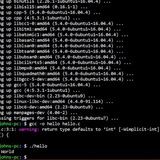
Modify the bash prompt to indicate that the user is logged in with SSH
# Detecting that the current user is logged in with SSH?
To detect if the current user is logged in via SSH, you can check the value of the `SSH_CLIENT` environment variable. If the variable is set, it indicates that the user has logged in using SSH.
In this noscript, we use the `-n` test condition to check if the `SSH_CLIENT` variable is not empty. If it has a value, it means the user is connected via SSH, and the noscript outputs "You are logged in via SSH." Otherwise, it outputs "You are not logged in via SSH."
#!/bin/bash
if [[ -n "$SSH_CLIENT" ]]; then
echo "You are logged in via SSH."
else
echo "You are not logged in via SSH."
fi
In addition to the `SSH_CLIENT` environment variable, you can also check for the presence of other environment variables to determine if a user is logged in via SSH. Here are a few commonly used variables:
1. `SSH_CONNECTION`: This variable contains the client IP address, client port, server IP address, and server port in the format `client_ip client_port server_ip server_port`. If the variable is set, it indicates an SSH connection.
2. `SSH_TTY`: This variable is set if the user is logged in via SSH and is connected to a terminal. It holds the path to the TTY (terminal) device associated with the SSH session.
3. `SSH_AUTH_SOCK`: This variable is set when an SSH agent is running and available for authentication. Its presence indicates that the user has logged in via SSH and has access to an SSH agent.
Here's an example noscript that checks these variables to determine if the user is logged in via SSH:
#!/bin/bash
if [[ -n "$SSH_CLIENT" || -n "$SSH_CONNECTION" || -n "$SSH_TTY" || -n "$SSH_AUTH_SOCK" ]]; then
echo "You are logged in via SSH."
else
echo "You are not logged in via SSH."
fi
By checking the presence of any of these variables, the noscript can identify if the user is logged in via SSH. If any of the variables are set, it will output "You are logged in via SSH." Otherwise, it will output "You are not logged in via SSH."
Here's an example of how the `SSH_CONNECTION` environment variable would typically look if a user is logged in via SSH:
echo $SSH_CONNECTION
92.168.1.100 12345 203.0.113.10 22
* [`192.168.1.100`](http://192.168.1.100) is the client's IP address.
* `12345` is the client's port number.
* [`203.0.113.10`](http://203.0.113.10) is the server's IP address.
* `22` is the server's SSH port number.
The values are separated by spaces, and they represent the client's IP address, client's port, server's IP address, and server's port, respectively.
# Modify Bash Prompt
[Sample output](https://preview.redd.it/pt4xi3c2c9zc1.png?width=504&format=png&auto=webp&s=d9d416467d81bc74fd0c0ee671b8602085e62e23)
How to modify the prompt to indicate that the user is logged in via SSH: [**Watch videos on YouTube**](https://youtu.be/H0U5fJykTBg)
https://redd.it/1cndoho
@r_bash
# Detecting that the current user is logged in with SSH?
To detect if the current user is logged in via SSH, you can check the value of the `SSH_CLIENT` environment variable. If the variable is set, it indicates that the user has logged in using SSH.
In this noscript, we use the `-n` test condition to check if the `SSH_CLIENT` variable is not empty. If it has a value, it means the user is connected via SSH, and the noscript outputs "You are logged in via SSH." Otherwise, it outputs "You are not logged in via SSH."
#!/bin/bash
if [[ -n "$SSH_CLIENT" ]]; then
echo "You are logged in via SSH."
else
echo "You are not logged in via SSH."
fi
In addition to the `SSH_CLIENT` environment variable, you can also check for the presence of other environment variables to determine if a user is logged in via SSH. Here are a few commonly used variables:
1. `SSH_CONNECTION`: This variable contains the client IP address, client port, server IP address, and server port in the format `client_ip client_port server_ip server_port`. If the variable is set, it indicates an SSH connection.
2. `SSH_TTY`: This variable is set if the user is logged in via SSH and is connected to a terminal. It holds the path to the TTY (terminal) device associated with the SSH session.
3. `SSH_AUTH_SOCK`: This variable is set when an SSH agent is running and available for authentication. Its presence indicates that the user has logged in via SSH and has access to an SSH agent.
Here's an example noscript that checks these variables to determine if the user is logged in via SSH:
#!/bin/bash
if [[ -n "$SSH_CLIENT" || -n "$SSH_CONNECTION" || -n "$SSH_TTY" || -n "$SSH_AUTH_SOCK" ]]; then
echo "You are logged in via SSH."
else
echo "You are not logged in via SSH."
fi
By checking the presence of any of these variables, the noscript can identify if the user is logged in via SSH. If any of the variables are set, it will output "You are logged in via SSH." Otherwise, it will output "You are not logged in via SSH."
Here's an example of how the `SSH_CONNECTION` environment variable would typically look if a user is logged in via SSH:
echo $SSH_CONNECTION
92.168.1.100 12345 203.0.113.10 22
* [`192.168.1.100`](http://192.168.1.100) is the client's IP address.
* `12345` is the client's port number.
* [`203.0.113.10`](http://203.0.113.10) is the server's IP address.
* `22` is the server's SSH port number.
The values are separated by spaces, and they represent the client's IP address, client's port, server's IP address, and server's port, respectively.
# Modify Bash Prompt
[Sample output](https://preview.redd.it/pt4xi3c2c9zc1.png?width=504&format=png&auto=webp&s=d9d416467d81bc74fd0c0ee671b8602085e62e23)
How to modify the prompt to indicate that the user is logged in via SSH: [**Watch videos on YouTube**](https://youtu.be/H0U5fJykTBg)
https://redd.it/1cndoho
@r_bash
How to delete duplicate #s in a line within file
Within all lines containing the words "CONECT", I need to remove duplicate #s
Ex:
CONECT 1 2 13 14 15
CONECT 2 1 3 3 7
CONECT 3 2 2 4 16
CONECT 4 3 5 5 17
Should be
CONECT 1 2 13 14 15
CONECT 2 1 3 7
CONECT 3 2 4 16
CONECT 4 3 5 17
Is there a way to do this using sed or awk?
https://redd.it/1cnf7yt
@r_bash
Within all lines containing the words "CONECT", I need to remove duplicate #s
Ex:
CONECT 1 2 13 14 15
CONECT 2 1 3 3 7
CONECT 3 2 2 4 16
CONECT 4 3 5 5 17
Should be
CONECT 1 2 13 14 15
CONECT 2 1 3 7
CONECT 3 2 4 16
CONECT 4 3 5 17
Is there a way to do this using sed or awk?
https://redd.it/1cnf7yt
@r_bash
Reddit
From the bash community on Reddit
Explore this post and more from the bash community
Window manager startup noscript isn't working
I'm not sure if this is the right place to post this, but I'm having an issue with my startup noscript and since it's written in bash (and the WM doesn't have a Subreddit), I figured I'd start here.
I'm trying to start a locker noscript within a WM startup noscript and, for whatever reason, everything else in my noscript starts except the locker.
Here's the relevant part in my WM file:
#!/usr/bin/env bash
...
dunst &
pidof -q picom || { picom & }
pidof -q pipewire || { pipewire & }
pidof -q syncthing || { syncthing & }
pidof -q redshift || { redshift & }
$HOME/noscripts/locker.sh 2>&1 || tee -a /tmp/locker.log & disown
And here's locker.sh:
#!/usr/bin/env bash
# Only exported variables can be used within the timer's command.
export PRIMARYDISPLAY="$(xrandr | awk '/ primary/{print $1}')"
export BRIGHTNESS="$(xbacklight -get)"
# Run xidlehook
xidlehook \
--not-when-fullscreen \
--not-when-audio \
--timer 300 \
"xbacklight -d $PRIMARYDISPLAY = 10 -time 1000" \
"xbacklight -d $PRIMARYDISPLAY = $BRIGHTNESS" \
--timer 30 \
"xbacklight -d $PRIMARYDISPLAY = $BRIGHTNESS; betterlockscreen -l dim" \
"" \
--timer 300 \
standby \
""
I'm not sure what's going on, and I've tried so many things. When I run `locker.sh` in my terminal, it works fine, so I'm pretty confused.
P.S. I'm using the DK window manager, which is similar to BSPWM, and my system is running Void Linux.
https://redd.it/1cnf0kh
@r_bash
I'm not sure if this is the right place to post this, but I'm having an issue with my startup noscript and since it's written in bash (and the WM doesn't have a Subreddit), I figured I'd start here.
I'm trying to start a locker noscript within a WM startup noscript and, for whatever reason, everything else in my noscript starts except the locker.
Here's the relevant part in my WM file:
#!/usr/bin/env bash
...
dunst &
pidof -q picom || { picom & }
pidof -q pipewire || { pipewire & }
pidof -q syncthing || { syncthing & }
pidof -q redshift || { redshift & }
$HOME/noscripts/locker.sh 2>&1 || tee -a /tmp/locker.log & disown
And here's locker.sh:
#!/usr/bin/env bash
# Only exported variables can be used within the timer's command.
export PRIMARYDISPLAY="$(xrandr | awk '/ primary/{print $1}')"
export BRIGHTNESS="$(xbacklight -get)"
# Run xidlehook
xidlehook \
--not-when-fullscreen \
--not-when-audio \
--timer 300 \
"xbacklight -d $PRIMARYDISPLAY = 10 -time 1000" \
"xbacklight -d $PRIMARYDISPLAY = $BRIGHTNESS" \
--timer 30 \
"xbacklight -d $PRIMARYDISPLAY = $BRIGHTNESS; betterlockscreen -l dim" \
"" \
--timer 300 \
standby \
""
I'm not sure what's going on, and I've tried so many things. When I run `locker.sh` in my terminal, it works fine, so I'm pretty confused.
P.S. I'm using the DK window manager, which is similar to BSPWM, and my system is running Void Linux.
https://redd.it/1cnf0kh
@r_bash
Keeping the ID of the background processes and checking the status of their execution or termination
When you put & at the end of a command, the command is executed in the background. Variable $! In bash, it holds the ID of the last background process. My question is, how can we every time a process runs in the background, with the help of the variable $! Save the ID of that process and then check if it is still running or not.
https://redd.it/1cny4gr
@r_bash
When you put & at the end of a command, the command is executed in the background. Variable $! In bash, it holds the ID of the last background process. My question is, how can we every time a process runs in the background, with the help of the variable $! Save the ID of that process and then check if it is still running or not.
https://redd.it/1cny4gr
@r_bash
Reddit
From the bash community on Reddit
Explore this post and more from the bash community
Advice ragarding an archinstall bash noscript
Hello. For my school project I'm trying to make automate archinstall. the ArchLinux community has helped me with a great explination that I need to make a '.bash\_profile' file in the USB that I want to perform this in. However the issue itself is the noscript.
Someone wrote me an example noscript with what it could look like and with additonal help from gpt-4 I was able to get this noscript
#!/bin/bash
# Define the configuration settings in a variable
CONFIG='{
"keyboard-layout": "us",
"timezone": "Europe/Amsterdam",
"locale": "en_US.UTF-8",
"additional-packages": ["vim", "firefox", "gnome", "gnome-extra"],
"network": {
"hostname": "myarchsystem",
"interfaces": [
{
"interface": "eth0",
"dhcp": true
}
]
},
"users": [
{
"username": "FILL_IN",
"password": "FILL_IN",
"is-superuser": true
}
],
"harddrive": {
"path": "/dev/sda",
"layout": "default",
"filesystem": "ext4"
},
"bootloader": {
"install": true
},
"post-install": [
"systemctl enable gdm.service",
"systemctl enable NetworkManager.service"
]
}'
# Save the configuration to a file
echo "$CONFIG" > archinstall-config.json
# Check if the configuration file has been created and start archinstall
if [ -f "archinstall-config.json" ]; then
echo "Starting automated Arch Linux installation with GNOME..."
sudo archinstall --config "archinstall-config.json"
else
echo "Failed to create configuration file. Exiting."
exit 1
fi
A helpful user from this sub adviced me to use ShellCheck before with a different idea. ShellCheck says that this noscript is fine. Is this a good starting point?
The ArchLinux community's version of the bash noscript looks like this which is way different from what ChatGPT came up with.
#!/bin/bash
set -e
echo "g
n
p
1
+512M
n
p
2
w" | fdisk $1
mkfs.ext4 ${1}2
mkfs.vfat -F ${1}1
mount ${1}2 /mnt
mkdir /mnt/boot
mount ${1}1 /mnt/boot
pacstrap /mnt base base-devel linux linux-firmware
genfstab -U /mnt >> /mnt/etc/fstab
arch-chroot /mnt /bin/bash <<EOF
pacman -S --noconfirm grub
ln -sf /usr/share/zoneinfo/Sweden/Stockholm /etc/localtime
hwclock --systohc
locale-gen
echo "LANG=en_US.UTF-8" > /etc/locale.conf
echo "KEYMAP=sv-latin1" > /etc/vconsole.conf
echo "Manifestation" > /etc/hostname
systemctl enable dhcpcd@eth0.service
grub-install --target=x86_64-efi --efi-directory=/boot/grub --bootloader-id=84C55
grub-mkconfig -o /boot/grub/grub.cfg
EOF
echo -e "\e[91mDont forget to set passwd\e[0m"
echo -e "additionally use \e[91mumount -R /mnt\e[0m"
https://redd.it/1cnylv2
@r_bash
Hello. For my school project I'm trying to make automate archinstall. the ArchLinux community has helped me with a great explination that I need to make a '.bash\_profile' file in the USB that I want to perform this in. However the issue itself is the noscript.
Someone wrote me an example noscript with what it could look like and with additonal help from gpt-4 I was able to get this noscript
#!/bin/bash
# Define the configuration settings in a variable
CONFIG='{
"keyboard-layout": "us",
"timezone": "Europe/Amsterdam",
"locale": "en_US.UTF-8",
"additional-packages": ["vim", "firefox", "gnome", "gnome-extra"],
"network": {
"hostname": "myarchsystem",
"interfaces": [
{
"interface": "eth0",
"dhcp": true
}
]
},
"users": [
{
"username": "FILL_IN",
"password": "FILL_IN",
"is-superuser": true
}
],
"harddrive": {
"path": "/dev/sda",
"layout": "default",
"filesystem": "ext4"
},
"bootloader": {
"install": true
},
"post-install": [
"systemctl enable gdm.service",
"systemctl enable NetworkManager.service"
]
}'
# Save the configuration to a file
echo "$CONFIG" > archinstall-config.json
# Check if the configuration file has been created and start archinstall
if [ -f "archinstall-config.json" ]; then
echo "Starting automated Arch Linux installation with GNOME..."
sudo archinstall --config "archinstall-config.json"
else
echo "Failed to create configuration file. Exiting."
exit 1
fi
A helpful user from this sub adviced me to use ShellCheck before with a different idea. ShellCheck says that this noscript is fine. Is this a good starting point?
The ArchLinux community's version of the bash noscript looks like this which is way different from what ChatGPT came up with.
#!/bin/bash
set -e
echo "g
n
p
1
+512M
n
p
2
w" | fdisk $1
mkfs.ext4 ${1}2
mkfs.vfat -F ${1}1
mount ${1}2 /mnt
mkdir /mnt/boot
mount ${1}1 /mnt/boot
pacstrap /mnt base base-devel linux linux-firmware
genfstab -U /mnt >> /mnt/etc/fstab
arch-chroot /mnt /bin/bash <<EOF
pacman -S --noconfirm grub
ln -sf /usr/share/zoneinfo/Sweden/Stockholm /etc/localtime
hwclock --systohc
locale-gen
echo "LANG=en_US.UTF-8" > /etc/locale.conf
echo "KEYMAP=sv-latin1" > /etc/vconsole.conf
echo "Manifestation" > /etc/hostname
systemctl enable dhcpcd@eth0.service
grub-install --target=x86_64-efi --efi-directory=/boot/grub --bootloader-id=84C55
grub-mkconfig -o /boot/grub/grub.cfg
EOF
echo -e "\e[91mDont forget to set passwd\e[0m"
echo -e "additionally use \e[91mumount -R /mnt\e[0m"
https://redd.it/1cnylv2
@r_bash
Reddit
From the bash community on Reddit
Explore this post and more from the bash community
Monitoring Changes to Bash Variable
I asked a question here
that I did not ask the question properly. I want to ask another question that is related to the previous question:
Is there a way that we can be aware of this change whenever the value of a bash variable changes?
Better to say:
Suppose in the .bashrc file, I want to track every time the value of the $! variable changes, its last value is stored in an array. The array variable is also defined in the .bashrc file and is available globally across all my shells.
backgroundpids+=($!)
And then I can check the array variable with the for loop whether the background processes are still running or not?
for pid in "${backgroundpids@}"; do
if kill -0 "$pid" >/dev/null 2>&1; then
echo "Background process with PID $pid is still running."
else
echo "Background process with PID $pid has completed."
fi
done
So I don't want to run and handle one or more background processes in the bash noscript file.
This is for just a challenge to learn more about bash, and it might sound stupid and pointless... but is it possible to use "trap" for example?
Is this useless or is there a method for it?
Sorry if the question is a bit strange.
https://redd.it/1co0zu3
@r_bash
I asked a question here
that I did not ask the question properly. I want to ask another question that is related to the previous question:
Is there a way that we can be aware of this change whenever the value of a bash variable changes?
Better to say:
Suppose in the .bashrc file, I want to track every time the value of the $! variable changes, its last value is stored in an array. The array variable is also defined in the .bashrc file and is available globally across all my shells.
backgroundpids+=($!)
And then I can check the array variable with the for loop whether the background processes are still running or not?
for pid in "${backgroundpids@}"; do
if kill -0 "$pid" >/dev/null 2>&1; then
echo "Background process with PID $pid is still running."
else
echo "Background process with PID $pid has completed."
fi
done
So I don't want to run and handle one or more background processes in the bash noscript file.
This is for just a challenge to learn more about bash, and it might sound stupid and pointless... but is it possible to use "trap" for example?
Is this useless or is there a method for it?
Sorry if the question is a bit strange.
https://redd.it/1co0zu3
@r_bash
Reddit
From the bash community on Reddit
Explore this post and more from the bash community
Fast hour conversion
I was trying to do hour conversion. I thought that, since I am forgetting the syntax of date for the next I use it, I can write it down on a cheatsheet or create a function. I did this:
hour () {
if "$1" == -h ; then
echo "usage: hour timezone hourtoconvert"
else
date --date="$2 $1" +"%H:%M"
fi;
}
Any suggestions? I dont know how to convert date backwards btw. Thank you for reading.
https://redd.it/1co5d0e
@r_bash
I was trying to do hour conversion. I thought that, since I am forgetting the syntax of date for the next I use it, I can write it down on a cheatsheet or create a function. I did this:
hour () {
if "$1" == -h ; then
echo "usage: hour timezone hourtoconvert"
else
date --date="$2 $1" +"%H:%M"
fi;
}
Any suggestions? I dont know how to convert date backwards btw. Thank you for reading.
https://redd.it/1co5d0e
@r_bash
Reddit
From the bash community on Reddit
Explore this post and more from the bash community
Bug when pasting, and editing
How the bug looks.
What I did in the 2nd terminal was copying the text from the first one, pasting it, and pressing the left arrow key to edit it. The highlighted area is purely visual and I cannot change it.
I've also had issues were my prompt wouldn't loop when reaching the end of my terminal, and then it's all offset and it's impossible to edit it. This happens of every terminal when using bash. I've tried zsh, and it doesn't have this issue. If there is a fix, or this is already reported please let me know. My bash version is version 5.2.21 on void linux (how ever I've had the same issue on arch)
https://redd.it/1cohwzz
@r_bash
How the bug looks.
What I did in the 2nd terminal was copying the text from the first one, pasting it, and pressing the left arrow key to edit it. The highlighted area is purely visual and I cannot change it.
I've also had issues were my prompt wouldn't loop when reaching the end of my terminal, and then it's all offset and it's impossible to edit it. This happens of every terminal when using bash. I've tried zsh, and it doesn't have this issue. If there is a fix, or this is already reported please let me know. My bash version is version 5.2.21 on void linux (how ever I've had the same issue on arch)
https://redd.it/1cohwzz
@r_bash
BASH/Linux Interview Question for DevOps Engineers
https://app.daily.dev/posts/bash-linux-interview-question-for-devops-engineers-5zbg9sbek
https://redd.it/1conv3a
@r_bash
https://app.daily.dev/posts/bash-linux-interview-question-for-devops-engineers-5zbg9sbek
https://redd.it/1conv3a
@r_bash
daily.dev
BASH/Linux Interview Question for DevOps Engineers | daily.dev
This post covers various interview questions for DevOps engineers related to BASH and Linux, including types of variables used in shell noscripting, checking if a file exists, default file permissions, CRONTAB, debugging shell noscripts, disk usage, shebang line…
Github to Codeberg Bulk Migration Script
github 2 codeberg
Hello there!
I just made a noscript that allows the user to "bulk migrate" repositories from github to codeberg directly, if anyone is interested, more here: https://www.rahuljuliato.com/posts/github\_to\_codeberg
https://redd.it/1cop0a7
@r_bash
github 2 codeberg
Hello there!
I just made a noscript that allows the user to "bulk migrate" repositories from github to codeberg directly, if anyone is interested, more here: https://www.rahuljuliato.com/posts/github\_to\_codeberg
https://redd.it/1cop0a7
@r_bash
is there a way for see w x h in list of pics? ls -lh ¿w x h?
Hi, is it a way for see a list with w and h of pics?
w and h is the size of pics... width x height
I use imagemagick for it and If you know how IM command identify -format [%wx%h] * | more show in list tell me how because I only get a horizontal list all pic's data in the same file and I use pipe more for page the list because bash if not showme only first to right-margin
thank you and rigards
https://redd.it/1cp35oh
@r_bash
Hi, is it a way for see a list with w and h of pics?
w and h is the size of pics... width x height
I use imagemagick for it and If you know how IM command identify -format [%wx%h] * | more show in list tell me how because I only get a horizontal list all pic's data in the same file and I use pipe more for page the list because bash if not showme only first to right-margin
thank you and rigards
https://redd.it/1cp35oh
@r_bash
Reddit
From the bash community on Reddit
Explore this post and more from the bash community
Scripting projects and learning to deploy applications
A product support engineer who's an aspiring sysadmin(linux) wants to have elaborative knowledge on "bash shell noscripting" as well as in "deploying applications over the linux virtual machine(without using k8s, docker etc, just pure shell noscript or ansible)".
I don't want to be a software developer but want to be a systems administrator. I am working as a product support engineer and want to enhance my skillset on noscripting and deployment. They say "learn by doing", so I want to follow it. But the issue is that I am unable to find what to do. There's very minimal need of noscripting in my day to day workflow. Even if there's need of noscripting, I have to use chatgpt to write it because the issues that I require aren't from beginner to advanced level sorted out.
Similarly goes for deployment. I can use chatgpt to write deployment ansible but I won't learn anything that way. Thus, I want a guided project based way to learn these two things. I am from Nepal and such jobs are in high demand as we're using old technologies in our country. Traditional tech is well paid. I haven't seen anyone using AWS in Nepal.
https://redd.it/1cpajfz
@r_bash
A product support engineer who's an aspiring sysadmin(linux) wants to have elaborative knowledge on "bash shell noscripting" as well as in "deploying applications over the linux virtual machine(without using k8s, docker etc, just pure shell noscript or ansible)".
I don't want to be a software developer but want to be a systems administrator. I am working as a product support engineer and want to enhance my skillset on noscripting and deployment. They say "learn by doing", so I want to follow it. But the issue is that I am unable to find what to do. There's very minimal need of noscripting in my day to day workflow. Even if there's need of noscripting, I have to use chatgpt to write it because the issues that I require aren't from beginner to advanced level sorted out.
Similarly goes for deployment. I can use chatgpt to write deployment ansible but I won't learn anything that way. Thus, I want a guided project based way to learn these two things. I am from Nepal and such jobs are in high demand as we're using old technologies in our country. Traditional tech is well paid. I haven't seen anyone using AWS in Nepal.
https://redd.it/1cpajfz
@r_bash
Reddit
From the bash community on Reddit
Explore this post and more from the bash community
What is a Subshell and Child-processs and how are they used when writing a noscript?
https://redd.it/1cpjdxl
@r_bash
https://redd.it/1cpjdxl
@r_bash
Reddit
From the bash community on Reddit
Explore this post and more from the bash community
Is it possible to convert bash noscripts into Python noscripts?
Just wondering If it's possible
https://redd.it/1cpljyt
@r_bash
Just wondering If it's possible
https://redd.it/1cpljyt
@r_bash
Reddit
From the bash community on Reddit
Explore this post and more from the bash community
Why is last command not running?
I have a noscript that creates a temp file with filenames, it then feeds that list to clamscan for scanning only files that have been modified. I'd like to open the log file with the application "kate" at the end of the noscript and then exit the existing terminal. It isn't working. The noscript runs the scan, but then just exits without opening the logfile. What am I doing wrong?
#!/usr/bin/bash
# CLAMSCAN RECENTLY CHANGED FILES
# DIRECTORIES TO SCAN
scandir="/home/"
# TEMPORARY FILE
listfile=$(mktemp -t clamscan.XXXXXX) || exit 1
# LOCATION OF LOG FILE
logfile="/home/clamweekly.log"
# MAKE LIST OF NEW FILES
if [ -f "$logfile" ]
then
# use newer files then logfile
find "$scandir" -type f -cnewer "$logfile" -fprint "$listfile"
else
# scan modified in last 7 days
find "$scandir" -type f -ctime -7 -fprint "$listfile"
fi
if [ -s "$listfile" ]
then
# Scan files
clamscan -i -f "$listfile" > "$logfile"
else
# remove the empty file, contains no info
rm -f "$listfile"
fi
# OPEN THE LOG FILE TO REVIEW AND CLOSE THE TERMINAL
kate $logfile & disown
exit
https://redd.it/1cq428r
@r_bash
I have a noscript that creates a temp file with filenames, it then feeds that list to clamscan for scanning only files that have been modified. I'd like to open the log file with the application "kate" at the end of the noscript and then exit the existing terminal. It isn't working. The noscript runs the scan, but then just exits without opening the logfile. What am I doing wrong?
#!/usr/bin/bash
# CLAMSCAN RECENTLY CHANGED FILES
# DIRECTORIES TO SCAN
scandir="/home/"
# TEMPORARY FILE
listfile=$(mktemp -t clamscan.XXXXXX) || exit 1
# LOCATION OF LOG FILE
logfile="/home/clamweekly.log"
# MAKE LIST OF NEW FILES
if [ -f "$logfile" ]
then
# use newer files then logfile
find "$scandir" -type f -cnewer "$logfile" -fprint "$listfile"
else
# scan modified in last 7 days
find "$scandir" -type f -ctime -7 -fprint "$listfile"
fi
if [ -s "$listfile" ]
then
# Scan files
clamscan -i -f "$listfile" > "$logfile"
else
# remove the empty file, contains no info
rm -f "$listfile"
fi
# OPEN THE LOG FILE TO REVIEW AND CLOSE THE TERMINAL
kate $logfile & disown
exit
https://redd.it/1cq428r
@r_bash
Reddit
From the bash community on Reddit
Explore this post and more from the bash community
Data onion help
I am making a kind of data onion of sorts for someone where the end goal is to find a text file.
I do not know a lot about bash or coding in general but the person who im making it for does. He's basically a pro. I would like to get some help with encrypting or hiding the file using bash, and just generally making it difficult/ annoying.
Any help is appreciated.
https://redd.it/1cqb7lf
@r_bash
I am making a kind of data onion of sorts for someone where the end goal is to find a text file.
I do not know a lot about bash or coding in general but the person who im making it for does. He's basically a pro. I would like to get some help with encrypting or hiding the file using bash, and just generally making it difficult/ annoying.
Any help is appreciated.
https://redd.it/1cqb7lf
@r_bash
Reddit
From the bash community on Reddit
Explore this post and more from the bash community
Run command as another user exactly as if the other user opened a prompt and typed the command
Im the
Output
Tried
Output
Is there a way so all the things I define in the
https://redd.it/1cqvdo7
@r_bash
Im the
root and want to run a command as the notroot user, how to make the command run like this -su - notroot
echo $PATH
whoami
echo $-
Output
/usr/local/bin:<paths from .bashrc>
notroot
himBHs
Tried
/bin/bash -c 'sudo --login -u notroot echo $-'
/bin/bash -c 'sudo --login -u notroot echo $PATH'
Output
hBc
Missing .bashrc paths
Is there a way so all the things I define in the
.bashrc (mainly additions to PATH) will show when exec command as another user https://redd.it/1cqvdo7
@r_bash
Reddit
From the bash community on Reddit
Explore this post and more from the bash community
Script for Watch Folder and then Copy sub-folders
New to noscripting, so I apologize for the most-likely-obvious question.
I'm looking to create a watch folder (testsource) and copy the sub-folders and their contents to a different location (testdest), then delete the original.
#!/bin/bash
source_d="/test/testsource/"
destination_d1="/test/testdest/"
inotifywait -m -q -e close_write "$source_d" |
while read -r path action file; do
cp -- "$path$file" "$destination_d1"
# rm -- "$path$file"
done
When I create files in /test/testsource, they are detected and copied to /test/testdest. But if I copy a folder with a testfile in it (/test/testsource/testfolder/testfile1) it does not. I did notice that if I then place a file into /test/testsource (test/testsource/testfile2), it will copy both the file as well as the other subfolder.
I presume its the "$path$file" format that is wrong, but I don't know what should be used. I tried "$path" but it didn't copy anything. I tried with " cp -r $path" but also didn't get it to work.
https://redd.it/1cqyi1f
@r_bash
New to noscripting, so I apologize for the most-likely-obvious question.
I'm looking to create a watch folder (testsource) and copy the sub-folders and their contents to a different location (testdest), then delete the original.
#!/bin/bash
source_d="/test/testsource/"
destination_d1="/test/testdest/"
inotifywait -m -q -e close_write "$source_d" |
while read -r path action file; do
cp -- "$path$file" "$destination_d1"
# rm -- "$path$file"
done
When I create files in /test/testsource, they are detected and copied to /test/testdest. But if I copy a folder with a testfile in it (/test/testsource/testfolder/testfile1) it does not. I did notice that if I then place a file into /test/testsource (test/testsource/testfile2), it will copy both the file as well as the other subfolder.
I presume its the "$path$file" format that is wrong, but I don't know what should be used. I tried "$path" but it didn't copy anything. I tried with " cp -r $path" but also didn't get it to work.
https://redd.it/1cqyi1f
@r_bash
Reddit
From the bash community on Reddit
Explore this post and more from the bash community
Get file contents into a variable - the file is referenced by a variable
I want to get the contents of a file into a variable, but the file is referenced by a variable.
The code below hangs the session, and I have to break out.
It is the same if I remove the quote marks.
If I simply
I have also tried using quotes on the $resultsfile (fails with
I feel I'm missing something basic but can't quite get the syntax correct.
https://redd.it/1crc9d3
@r_bash
I want to get the contents of a file into a variable, but the file is referenced by a variable.
The code below hangs the session, and I have to break out.
resultsfile=~/results.txtmessagebody="$(cat $resultsfile)"It is the same if I remove the quote marks.
If I simply
messagebody=$(cat ~/results.txt) it works as I expect.I have also tried using quotes on the $resultsfile (fails with
cat: '': No such file or directory, and placing $resultsfile inside escaped quotes (fails with cat: '""': No such file or directoryI feel I'm missing something basic but can't quite get the syntax correct.
https://redd.it/1crc9d3
@r_bash
Reddit
From the bash community on Reddit
Explore this post and more from the bash community
Can Make be used as a replacement for bash?
Hi,
I am a complete novice at
Now I don't understand make not I claim to be an expert in bash, but just by googling a bit i understood that make is mainly used as a built tool and might not be as general purpose as bash. Is that it or can make actually be used as a replacement of bash? I don't find the argument "easier to debug" convincing enough but see it as a more of a skill issue e.g. same goes for make for me, I don't know make so it's not easier to debug for me.
https://redd.it/1crhvpt
@r_bash
Hi,
I am a complete novice at
make butbhave used bash fairly regularly. Recently my manager suggested to use make instead of bash. Not just in some use cases but in general, like "lets do everything with make as it is easier to debug than bash". Now I don't understand make not I claim to be an expert in bash, but just by googling a bit i understood that make is mainly used as a built tool and might not be as general purpose as bash. Is that it or can make actually be used as a replacement of bash? I don't find the argument "easier to debug" convincing enough but see it as a more of a skill issue e.g. same goes for make for me, I don't know make so it's not easier to debug for me.
https://redd.it/1crhvpt
@r_bash
Reddit
From the bash community on Reddit
Explore this post and more from the bash community
what is a "stack" in the bash shell?
hello, i keep hearing people talk about this thing called a "stack" in the bash shell
what is that? that is a "stack"?
thank you
https://redd.it/1crkta6
@r_bash
hello, i keep hearing people talk about this thing called a "stack" in the bash shell
what is that? that is a "stack"?
thank you
https://redd.it/1crkta6
@r_bash
Reddit
From the bash community on Reddit
Explore this post and more from the bash community