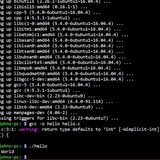
Wrote a utility that makes working with symlinks a little easier.
I know there are many out there that does this. Here is my version. Any feedback on improvements feature/code wise would be helpful.
Thanks.
https://github.com/ctrl-alt-adrian/symlinkit
https://redd.it/1nt1qd6
@r_bash
I know there are many out there that does this. Here is my version. Any feedback on improvements feature/code wise would be helpful.
Thanks.
https://github.com/ctrl-alt-adrian/symlinkit
https://redd.it/1nt1qd6
@r_bash
GitHub
GitHub - ctrl-alt-adrian/symlinkit: Flexible symlink helper with fzf + dry-run support
Flexible symlink helper with fzf + dry-run support - ctrl-alt-adrian/symlinkit
Black magic quoting issue
Usually I can muddle through these on my own, but this one has really got me stumped. How can I get a window noscript into mpv's command line if it has spaces in it?
I can't find a way to do it where the noscript doesn't just wind up being whatever comes before the first space (no matter how many single quotes or backslashes I use, etc.); the best I've got so far is to replace the spaces with something _isn't_ a space, but _looks like_ one (the "En Quad" character) but I'd rather do it "the right way" (not to mention, to figure out _how_ to do it in case I run into something like this in the future where sed isn't an option).
This is the noscript I've been using to test...Reddit's editor inserted a bunch of backslashes and extra whitespace when I pasted it in, which I tried to revert.
I realize the way I'm building up the command line (at the end, with the $command_line variable) looks silly when it's reduced to its core for testing, but there's _a lot_ more logic in the real noscript and building the command line this way is integral to the overall process, so it's not something I'm willing to change.
```sh
#!/bin/bash
set -x
## En Quad / U+2000 /  
#special_space=$'\u2000' ## En Quad (8-bit clean but requires BASH)
special_space=" " ## En Quad (the literal character)
case ${1} in
underscores)
window_noscript="Underscores:_Title_with_no_spaces."
;;
backslashes)
window_noscript="Backslashes:\ Title\ with\ backslashed\ spaces."
;;
spaces)
window_noscript="Spaces: Title with spaces."
;;
special)
raw_noscript="Special: Title with special spaces."
window_noscript=$(echo "${raw_noscript}" | sed -e "s/ /${special_space}/g")
;;
'')
${0} underscores &
${0} backslashes &
${0} spaces &
${0} special &
exit 0
;;
esac
##
## From here down is the "real" part of the noscript
##
command_line="mpv"
command_line="${command_line} --idle"
command_line="${command_line} --force-window"
## This is what I would have expected to need, but it
## doesn't work either
#command_line="${command_line} --noscript=\"${window_noscript}\""
command_line="${command_line} --noscript=${window_noscript}"
${command_line}
## EOF
########
```
https://redd.it/1nty619
@r_bash
Usually I can muddle through these on my own, but this one has really got me stumped. How can I get a window noscript into mpv's command line if it has spaces in it?
I can't find a way to do it where the noscript doesn't just wind up being whatever comes before the first space (no matter how many single quotes or backslashes I use, etc.); the best I've got so far is to replace the spaces with something _isn't_ a space, but _looks like_ one (the "En Quad" character) but I'd rather do it "the right way" (not to mention, to figure out _how_ to do it in case I run into something like this in the future where sed isn't an option).
This is the noscript I've been using to test...Reddit's editor inserted a bunch of backslashes and extra whitespace when I pasted it in, which I tried to revert.
I realize the way I'm building up the command line (at the end, with the $command_line variable) looks silly when it's reduced to its core for testing, but there's _a lot_ more logic in the real noscript and building the command line this way is integral to the overall process, so it's not something I'm willing to change.
```sh
#!/bin/bash
set -x
## En Quad / U+2000 /  
#special_space=$'\u2000' ## En Quad (8-bit clean but requires BASH)
special_space=" " ## En Quad (the literal character)
case ${1} in
underscores)
window_noscript="Underscores:_Title_with_no_spaces."
;;
backslashes)
window_noscript="Backslashes:\ Title\ with\ backslashed\ spaces."
;;
spaces)
window_noscript="Spaces: Title with spaces."
;;
special)
raw_noscript="Special: Title with special spaces."
window_noscript=$(echo "${raw_noscript}" | sed -e "s/ /${special_space}/g")
;;
'')
${0} underscores &
${0} backslashes &
${0} spaces &
${0} special &
exit 0
;;
esac
##
## From here down is the "real" part of the noscript
##
command_line="mpv"
command_line="${command_line} --idle"
command_line="${command_line} --force-window"
## This is what I would have expected to need, but it
## doesn't work either
#command_line="${command_line} --noscript=\"${window_noscript}\""
command_line="${command_line} --noscript=${window_noscript}"
${command_line}
## EOF
########
```
https://redd.it/1nty619
@r_bash
Reddit
From the bash community on Reddit
Explore this post and more from the bash community
quiet: a little bash function to despam your command line sessions
https://github.com/rec/dotfiles/blob/master/bash/quiet.sh
https://redd.it/1nv6der
@r_bash
https://github.com/rec/dotfiles/blob/master/bash/quiet.sh
https://redd.it/1nv6der
@r_bash
GitHub
dotfiles/bash/quiet.sh at master · rec/dotfiles
Contribute to rec/dotfiles development by creating an account on GitHub.
bash noscript that can detect all individual keystrokes?
I'm talking all individual keystrokes. Obviously, if you can open a pipe in a raw form, then stroking a glyph key will generate byte of data into the pipe. But what about the arrow keys? In the Linux console/GNOME Terminal, they generate ANSI escape codes, which, again, in raw read mode should be immediately available. But then, there are the modifier keys.
Is there any way that a bash noscript can reopen the terminal such that even stroking Alt, or Ctrl, or Shift individually can be detected?
https://redd.it/1nw4j9j
@r_bash
I'm talking all individual keystrokes. Obviously, if you can open a pipe in a raw form, then stroking a glyph key will generate byte of data into the pipe. But what about the arrow keys? In the Linux console/GNOME Terminal, they generate ANSI escape codes, which, again, in raw read mode should be immediately available. But then, there are the modifier keys.
Is there any way that a bash noscript can reopen the terminal such that even stroking Alt, or Ctrl, or Shift individually can be detected?
https://redd.it/1nw4j9j
@r_bash
Reddit
From the bash community on Reddit
Explore this post and more from the bash community
Read systemd env file
I have a systemd environment file like:
I want to read this into exported Bash variables.
However, the right-hand side can contain special characters like
How to do that?
https://redd.it/1nx63dy
@r_bash
I have a systemd environment file like:
foo=bar
I want to read this into exported Bash variables.
However, the right-hand side can contain special characters like
$, ", or ', and these should be used literally (just as systemd reads them).How to do that?
https://redd.it/1nx63dy
@r_bash
Reddit
From the bash community on Reddit
Explore this post and more from the bash community
NLP using Bash jq & Nix
Is this too Nix for you guys or agree it's dope?
https://quackhack-mcblindy.github.io/blog/
https://redd.it/1nxlssd
@r_bash
Is this too Nix for you guys or agree it's dope?
https://quackhack-mcblindy.github.io/blog/
https://redd.it/1nxlssd
@r_bash
How to learn bash noscripts?
I have been really wanting to learn bash noscripts but I’m just not sure where to start. I already know the basics like variables, if, functions. Also this is an example noscript that I want to learn to be able to make it’s just noscript that fzf searches my tmuxifier layouts a remove the one I pick.
https://redd.it/1nxxlce
@r_bash
I have been really wanting to learn bash noscripts but I’m just not sure where to start. I already know the basics like variables, if, functions. Also this is an example noscript that I want to learn to be able to make it’s just noscript that fzf searches my tmuxifier layouts a remove the one I pick.
https://redd.it/1nxxlce
@r_bash
Reddit
From the bash community on Reddit
Explore this post and more from the bash community
Desperately need a tutor/HOWTO create automated bash-completion test (for scientific research project)
Hi,
I've created some 700 iterations of a bash-completions noscript for a scientific research project. To date, I've been manually testing, but this is taking FOREVER and is brittle.
I just can't seem to figure out either simulate a TAB keypress in the CLI via Bash nor how people do automated testing for bash-completions, or if it's even possible.
Please, I've been struggling for days and am blocked.
Your assistance can be directly cited in the research project if you want.
https://redd.it/1nydoa8
@r_bash
Hi,
I've created some 700 iterations of a bash-completions noscript for a scientific research project. To date, I've been manually testing, but this is taking FOREVER and is brittle.
I just can't seem to figure out either simulate a TAB keypress in the CLI via Bash nor how people do automated testing for bash-completions, or if it's even possible.
Please, I've been struggling for days and am blocked.
Your assistance can be directly cited in the research project if you want.
https://redd.it/1nydoa8
@r_bash
Reddit
From the bash community on Reddit
Explore this post and more from the bash community
how to process text with quotes and backslashes
I wrote a noscript to turn a .csv file into a list of Powershell commands to add user accounts to a PC.
Let me say right up front that I know very little about the Windows command line.
And also that my noscripting skills are self-taught so please be merciful.
_______________________
Here's the (anonymized) noscript:
#!/bin/sh
## run this noscript with the input file as argument
## requires csvkit
csvcut=/opt/homebrew/bin/csvcut ;
tmpfile=/tmp/laserUsers.txt ;
myDate=$(date '+%Y.%m.%d%k.%M.%S') ;
outputfile=$HOME/Documents/laser-users-add-batch-"$myDate".txt ;
backslash='\' ;
quote='"' ;
: > $tmpfile ;
## extract emails from downloaded .csv file, delete domain name & convert to lowercase
$csvcut -c "Email Address" "$1" | tail -n+2 | sed 's/@soul.com//g' | tr '[:upper:]' '[:lower:]' >> $tmpfile ;
## build userlist
while read thisuser ; do
echo "net.exe localgroup "$quote""lasercutterlogin""$quote" "$quote""MS"\\"$thisuser""$quote" /add" >> $outputfile ;
done < $tmpfile ;
\______________________
And here's a sample input .csv file:
Badge Identity,Email Address
George Clinton,gclinton@soul.com
Ndea Davenport,ndavenport@soul.com
Aretha Franklin,afranklin@soul.com
Bootsy Collins,bcollins@soul.com
Ray Charles,rcharles@soul.com
Tina Turner,tturner@soul.com
_______________________
When I run it, output file looks like:
net.exe localgroup "lasercutterlogin" "MS\gclinton" /add
net.exe localgroup "lasercutterlogin" "MS
davenport" /add
net.exe localgroup "lasercutterlogin" "MS<0x07>franklin" /add
net.exe localgroup "lasercutterlogin" "MS <0x08>collins" /add
net.exe localgroup "lasercutterlogin" "MS
charles" /add
net.exe localgroup "lasercutterlogin" "MSturner" /add
The first line (gclinton) is processed correctly. That's what they should all look like.
The rest of the lines are malformed because (for example) "backslash - rcharles" is rendered as "newline charles".
I get why this is happening but haven't figured out how to fix it! There must be a better way to write line 17, ideally without creating variables called "backslash" and "quote".
Humbly awaiting any quidance .... thanks!
https://redd.it/1nzroy2
@r_bash
I wrote a noscript to turn a .csv file into a list of Powershell commands to add user accounts to a PC.
Let me say right up front that I know very little about the Windows command line.
And also that my noscripting skills are self-taught so please be merciful.
_______________________
Here's the (anonymized) noscript:
#!/bin/sh
## run this noscript with the input file as argument
## requires csvkit
csvcut=/opt/homebrew/bin/csvcut ;
tmpfile=/tmp/laserUsers.txt ;
myDate=$(date '+%Y.%m.%d%k.%M.%S') ;
outputfile=$HOME/Documents/laser-users-add-batch-"$myDate".txt ;
backslash='\' ;
quote='"' ;
: > $tmpfile ;
## extract emails from downloaded .csv file, delete domain name & convert to lowercase
$csvcut -c "Email Address" "$1" | tail -n+2 | sed 's/@soul.com//g' | tr '[:upper:]' '[:lower:]' >> $tmpfile ;
## build userlist
while read thisuser ; do
echo "net.exe localgroup "$quote""lasercutterlogin""$quote" "$quote""MS"\\"$thisuser""$quote" /add" >> $outputfile ;
done < $tmpfile ;
\______________________
And here's a sample input .csv file:
Badge Identity,Email Address
George Clinton,gclinton@soul.com
Ndea Davenport,ndavenport@soul.com
Aretha Franklin,afranklin@soul.com
Bootsy Collins,bcollins@soul.com
Ray Charles,rcharles@soul.com
Tina Turner,tturner@soul.com
_______________________
When I run it, output file looks like:
net.exe localgroup "lasercutterlogin" "MS\gclinton" /add
net.exe localgroup "lasercutterlogin" "MS
davenport" /add
net.exe localgroup "lasercutterlogin" "MS<0x07>franklin" /add
net.exe localgroup "lasercutterlogin" "MS <0x08>collins" /add
net.exe localgroup "lasercutterlogin" "MS
charles" /add
net.exe localgroup "lasercutterlogin" "MSturner" /add
The first line (gclinton) is processed correctly. That's what they should all look like.
The rest of the lines are malformed because (for example) "backslash - rcharles" is rendered as "newline charles".
I get why this is happening but haven't figured out how to fix it! There must be a better way to write line 17, ideally without creating variables called "backslash" and "quote".
Humbly awaiting any quidance .... thanks!
https://redd.it/1nzroy2
@r_bash
Reddit
From the bash community on Reddit
Explore this post and more from the bash community
Script Evaluation
I wrote a shell noscript for Fedora optimization after a fresh install. Please can someone go over it and tell me where I can improve on it.
The noscript: https://github.com/somniasum/crimsonhat/blob/main/crimsonhat.sh
Thank you in advance.
https://redd.it/1o0b8yb
@r_bash
I wrote a shell noscript for Fedora optimization after a fresh install. Please can someone go over it and tell me where I can improve on it.
The noscript: https://github.com/somniasum/crimsonhat/blob/main/crimsonhat.sh
Thank you in advance.
https://redd.it/1o0b8yb
@r_bash
GitHub
crimsonhat/crimsonhat.sh at main · somniasum/crimsonhat
Fedora performance noscript. For linux beginners and hobbyist who want the most out of their system. - somniasum/crimsonhat
An agentic terminal notepad running bash that's integral to your docs
https://visr.sh/
https://redd.it/1o0ketk
@r_bash
https://visr.sh/
https://redd.it/1o0ketk
@r_bash
visr.dev
Visr: Turn Terminal Sessions into Runnable Artifacts
Launch your docs flywheel with visr. Turn terminal sessions into runnable artifacts that capture tribal knowledge effortlesly. More transparent than shell noscripts and lighter than CI pipelines.
rofi, mpc music noscripts with "&" always play #1 in position
my noscript is a bit of a mess, as i was trying different ways to do it, but couldn't wrap my head around it.
the problem was without $escaped\_list, rofi wouldn't display any music containing "&". now it displays them, BUT whenever I select one with that character, it always plays the song with #1 in %position%. for other songs it works perfectly, though
https://redd.it/1o0jby1
@r_bash
my noscript is a bit of a mess, as i was trying different ways to do it, but couldn't wrap my head around it.
the problem was without $escaped\_list, rofi wouldn't display any music containing "&". now it displays them, BUT whenever I select one with that character, it always plays the song with #1 in %position%. for other songs it works perfectly, though
#!/usr/bin/zshcurrent=$(mpc current)songs=$(mpc playlist --format "%position% - %artist% - %noscript%")positionless_list=$(echo "$songs" | sed 's/^[0-9]* - //')escaped_list=$(echo "$positionless_list" | sed -e 's/&/\&/g' -e 's/</\</g' -e 's/>/\>/g' -e 's/"/\"/g' -e "s/'/\'/g")shuffled=$(echo "$escaped_list" | shuf)selection=$(echo "$shuffled" | rofi -dmenu -i -p "$current" -markup-rows)if [ -n "$selection" ]; thenoriginal_line=$(echo "$positionless_list" | grep -F "$selection" | head -n1)pos=$(echo "$songs" | grep -F "$original_line" | head -n1 | awk '{print $1}')mpc play "$pos"fihttps://redd.it/1o0jby1
@r_bash
GitHub
GitHub - davatorium/rofi: Rofi: A window switcher, application launcher and dmenu replacement
Rofi: A window switcher, application launcher and dmenu replacement - davatorium/rofi
why?
First git pull --rebase and then git push. Why use rebase instead of a normal merge? What are the risks if there are conflicts?
https://redd.it/1o0vvm1
@r_bash
First git pull --rebase and then git push. Why use rebase instead of a normal merge? What are the risks if there are conflicts?
https://redd.it/1o0vvm1
@r_bash
Reddit
From the bash community on Reddit
Explore this post and more from the bash community
Rename files with inconsistent field separators
Scenario: directories containing untagged audio files, all files per dir follow the same pattern:
artist - album with spaces - 2-digit-tracknum noscript with spaces
The use of " " instead of " - " for the final separator opens my rudimentary ability to errors.
Will someone point me towards learning how to process these files in a way that avoids falses? I.E. how to differentiate [the space that immediately follows a two-digit track number] from [other spaces [including any other possible two-digits in other fields]].
This is as far as I have gotten:
for file in *.mp3
do
art=$(echo "$file" | sed 's,\ \-\ ,\n,g' | sed -n '1p')
alb=$(echo "$file" | sed 's,\ \-\ ,\n,g' | sed -n '2p')
tn=$(echo "$file" | sed 's,\ \-\ ,\n,g' | sed -n '3p' | sed 's,\ ,\n,' | sed -n '1p')
titl=$(echo "$file" | sed 's,\ \-\ ,\n,g' | sed -n '3p' | sed 's,\ ,\n,' | sed -n '2p')
echo mv "$file" "$art"_"$alb"_"$tn"_"$titl"
done
Thanks.
https://redd.it/1o10dff
@r_bash
Scenario: directories containing untagged audio files, all files per dir follow the same pattern:
artist - album with spaces - 2-digit-tracknum noscript with spaces
The use of " " instead of " - " for the final separator opens my rudimentary ability to errors.
Will someone point me towards learning how to process these files in a way that avoids falses? I.E. how to differentiate [the space that immediately follows a two-digit track number] from [other spaces [including any other possible two-digits in other fields]].
This is as far as I have gotten:
for file in *.mp3
do
art=$(echo "$file" | sed 's,\ \-\ ,\n,g' | sed -n '1p')
alb=$(echo "$file" | sed 's,\ \-\ ,\n,g' | sed -n '2p')
tn=$(echo "$file" | sed 's,\ \-\ ,\n,g' | sed -n '3p' | sed 's,\ ,\n,' | sed -n '1p')
titl=$(echo "$file" | sed 's,\ \-\ ,\n,g' | sed -n '3p' | sed 's,\ ,\n,' | sed -n '2p')
echo mv "$file" "$art"_"$alb"_"$tn"_"$titl"
done
Thanks.
https://redd.it/1o10dff
@r_bash
Reddit
From the bash community on Reddit
Explore this post and more from the bash community
Check my timestamp check please
Hi,
I need to check how dumb I am.
I have files arriving every day and I have some checks running on those files named FILENAMEXYZ_timestamp.csv with the current date timestamp.
ls $DIR/FILE*$(date '+%y%m%d')*
I don't need the $ do I? I'm currently checking for a file containing a string contained in the variable named <timestamp>, aren't I?
https://redd.it/1o1bbg9
@r_bash
Hi,
I need to check how dumb I am.
I have files arriving every day and I have some checks running on those files named FILENAMEXYZ_timestamp.csv with the current date timestamp.
ls $DIR/FILE*$(date '+%y%m%d')*
I don't need the $ do I? I'm currently checking for a file containing a string contained in the variable named <timestamp>, aren't I?
https://redd.it/1o1bbg9
@r_bash
Is Bash programming?
Since I discovered termux I have been dealing with bash, I have learned variables, if else, elif while and looping in it, environment variables and I would like to know some things
1 bash is a programming language (I heard it is (sh + noscript)
----
Is 2 bash an interpreter? (And what would that be?)
----
3 What differentiates it from other languages?
----
Is 4 bash really very usable these days? (I know the question is a bit strange considering that there is always a bash somewhere but it would be more like: can I use bash just like I use python, C, Java etc?)
-------
5 Can I make my own bash libraries?
------
Bash is a low or high level language (I suspect it is low level due to factors that are in other languages and not in bash)
https://redd.it/1o2le8n
@r_bash
Since I discovered termux I have been dealing with bash, I have learned variables, if else, elif while and looping in it, environment variables and I would like to know some things
1 bash is a programming language (I heard it is (sh + noscript)
----
Is 2 bash an interpreter? (And what would that be?)
----
3 What differentiates it from other languages?
----
Is 4 bash really very usable these days? (I know the question is a bit strange considering that there is always a bash somewhere but it would be more like: can I use bash just like I use python, C, Java etc?)
-------
5 Can I make my own bash libraries?
------
Bash is a low or high level language (I suspect it is low level due to factors that are in other languages and not in bash)
https://redd.it/1o2le8n
@r_bash
Reddit
From the bash community on Reddit
Explore this post and more from the bash community