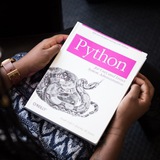
⌨️ Benefits of learning Python Programming
1. Web Development: Python frameworks like Django and Flask are popular for building dynamic websites and web applications.
2. Data Analysis: Python has powerful libraries like Pandas and NumPy for data manipulation and analysis, making it widely used in data science and analytic.
3. Machine Learning: Python's libraries such as TensorFlow, Keras, and Scikit-learn are extensively used for implementing machine learning algorithms and building predictive models.
4. Artificial Intelligence: Python is commonly used in AI development due to its simplicity and extensive libraries for tasks like natural language processing, image recognition, and neural network implementation.
5. Cybersecurity: Python is utilized for tasks such as penetration testing, network scanning, and creating security tools due to its versatility and ease of use.
6. Game Development: Python, along with libraries like Pygame, is used for developing games, prototyping game mechanics, and creating game noscripts.
7. Automation: Python's simplicity and versatility make it ideal for automating repetitive tasks, such as noscripting, data scraping, and process automation.
1. Web Development: Python frameworks like Django and Flask are popular for building dynamic websites and web applications.
2. Data Analysis: Python has powerful libraries like Pandas and NumPy for data manipulation and analysis, making it widely used in data science and analytic.
3. Machine Learning: Python's libraries such as TensorFlow, Keras, and Scikit-learn are extensively used for implementing machine learning algorithms and building predictive models.
4. Artificial Intelligence: Python is commonly used in AI development due to its simplicity and extensive libraries for tasks like natural language processing, image recognition, and neural network implementation.
5. Cybersecurity: Python is utilized for tasks such as penetration testing, network scanning, and creating security tools due to its versatility and ease of use.
6. Game Development: Python, along with libraries like Pygame, is used for developing games, prototyping game mechanics, and creating game noscripts.
7. Automation: Python's simplicity and versatility make it ideal for automating repetitive tasks, such as noscripting, data scraping, and process automation.
❤2
🚀 Essential Python/ Pandas snippets to explore data:
1. .head() - Review top rows
2. .tail() - Review bottom rows
3. .info() - Summary of DataFrame
4. .shape - Shape of DataFrame
5. .describe() - Denoscriptive stats
6. .isnull().sum() - Check missing values
7. .dtypes - Data types of columns
8. .unique() - Unique values in a column
9. .nunique() - Count unique values
10. .value_counts() - Value counts in a column
11. .corr() - Correlation matrix
1. .head() - Review top rows
2. .tail() - Review bottom rows
3. .info() - Summary of DataFrame
4. .shape - Shape of DataFrame
5. .describe() - Denoscriptive stats
6. .isnull().sum() - Check missing values
7. .dtypes - Data types of columns
8. .unique() - Unique values in a column
9. .nunique() - Count unique values
10. .value_counts() - Value counts in a column
11. .corr() - Correlation matrix
👍4
👉 What is Python Data Structures?
You can think of a data structure as a way of organizing and storing data such that we can access and modify it efficiently.
We have primitive data types like integers, floats, Booleans, and strings.
👉 What is Python List?
A list in Python is a heterogeneous container for items. This would remind you of an array in C++, but since Python does not support arrays, we have Python Lists.
👉 Python Tuple
This Python Data Structure is like a, like a list in Python, is a heterogeneous container for items.
But the major difference between the two (tuple and list) is that a list is mutable, but a tuple is immutable.
This means that while you can reassign or delete an entire tuple, you cannot do the same to a single item or a slice.
👉 Python Dictionaries
Finally, we will take a look at Python dictionaries. Think of a real-life dictionary. What is it used for? It holds word-meaning pairs. Likewise, a Python dictionary holds key-value pairs. However, you may not use an unhashable item as a key.
To declare a Python dictionary, we use curly braces. But since it has key-value pairs instead of single values, this differentiates a dictionary from a set.
You can think of a data structure as a way of organizing and storing data such that we can access and modify it efficiently.
We have primitive data types like integers, floats, Booleans, and strings.
👉 What is Python List?
A list in Python is a heterogeneous container for items. This would remind you of an array in C++, but since Python does not support arrays, we have Python Lists.
👉 Python Tuple
This Python Data Structure is like a, like a list in Python, is a heterogeneous container for items.
But the major difference between the two (tuple and list) is that a list is mutable, but a tuple is immutable.
This means that while you can reassign or delete an entire tuple, you cannot do the same to a single item or a slice.
👉 Python Dictionaries
Finally, we will take a look at Python dictionaries. Think of a real-life dictionary. What is it used for? It holds word-meaning pairs. Likewise, a Python dictionary holds key-value pairs. However, you may not use an unhashable item as a key.
To declare a Python dictionary, we use curly braces. But since it has key-value pairs instead of single values, this differentiates a dictionary from a set.
👍4❤2
What is Python Loop?
When you want some statements to execute a hundred times, you don’t repeat them 100 times.
Think of when you want to print numbers 1 to 99. Or that you want to say Hello to 99 friends.
In such a case, you can use loops in python.
Here, we will discuss 4 types of Python Loop:
Python For Loop
Python While Loop
Python Loop Control Statements
Nested For Loop in Python
Python While Loop
A while loop in python iterates till its condition becomes False. In other words, it executes the statements under itself while the condition it takes is True.
Python For Loop
Python for loop can iterate over a sequence of items. The structure of a for loop in Python is different than that in C++ or Java.
That is, for(int i=0;i<n;i++) won’t work here. In Python, we use the ‘in’ keyword.
Nested for Loops in Python
You can also nest a loop inside another. You can put a for loop inside a while, or a while inside a for, or a for inside a for, or a while inside a while.
Or you can put a loop inside a loop inside a loop. You can go as far as you want.
Loop Control Statements in Python
Sometimes, you may want to break out of normal execution in a loop.
For this, we have three keywords in Python- break, continue, and Python
When you want some statements to execute a hundred times, you don’t repeat them 100 times.
Think of when you want to print numbers 1 to 99. Or that you want to say Hello to 99 friends.
In such a case, you can use loops in python.
Here, we will discuss 4 types of Python Loop:
Python For Loop
Python While Loop
Python Loop Control Statements
Nested For Loop in Python
Python While Loop
A while loop in python iterates till its condition becomes False. In other words, it executes the statements under itself while the condition it takes is True.
Python For Loop
Python for loop can iterate over a sequence of items. The structure of a for loop in Python is different than that in C++ or Java.
That is, for(int i=0;i<n;i++) won’t work here. In Python, we use the ‘in’ keyword.
Nested for Loops in Python
You can also nest a loop inside another. You can put a for loop inside a while, or a while inside a for, or a for inside a for, or a while inside a while.
Or you can put a loop inside a loop inside a loop. You can go as far as you want.
Loop Control Statements in Python
Sometimes, you may want to break out of normal execution in a loop.
For this, we have three keywords in Python- break, continue, and Python
👍6
Source Code of Getting WiFi Passwords 👇👇-
Like for more Python Projects
Python Projects: https://whatsapp.com/channel/0029Vau5fZECsU9HJFLacm2a
# importing subprocess
import subprocess

# getting meta data
meta_data = subprocess.check_output(['netsh', 'wlan', 'show', 'profiles'])

# decoding meta data
data = meta_data.decode('utf-8', errors ="backslashreplace")

# splitting data by line by line
data = data.split('\n')

# creating a list of profiles
profiles = []

# traverse the data
for i in data:

    # find "All User Profile" in each item
    if "All User Profile" in i :

        # if found
        # split the item
        i = i.split(":")

        # item at index 1 will be the wifi name
        i = i[1]

        # formatting the name
        # first and last character is use less
        i = i[1:-1]

        # appending the wifi name in the list
        profiles.append(i)


# printing heading
print("{:<30}| {:<}".format("Wi-Fi Name", "Password"))
print("----------------------------------------------")

# traversing the profiles
for i in profiles:

    # try catch block begins
    # try block
    try:
        # getting meta data with password using wifi name
        results = subprocess.check_output(['netsh', 'wlan', 'show', 'profile', i, 'key = clear'])

        # decoding and splitting data line by line
        results = results.decode('utf-8', errors ="backslashreplace")
        results = results.split('\n')

        # finding password from the result list
        results = [b.split(":")[1][1:-1] for b in results if "Key Content" in b]

        # if there is password it will print the pass word
        try:
            print("{:<30}| {:<}".format(i, results[0]))

        # else it will print blank in front of pass word
        except IndexError:
            print("{:<30}| {:<}".format(i, ""))


    # called when this process get failed
    except subprocess.CalledProcessError:
        print("Encoding Error Occurred")
Like for more Python Projects
Python Projects: https://whatsapp.com/channel/0029Vau5fZECsU9HJFLacm2a
👍14❤4
Here is an A-Z list of essential programming terms:
1. Array: A data structure that stores a collection of elements of the same type in contiguous memory locations.
2. Boolean: A data type that represents true or false values.
3. Conditional Statement: A statement that executes different code based on a condition.
4. Debugging: The process of identifying and fixing errors or bugs in a program.
5. Exception: An event that occurs during the execution of a program that disrupts the normal flow of instructions.
6. Function: A block of code that performs a specific task and can be called multiple times in a program.
7. GUI (Graphical User Interface): A visual way for users to interact with a computer program using graphical elements like windows, buttons, and menus.
8. HTML (Hypertext Markup Language): The standard markup language used to create web pages.
9. Integer: A data type that represents whole numbers without any fractional part.
10. JSON (JavaScript Object Notation): A lightweight data interchange format commonly used for transmitting data between a server and a web application.
11. Loop: A programming construct that allows repeating a block of code multiple times.
12. Method: A function that is associated with an object in object-oriented programming.
13. Null: A special value that represents the absence of a value.
14. Object-Oriented Programming (OOP): A programming paradigm based on the concept of "objects" that encapsulate data and behavior.
15. Pointer: A variable that stores the memory address of another variable.
16. Queue: A data structure that follows the First-In-First-Out (FIFO) principle.
17. Recursion: A programming technique where a function calls itself to solve a problem.
18. String: A data type that represents a sequence of characters.
19. Tuple: An ordered collection of elements, similar to an array but immutable.
20. Variable: A named storage location in memory that holds a value.
21. While Loop: A loop that repeatedly executes a block of code as long as a specified condition is true.
Best Programming Resources: https://topmate.io/coding/898340
Join for more: https://news.1rj.ru/str/programming_guide
ENJOY LEARNING 👍👍
1. Array: A data structure that stores a collection of elements of the same type in contiguous memory locations.
2. Boolean: A data type that represents true or false values.
3. Conditional Statement: A statement that executes different code based on a condition.
4. Debugging: The process of identifying and fixing errors or bugs in a program.
5. Exception: An event that occurs during the execution of a program that disrupts the normal flow of instructions.
6. Function: A block of code that performs a specific task and can be called multiple times in a program.
7. GUI (Graphical User Interface): A visual way for users to interact with a computer program using graphical elements like windows, buttons, and menus.
8. HTML (Hypertext Markup Language): The standard markup language used to create web pages.
9. Integer: A data type that represents whole numbers without any fractional part.
10. JSON (JavaScript Object Notation): A lightweight data interchange format commonly used for transmitting data between a server and a web application.
11. Loop: A programming construct that allows repeating a block of code multiple times.
12. Method: A function that is associated with an object in object-oriented programming.
13. Null: A special value that represents the absence of a value.
14. Object-Oriented Programming (OOP): A programming paradigm based on the concept of "objects" that encapsulate data and behavior.
15. Pointer: A variable that stores the memory address of another variable.
16. Queue: A data structure that follows the First-In-First-Out (FIFO) principle.
17. Recursion: A programming technique where a function calls itself to solve a problem.
18. String: A data type that represents a sequence of characters.
19. Tuple: An ordered collection of elements, similar to an array but immutable.
20. Variable: A named storage location in memory that holds a value.
21. While Loop: A loop that repeatedly executes a block of code as long as a specified condition is true.
Best Programming Resources: https://topmate.io/coding/898340
Join for more: https://news.1rj.ru/str/programming_guide
ENJOY LEARNING 👍👍
👍9❤2🎄1
🚀 Roadmap to Master Python Programming 🔰
📂 Python Fundamentals
∟📂 Learn Syntax, Variables & Data Types
∟📂 Master Control Flow & Functions
∟📂 Practice with Simple Projects
📂 Intermediate Concepts
∟📂 Object-Oriented Programming (OOP)
∟📂 Work with Modules & Packages
∟📂 Understand Exception Handling & File I/O
📂 Data Structures & Algorithms
∟📂 Lists, Tuples, Dictionaries & Sets
∟📂 Algorithms & Problem Solving
∟📂 Master Recursion & Iteration
📂 Python Libraries & Tools
∟📂 Get Comfortable with Pip & Virtual Environments
∟📂 Learn NumPy & Pandas for Data Handling
∟📂 Explore Matplotlib & Seaborn for Visualization
📂 Web Development with Python
∟📂 Understand Flask & Django Frameworks
∟📂 Build RESTful APIs
∟📂 Integrate Front-End & Back-End
📂 Advanced Topics
∟📂 Concurrency: Threads & Asyncio
∟📂 Learn Testing with PyTest
∟📂 Dive into Design Patterns
📂 Projects & Real-World Applications
∟📂 Build Command-Line Tools & Scripts
∟📂 Contribute to Open-Source
∟📂 Showcase on GitHub & Portfolio
📂 Interview Preparation & Job Hunting
∟📂 Solve Python Coding Challenges
∟📂 Master Data Structures & Algorithms Interviews
∟📂 Network & Apply for Python Roles
✅️ Happy Coding
React "❤️" for More 👨💻
📂 Python Fundamentals
∟📂 Learn Syntax, Variables & Data Types
∟📂 Master Control Flow & Functions
∟📂 Practice with Simple Projects
📂 Intermediate Concepts
∟📂 Object-Oriented Programming (OOP)
∟📂 Work with Modules & Packages
∟📂 Understand Exception Handling & File I/O
📂 Data Structures & Algorithms
∟📂 Lists, Tuples, Dictionaries & Sets
∟📂 Algorithms & Problem Solving
∟📂 Master Recursion & Iteration
📂 Python Libraries & Tools
∟📂 Get Comfortable with Pip & Virtual Environments
∟📂 Learn NumPy & Pandas for Data Handling
∟📂 Explore Matplotlib & Seaborn for Visualization
📂 Web Development with Python
∟📂 Understand Flask & Django Frameworks
∟📂 Build RESTful APIs
∟📂 Integrate Front-End & Back-End
📂 Advanced Topics
∟📂 Concurrency: Threads & Asyncio
∟📂 Learn Testing with PyTest
∟📂 Dive into Design Patterns
📂 Projects & Real-World Applications
∟📂 Build Command-Line Tools & Scripts
∟📂 Contribute to Open-Source
∟📂 Showcase on GitHub & Portfolio
📂 Interview Preparation & Job Hunting
∟📂 Solve Python Coding Challenges
∟📂 Master Data Structures & Algorithms Interviews
∟📂 Network & Apply for Python Roles
✅️ Happy Coding
React "❤️" for More 👨💻
❤14👍8
Template for connect with Recruiter
Dear Recruiter,
I hope this message finds you well. I am reaching out to inquire about any suitable job openings that match my qualifications and experience in Software development Engineer .
I would greatly appreciate it if you could keep me informed of any job openings that would be a good match for my profile.
Thank you for considering my request, and I look forward to hearing back from you soon, Please Share this with your Hiring network, It will be a great help for me.
Best regards,
Xyz
Dear Recruiter,
I hope this message finds you well. I am reaching out to inquire about any suitable job openings that match my qualifications and experience in Software development Engineer .
I would greatly appreciate it if you could keep me informed of any job openings that would be a good match for my profile.
Thank you for considering my request, and I look forward to hearing back from you soon, Please Share this with your Hiring network, It will be a great help for me.
Best regards,
Xyz
👍5❤2